How To Archives - Web Maniacs

Hiring Web Developers for Small Business: 2026 Guide

Table of Contents

Last Updated: June 4, 2026

Hiring web developers for small business is one of the most consequential decisions you’ll make for your online presence, and most owners get it wrong before they even post a job description. At Web Maniacs, we’ve worked with hundreds of small business clients navigating this process, and the same costly mistakes surface every time. This guide gives you a practical framework: how to scope your project, vet candidates, understand pricing, and avoid the traps that drain budgets and delay launches.

Most guides treat hiring a web developer like hiring any other contractor. It isn’t. The technical asymmetry between you and the person you’re evaluating creates real risk. Below, we’ll show you exactly how to close that gap, from writing a job description that attracts the right talent to asking interview questions that reveal whether someone can actually deliver.

What Small Business Owners Get Wrong About Hiring Web Developers

The biggest mistake small business owners make is hiring for skills before scoping the project. They post a job description asking for React, PHP, and Laravel experience without knowing whether their project needs any of those technologies. The result is a mismatch that wastes time on both sides.

Web developer hiring for small business fails most often at the requirements stage. Owners conflate web design with web development, assume a full stack developer is always better than a specialist, and underestimate how much a vague brief costs them in revision cycles and scope creep.

A few patterns repeat consistently:

  • Treating portfolio quality as a proxy for communication skills (it isn’t)
  • Hiring the cheapest option without accounting for post-launch maintenance costs
  • Confusing a CMS customization job with a custom software build
  • Skipping a discovery phase because it "feels like extra cost"

The contrarian truth: a mid-level developer who asks sharp questions about your business goals will outperform a senior developer who just builds what they’re told. Technical skill matters, but alignment matters more at the small business scale.

Watch Out
Posting a job description that lists every technology you’ve heard of (WordPress, Shopify, Webflow, React, JavaScript, PHP) signals to experienced developers that you don’t know what you need. You’ll attract generalists who say yes to everything and deliver mediocrity across the board.

Freelance vs Agency Web Development: Which Is Right for You?

The choice between a freelance web developer and a web development agency is not about budget alone. It’s about risk tolerance, project complexity, and how much management bandwidth you have.

A small business owner sitting across from a web developer at a modern desk, reviewing a laptop screen showing a website portfolio together in a bright, plant-filled office with natural window light

Most small businesses default to freelancers because agencies appear expensive. That assumption holds for simple projects and collapses for complex ones.

When a Freelance Web Developer Makes Sense

A freelance web developer is the right choice when your project has a well-defined scope, a single primary technology, and a budget that doesn’t justify agency overhead. Freelancers work well for landing page builds, CMS migrations, UI/UX refreshes, and speed optimization projects. The practical advantages are real: faster onboarding, direct communication, and lower hourly rates.

The risk is equally real. A solo developer who gets sick, takes on competing projects, or disappears mid-build has no backup, a serious vulnerability if your site needs to launch before a product release.

Best for: Single-technology projects, defined deliverables, owners who can manage the process themselves.

When a Web Development Agency Is Worth the Investment

A web development agency makes sense when your project requires multiple disciplines simultaneously: UI/UX design, full stack development, SEO optimization, and payment gateway integration. Agencies absorb coordination overhead and bring structured project management. The trade-off is cost and communication layers, for complex builds, that structure is a feature; for simple ones, it’s friction.

Pro Tip
Ask any agency for the specific developer who will build your project. If they can’t name that person in the proposal stage, your work will be handed to whoever is available when your project starts.

Cost to Hire a Web Developer for Small Business

The cost to hire a web developer for small business varies widely based on geography, experience level, and engagement model. Understanding the structure of that cost prevents the most common budgeting errors.

According to Upwork’s 2025 Freelance Economic Impact Report, web development remains one of the most in-demand freelance skill categories globally, with significant rate variation between regions. That variation is your biggest lever.

Hourly Rate vs Project-Based Pricing: Pros and Cons

Pricing Model Typical Use Case Risk Profile Best For
Hourly rate Ongoing work, undefined scope Higher (scope creep) Maintenance, iterative builds
Project-based Fixed deliverables Lower (if scoped well) Landing pages, defined builds
Retainer Long-term partnership Low Ongoing development needs

Hourly rate pricing gives you flexibility but creates an incentive structure where slow work costs you more. Project-based pricing aligns incentives but requires a detailed scope document upfront. Many small business owners prefer project-based pricing for initial builds and shift to a retainer for post-launch maintenance.

Cost vs Quality Trade-offs You Need to Understand

The lowest bid rarely reflects the true cost of a project. A developer charging less who takes three times as long, or delivers code requiring a rewrite six months later, is the more expensive option.

The real cost calculation includes:

  • Development hours (quoted or estimated)
  • Revision cycles (typically 2-3 rounds for a well-scoped project)
  • Post-launch bug fixes (budget 10-15% of build cost)
  • Ongoing maintenance and hosting management
  • Your own time managing the project

Request fixed-price quotes from three developers at different price points, then evaluate against portfolio quality and client reviews. The gap between mid-range and premium quotes often narrows when you factor in total project cost.

Key Takeaway
The real cost of hiring a web developer is not the hourly rate. It’s the hourly rate multiplied by actual hours, plus revision cycles, plus post-launch support. Scope your project tightly before comparing quotes.

How to Write a Web Developer Job Description Template That Attracts the Right Talent

A strong web developer job description is the single most effective filter you have before any interview. A vague description attracts generalists; a specific one attracts specialists who self-select accurately.

The LinkedIn Talent Insights hiring guides consistently show that job descriptions with specific technical requirements and clear deliverables generate higher-quality applicant pools than those listing broad skill sets.

Technical Skills and Technologies to List

List only the technologies your project actually requires. If you’re building a WordPress site with WooCommerce, list WordPress, PHP, CSS, and JavaScript. Adding React or Laravel to a CMS project signals confusion and filters out the specialists you need.

A practical job description template for a small business web project:


Project: [Landing page / CMS build / E-commerce store / Web application]
Technologies required: [List 3-5 specific technologies]
Deliverables: [Specific pages, features, or functionality]
Timeline: [Expected start and completion dates]
Budget range: [Hourly rate range or fixed project budget]
Post-launch support: [Yes/No, and for how long]
Communication: [Expected response time, meeting cadence]

What we’re looking for:

  • Portfolio showing [specific type of work]
  • Client reviews demonstrating [reliability, communication, delivery]
  • Experience with [specific CMS, framework, or industry]

This structure tells qualified candidates exactly what they’re evaluating and gives unqualified candidates a clear reason not to apply.

Project Scoping for Non-Technical Founders Before You Hire

Non-technical founders often skip project scoping because it feels like a technical task. It isn’t. Scoping is a business task that happens to have technical output.

Before you contact a single developer, answer three questions: What does the site need to do? Who is the user? What does success look like in 90 days? The answers determine whether you need a landing page, a CMS, or a full stack application.

Defining Your Deliverables: Landing Page, CMS, or Full Stack App?

A landing page is a single-page build optimized for conversion, requiring HTML5, CSS, and JavaScript skills. Build time is typically one to two weeks, the right choice for product launches or lead generation campaigns.

A CMS build (WordPress, Webflow, or similar) gives you a manageable website you can update without developer involvement. It requires CMS-specific skills and often payment gateway integration for e-commerce. Build time ranges from two to eight weeks depending on complexity.

A full stack application is a custom-coded platform with its own database, user authentication, and application logic, requiring deep JavaScript, React, PHP, or Laravel expertise. Build time starts at three months. Most small businesses do not need this for their first web presence.

The most common scoping mistake is building a full stack app when a CMS would serve the business for the next three years. Nail the scope before you hire.

Web Developer Interview Questions for Small Business Owners

Interviewing a web developer as a non-technical founder feels intimidating. The good news: the most revealing questions are not technical at all. The goal is to assess communication, problem-solving approach, and whether the developer has built anything similar to what you need. Technical skills are verifiable through portfolio review; judgment and communication are only visible in conversation.

Core questions to ask every candidate:

  1. Walk me through a project where the client changed requirements mid-build. How did you handle it?
  2. What CMS or framework would you recommend for my project, and why?
  3. How do you handle a situation where a client’s request would create a technical problem?
  4. What does your handoff process look like at the end of a project?
  5. How do you approach SEO optimization and page speed during a build?
  6. What happens if something breaks after launch?

A professional interview scene with two people seated at a clean wooden table, one taking notes on a notepad while the other gestures toward an open laptop displaying a website design mockup, warm office lighting

How to Evaluate a Portfolio and Client Reviews

A portfolio tells you what a developer can build. Client reviews tell you what it’s like to work with them. Both matter, but reviews are underweighted by most small business owners.

When reviewing a portfolio, look for projects similar in scope and technology to yours, live sites (not just screenshots) you can test for speed and mobile responsiveness, and evidence of UI/UX thinking beyond technical execution.

When reading client reviews, filter for mentions of communication, deadline adherence, and post-launch support. According to Clutch’s B2B ratings and reviews platform, communication quality is the most frequently cited factor in negative web development reviews, outranking technical skill and pricing disputes. A developer with eight reviews averaging high marks on communication is a safer bet than one with two reviews and a perfect technical score.

Where to Find and Filter Web Developers by Location, Skills, and Budget

The right hiring marketplace depends on your project type, budget, and preference for remote versus local collaboration.

Upwork is the largest freelance marketplace globally. Filter by technical skills, hourly rate, client rating, and job success score. It works well for project-based hiring and ongoing retainers.

Toptal positions itself as the top five percent of freelance talent. The vetting is done for you, and rates reflect that. For complex builds where a bad hire is catastrophic, the premium is justified.

PeoplePerHour skews toward European and UK-based developers and works well for small to mid-range projects.

LinkedIn is underused for freelance hiring. A direct search by technical skills and location surfaces candidates who aren’t actively marketing on freelance platforms, which often means less competition for their time. For local hiring, searching "web developer [your city]" surfaces agencies and freelancers who prefer in-person collaboration.

Pro Tip
Filter by “job success score” on Upwork before filtering by price. A developer with a 95% job success score and a higher rate will almost always cost less than a cheaper developer with a 75% score when you account for revision cycles and project delays.

Web Maniacs offers custom web and app development with a results-driven approach covering everything from initial scoping to post-launch optimization. If you’d rather work with a team that handles the full process, the Web Maniacs pricing page outlines available engagement models.

Post-Launch Maintenance: What to Expect After Your Site Goes Live

Post-launch is where many small business web projects quietly fail. The site launches, the developer moves on, and the owner discovers six months later that plugins are outdated, page speed has degraded, and a form stopped working.

Post-launch maintenance for a web developer for small business typically covers four areas:

  1. Security updates: CMS platforms like WordPress require regular plugin and core updates. Skipping these creates vulnerability windows.
  2. Performance monitoring: Page speed degrades over time as content accumulates. Regular optimization keeps load times competitive.
  3. Content updates: Adding new pages, products, or blog posts requires either developer support or a CMS your team can manage independently.
  4. Bug fixes: Forms break, integrations fail, and browser updates create display issues. Budget for reactive fixes.

Negotiate a maintenance retainer at the time of hire rather than after launch, developers are more likely to offer favorable rates when maintenance is part of the original engagement. According to W3Techs web technology surveys, sites running outdated CMS versions are among the most common targets for automated security exploits, a direct consequence of skipping maintenance.

Define your post-launch expectations in writing before signing any agreement. Specify response time for critical bugs, the scope of included fixes, and the process for requesting new work. Ambiguity here is the source of most post-launch disputes between small business owners and their developers.


Finding the right developer is only half the challenge. The other half is knowing what to ask for, how to evaluate what you receive, and how to protect your investment after launch. Web Maniacs provides personalised web and app development, custom software solutions, and comprehensive digital marketing services designed to support small businesses from initial build through ongoing growth. Get started with Web Maniacs and build a web presence that generates leads, converts visitors, and scales with your business.

Frequently Asked Questions

How much does it cost to hire a web developer for a small business?

The cost to hire a web developer for small business varies widely depending on the scope and who you hire. Freelance web developers typically charge anywhere from $30 to $150+ per hour, while project-based pricing for a small business website can range from a few hundred to several thousand dollars. Agencies generally cost more but offer broader expertise. Always define your scope clearly before requesting quotes to get accurate comparisons.

Should I hire a freelance web developer or an agency for my small business?

It depends on your project size and ongoing needs. Freelance web developers are often more affordable and flexible for smaller, well-defined projects like a landing page or WordPress site. Agencies offer a full team covering UI/UX, development, and SEO optimization, which suits more complex builds or businesses needing long-term partnership and ongoing support. Weigh your budget, timeline, and how much involvement you want in managing the process.

What questions should I ask a web developer before hiring them?

Key web developer interview questions for small business owners include: What CMS platforms do you specialise in, WordPress, Shopify, or Webflow? Can you share a portfolio of similar projects? How do you handle speed optimisation and mobile responsiveness? What is your process for payment gateway integration if I need e-commerce? Do you offer post-launch support? These questions help you assess both technical skills and communication style before committing.

What should I include in a web developer job description for my small business?

A strong web developer job description template should outline the project type (e.g., landing page, full stack web app, or CMS build), required technical skills such as HTML5, CSS, JavaScript, React, PHP, or Laravel, your preferred platform, the project timeline, and whether the role is hourly rate or project-based. Mention if remote work is acceptable and whether you need ongoing database management or SEO optimisation support after launch.

How do I know if a web developer is qualified enough for my project?

Review their portfolio for projects similar in scope to yours, look for relevant platforms like WordPress, Shopify, or Webflow. Check client reviews on hiring marketplaces for consistency and professionalism. Ask for live URLs of past work and test those sites for speed and mobile usability. During the interview, give a small paid test task if possible. A qualified developer will ask clarifying questions about your goals rather than jumping straight to a quote.

This article was written using GrandRanker

Get a Custom Mobile App Quote: What to Know First

Table of Contents

Last Updated: May 27, 2026

Getting a precise budget figure before committing to a development contract is one of the most common challenges businesses face when trying to get custom mobile app quote from a reputable agency. Most people assume the process is straightforward: describe your idea, receive a number, sign a contract. The reality is considerably more complicated, and misunderstanding what drives cost estimates is how projects end up over budget before a single line of code is written. This guide from Web Maniacs breaks down exactly what goes into a custom app quote, where the hidden costs live, and how to negotiate a better deal.

Here’s what most guides get wrong: they treat the quote as the destination. It’s actually the starting point for a much more important conversation about scope, risk, and technical architecture.

What Is a Custom Mobile App Quote (and Why It Matters)

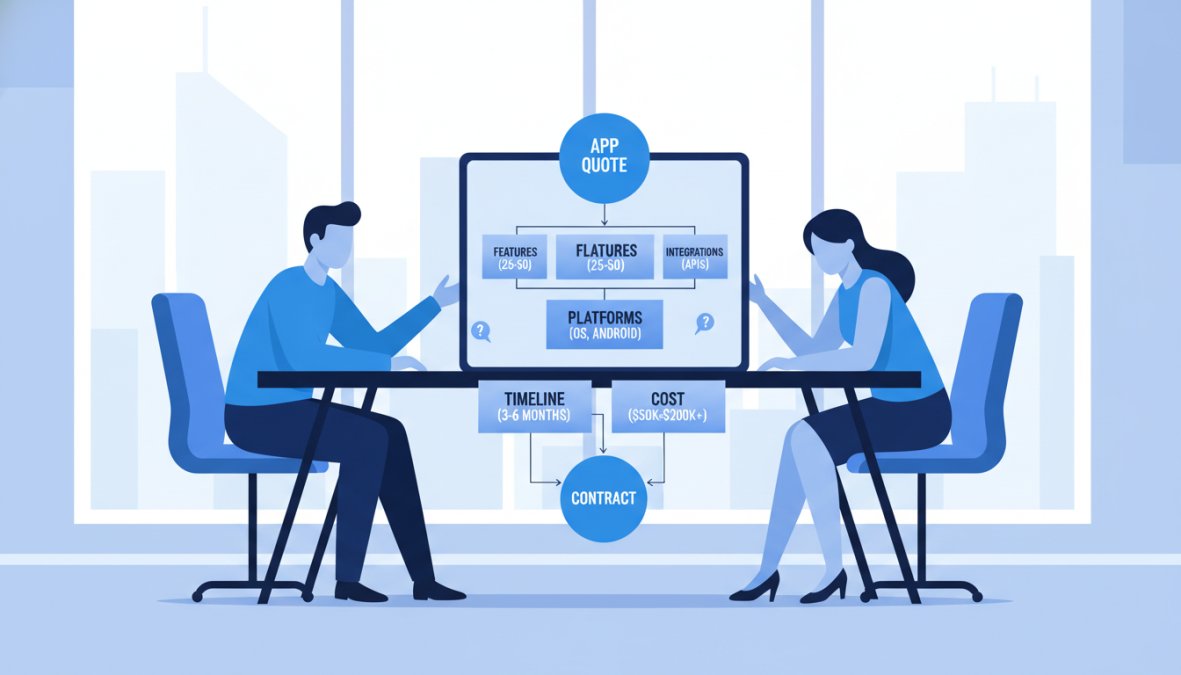
A custom mobile app quote is a commercial document that outlines the estimated cost, timeline, scope of work, and deliverables for building a mobile application tailored to a client’s specific business requirements. It differs from a generic estimate in that it accounts for your particular feature set, platform choices, and technical constraints.

Why does it matter? Because a poorly structured quote is one of the primary reasons app development projects fail. Without clear cost estimation and scope definition, both client and developer are operating on different assumptions. The quote is the document that forces alignment.

Fixed-Price vs. Time-and-Material Contracts

The contract model you choose shapes everything downstream.

A fixed-price contract locks in the total cost based on an agreed scope of work. It works well when requirements are thoroughly documented and unlikely to change. The risk sits with the developer; if the project takes longer than estimated, that’s their problem.

A time-and-material contract bills by the hour against an estimated budget. It’s more flexible and better suited to projects where the feature set will evolve through user testing and iteration. The risk shifts to the client: scope creep is real, and without discipline, costs escalate.

Many businesses instinctively prefer fixed-price because it feels safer. In practice, if your requirements aren’t fully defined, a fixed-price contract pushes developers to pad their estimates significantly to cover unknowns. For most custom apps, a time-and-material approach with a capped budget ceiling often produces better outcomes.

Pro Tip
Before requesting any quote, document your requirements in enough detail that a developer could build a wireframe from them. Vague briefs produce inflated estimates because developers price uncertainty, not just features.

Mobile App Development Cost Breakdown: Where Your Budget Actually Goes

Most clients receive a single lump-sum figure and have no idea what’s inside it. Breaking down the mobile app development cost breakdown by category reveals where budget actually flows, where developers have the most margin, and where you have legitimate room to negotiate. The goal of this section is not to give you a single number, it’s to give you a mental model for interrogating any number a developer hands you.

A business professional in a modern office reviewing a detailed project budget document on a laptop, with a printed spreadsheet, notepad, and pen on the desk beside them, warm natural light coming through a window

The Six Core Cost Categories (and What’s Actually Inside Each)

1. UI/UX Design
This phase covers user research, information architecture, wireframing, interactive prototyping, and final visual design. For a mid-complexity app, design typically represents 15-25% of total project cost. The variable that most clients miss: design revisions. Many agencies include one or two revision rounds in their quote, then bill additional rounds at their standard hourly rate. If your stakeholders are likely to request multiple rounds of changes, negotiate a higher revision allowance upfront, it is almost always cheaper than paying revision overages at a premium rate.

2. Frontend Development
This is the code that renders what users see and interact with. The platform decision, native iOS, native Android, or a cross-platform framework like React Native or Flutter, has a direct cost implication. Building two separate native apps roughly doubles frontend development hours compared to a single cross-platform codebase. Cross-platform frameworks have narrowed the performance gap significantly, but for apps that rely heavily on device hardware (camera, GPS, Bluetooth, biometrics), native development often remains the more defensible choice despite the higher cost.

3. Backend Infrastructure
For data-driven apps, backend work is frequently the largest single cost driver. This category includes server architecture design, database schema, API development, authentication and authorization systems, and third-party service integration. A common mistake is treating backend as a fixed cost. It is not. Backend complexity scales with the number of user roles, the volume of data transactions, real-time requirements (live chat, push notifications, live tracking), and compliance obligations. An app with a single user type and no real-time features has a fundamentally different backend cost profile than one with multi-role access and live data sync.

4. QA and Testing
Quality assurance is the category most aggressively compressed when a project runs over schedule. A thorough QA phase covers functional testing, regression testing, performance testing under load, security testing, and device/OS compatibility testing across a representative device matrix. Skipping or shortening this phase does not save money, it defers cost to post-launch bug fixes, which are significantly more expensive to resolve once users are affected.

5. App Store Submission and Compliance
Apple’s App Store review process and Google Play’s review process have distinct technical requirements, metadata standards, and content policies. Compliance work for regulated industries, HIPAA for healthcare, PCI-DSS for payment processing, COPPA for apps serving minors, adds meaningful hours that must be scoped explicitly. If your quote does not itemize compliance work separately, ask whether it is included or excluded.

6. Project Management and Communication
Project management is often embedded in hourly rates rather than itemized, which makes it invisible until you try to compare quotes from different agencies. Some agencies include a dedicated project manager; others expect the client to coordinate directly with developers. The former costs more upfront and typically saves more in miscommunication-driven rework.

The Hidden Cost Breakdown: What Quotes Routinely Exclude

This is the part that creates the most post-launch budget shock. A quote that looks competitive on the surface frequently excludes costs that become unavoidable the moment you go live.

Third-Party API and Service Fees
Almost every modern app depends on third-party services: payment gateways (Stripe, Braintree), mapping (Google Maps Platform, Mapbox), push notification infrastructure (Firebase Cloud Messaging, OneSignal), analytics platforms, and authentication providers. These services carry recurring subscription or usage-based fees that begin accruing at launch and scale with your user base. A developer’s quote covers the integration work, the ongoing licensing cost is yours to carry indefinitely. Before signing, ask your developer to list every third-party service the app will depend on and provide the pricing tier relevant to your expected usage volume.

Cloud Infrastructure and Server Costs
Hosting, compute, storage, and bandwidth are operational costs that sit entirely outside most development quotes. Whether your backend runs on AWS, Google Cloud, or Azure, these costs scale with usage. An app with modest initial traffic may run on a small instance for a manageable monthly fee, but a successful launch that drives rapid user growth can push infrastructure costs significantly higher within weeks. Ask your developer to architect the backend with cost-efficient scaling in mind, and request an estimate of expected monthly infrastructure costs at three traffic scenarios: low, medium, and high.

Maintenance and OS Compatibility Updates
Apple and Google release major OS updates annually. Each update can break existing app functionality, deprecate APIs the app depends on, or require UI adjustments to meet new design guidelines. Ongoing maintenance to keep an app compatible with current OS versions is a recurring cost that most initial quotes do not include. A common industry pattern is to budget 15-20% of the original development cost annually for maintenance, though this varies significantly with app complexity.

Technical Debt Remediation
Technical debt is the accumulated cost of shortcuts taken during development to hit a deadline or reduce initial cost. It is not hypothetical, it is a predictable outcome of any project where speed is prioritized over code quality. Technical debt compounds: a shortcut taken in month two of development can require three times the remediation effort in month twelve. Ask any developer you are evaluating how they define and manage technical debt, and whether their quote includes any allocation for code review and refactoring during the project.

Scalability Re-Architecture
An app built to serve a few hundred users may require significant backend re-architecture to handle tens of thousands. If scalability is not explicitly scoped in the initial contract, reaching that threshold means a separate engagement, often at a moment when you have the least leverage, because the original developer holds the institutional knowledge of the codebase. Negotiate scalability thresholds into the original scope: define the user volume the architecture is designed to support, and document what a scalability upgrade engagement would look like before you need it.

Watch Out
If a quote does not include a line item or explicit exclusion statement for third-party API costs, ongoing maintenance, and infrastructure, it is not a complete quote. Request a written addendum that addresses each of these categories before signing. The absence of these items is not an oversight, it is a scope boundary that will cost you later.
Pro Tip
When comparing quotes from multiple developers, build a simple spreadsheet that adds estimated first-year third-party service costs, infrastructure costs, and a maintenance reserve to each quote’s headline number. The developer with the lowest development quote frequently does not have the lowest total first-year cost of ownership.

How to Estimate Mobile App Development Time Realistically

Knowing how to estimate mobile app development time is as important as understanding cost. Timeline and budget are directly linked: every additional week of development is additional cost under a time-and-material contract.

A realistic timeline depends on three variables: complexity of the feature set, the development approach (native vs. hybrid), and the size of the development team.

Rough benchmarks for planning purposes:

  • Simple apps (5-10 screens, minimal backend, no real-time features): many agencies complete these in 8-14 weeks.
  • Mid-complexity apps (user authentication, API integration, custom UI/UX design, basic admin panel): 16-24 weeks is a common range.
  • Enterprise apps (complex backend infrastructure, multi-role access, real-time communication, compliance requirements): 6-12 months or more.

These are planning figures, not guarantees. No-code platforms like Glide can compress timelines significantly for internal tools, but consumer-facing apps with custom functionality still require traditional development cycles.

Project Milestones and the Development Lifecycle

The development lifecycle should be structured around clear project milestones, not just a start date and a launch date. A well-structured project plan includes:

  1. Discovery and requirements gathering – defining user stories, technical requirements, and business requirements
  2. Wireframing and UI/UX design – visual prototypes reviewed and approved before development begins
  3. Backend infrastructure setup – database architecture, API design, third-party service integration
  4. Frontend development sprints – iterative builds with client review checkpoints
  5. QA testing phase – functional, performance, and security testing
  6. App store submission – compliance review, metadata, screenshots, and approval process
  7. Post-launch support – bug fixes, performance monitoring, and first-round feature updates

Any quote that doesn’t map to these phases is missing structure. Ask for a milestone-based payment schedule tied to deliverables, not arbitrary calendar dates.

How to Get a Custom Mobile App Quote: Step-by-Step

The process to get a custom mobile app quote efficiently starts long before you contact a developer. The quality of your brief determines the quality of the estimate you receive.

Defining Your Project Scope and Feature Set

Scope definition is where most clients underinvest. A vague brief produces a vague quote. A detailed brief produces an actionable one.

Start with these elements:

  • Platform: Native iOS, native Android, or hybrid app development? Each has different cost profiles.
  • Core features: List every feature the app must have at launch. Separate these from nice-to-have features.
  • User types: How many user roles does the app need? Each role typically requires separate interface logic.
  • Integrations: What third-party services must the app connect to? Payment processors, CRMs, mapping services, and analytics tools all add development hours.
  • Data requirements: Does the app need to store, sync, or process user data? This determines backend complexity.
  • Compliance: Healthcare apps need HIPAA compliance. Financial apps have their own regulatory requirements. Compliance work adds significant cost.

Agencies like Chop Dawg and Blue Label Labs both emphasize a thorough research and planning phase before writing a single line of code. That approach reduces costly mid-project pivots.

Using an Interactive Quote Calculator as a Starting Point

Several agencies now offer online cost calculators as a first step. Attract Group and Sommo Studio both provide interactive tools that generate preliminary estimates based on feature selection and platform choice. These tools are useful for establishing a ballpark budget before investing time in a full discovery session.

The important caveat: calculator outputs are draft estimates, not binding quotes. They’re useful for determining whether a project is within your budget range before you engage a developer. Treat them as orientation, not commitment.

As documented in Clutch’s guide to hiring app development agencies, clients who arrive at initial consultations with documented requirements receive more accurate estimates and spend less time in back-and-forth clarification.

App Development RFP Template: What to Include in Your Proposal

An app development RFP (Request for Proposal) is the formal document you send to multiple developers to solicit comparable quotes. Without a structured RFP, each developer quotes against their own interpretation of your project, making side-by-side comparison nearly impossible. A well-constructed RFP also signals to developers that you are a serious, informed buyer, which tends to produce more accurate, less padded estimates.

What a Complete RFP Must Cover

Every RFP you send should include the following sections, in this order:

1. Executive Summary
One to two paragraphs describing what the app does, who it serves, and what business problem it solves. This is not a marketing pitch, it is context that helps developers understand the domain and make informed technical recommendations.

2. Business Requirements
The measurable outcomes the app must achieve. Frame these in terms of user behavior and business metrics, not features. "Users must be able to complete a purchase in under three taps" is a business requirement. "We need a checkout screen" is a feature request. The distinction matters because it gives developers latitude to propose better technical solutions than the ones you’ve already imagined.

3. Technical Requirements
Platform (iOS, Android, or both), minimum OS version support, performance benchmarks (load time expectations, concurrent user targets), security requirements, and any compliance obligations. If you have an existing tech stack that the app must integrate with, document it here.

4. Prioritized Feature List
List every feature the app must have at launch (P1), features that are important but deferrable to a second phase (P2), and features that are aspirational (P3). This structure allows developers to quote against the P1 scope and provide optional pricing for P2 features, giving you a clear picture of what phasing the build would save.

5. Timeline Expectations
Your target launch date and any hard external deadlines (regulatory, contractual, or market-driven). If the deadline is flexible, say so, it gives developers room to propose a more realistic timeline rather than compressing the schedule in ways that increase risk.

6. Budget Range
Share your budget range. This is counterintuitive to many buyers, but developers who cannot work within your range will self-select out, saving everyone time. Developers who can work within your range will structure their proposals accordingly rather than padding to an unknown ceiling.

7. Evaluation Criteria
Explain how you will select the winning proposal: weighting between price, technical approach, team experience, and timeline. Developers who know your evaluation criteria write better proposals.

Scope of Work, Deliverables, and Payment Schedule

The scope of work section is the legal backbone of your app development contract. It defines exactly what the developer is building, what they are delivering, and when payment is due. Vague scope of work documents are the primary mechanism through which project costs escalate beyond original quotes.

Every scope of work document should specify:

  • All features included in the current phase, described at the user story level ("As a registered user, I can reset my password via email"), not at the category level ("authentication")
  • File formats and ownership of all design assets upon project completion
  • Source code ownership and repository access, you should have access to your own repository from day one, not only at project completion
  • Documentation requirements: API documentation, deployment documentation, and a handover guide
  • A milestone-based payment schedule tied to specific deliverables, not calendar dates

A milestone-based payment schedule protects both parties. A common structure includes an upfront deposit (typically 20-30% to initiate work), a payment at design sign-off, a payment at backend completion and staging deployment, a payment at QA completion, and a final payment on successful app store launch. Avoid structures that front-load more than 30% before any deliverable is confirmed.

Key Takeaway
The scope of work document is not a formality. It is the primary instrument for resolving disputes. Every hour invested in making it specific and comprehensive before development begins is worth several hours of avoided conflict later.

How to Detect a Bait-and-Switch Quote Before You Sign

This is the content gap no competitor addresses directly, and it is one of the highest-stakes skills a buyer can develop. A bait-and-switch quote is one that appears competitive at the proposal stage but is structured to generate significant additional revenue through change orders, scope disputes, and post-launch support lock-in.

Here is how to identify the warning signs:

Warning Sign 1: The quote is a single line item.
A legitimate quote for a custom app should be itemized by phase and category. A single total figure with no breakdown is not a quote, it is a placeholder. You cannot negotiate, compare, or verify a number you cannot decompose. Request a line-item breakdown before any further conversation.

Warning Sign 2: The quote is significantly lower than all others you received.
A quote that is 40-50% below the median of comparable quotes from comparable developers is almost never a bargain. It is either scoped to a much narrower interpretation of your requirements, or it is a low entry price designed to get you under contract before the real costs emerge through change orders. Ask the developer to walk you through exactly what is and is not included. The exclusions list is more revealing than the inclusions list.

Warning Sign 3: No change order process is documented.
Every custom development project encounters scope changes. A developer who does not have a documented change order process, including how changes are priced, approved, and tracked, is a developer who will handle scope changes informally. Informal scope change management consistently favors the developer, not the client.

Warning Sign 4: The developer cannot provide references from projects of comparable complexity.
Portfolio screenshots are easy to curate. A developer who cannot connect you with a past client in a similar industry or with a similar technical scope has not necessarily done the work the portfolio implies. Request two or three client references and ask those clients specifically about how the developer handled scope changes, timeline slippage, and post-launch issues, not just whether they were satisfied with the final product.

Warning Sign 5: Intellectual property terms are vague or unfavorable.
Some development contracts retain IP rights with the developer until final payment, or include clauses that give the developer a license to reuse components of your app in future client work. Read the IP section of any contract carefully. You should own your source code, your design assets, and your data from the moment they are created, not only after final payment clears.

Warning Sign 6: The quote excludes post-launch support entirely.
An app that launches without any post-launch support arrangement is an app that will have unresolved bugs in production. Ask every developer you evaluate what their post-launch support model looks like, what it costs, and what the response time commitment is. A developer who has no answer to this question has not thought through the full project lifecycle.

Pro Tip
Before signing with any developer, ask them to explain the three most common reasons their projects have gone over budget or over timeline in the past. A developer who gives you a thoughtful, honest answer has the self-awareness to manage those risks on your project. A developer who says their projects never go over budget is either inexperienced or not being truthful.

As documented in Clutch’s guide to hiring app development agencies, clients who conduct structured reference checks and request itemized quotes receive more accurate final cost outcomes than those who select based on portfolio and price alone.

Questions to Ask Mobile App Developers Before You Sign Anything

Vetting a development partner requires more than reviewing a portfolio. The right questions expose technical depth, process maturity, and whether the team’s working style fits your project.

Two professionals sitting across from each other at a clean conference table in a bright modern meeting room, one gesturing while explaining something on a tablet screen to the other, natural light from large windows

Vetting Developer Credibility and Technical Depth

Ask these questions before committing to any developer:

On technical approach:

  • What tech stack do you recommend for this project, and why?
  • How do you handle API integration with third-party services?
  • What’s your approach to backend infrastructure and scalability?
  • Do you build native iOS and Android separately, or use a cross-platform framework?

On process:

  • What does your QA testing process look like?
  • How do you manage scope changes mid-project?
  • What does the app store submission process look like on your end?

On past work:

  • Can you show examples of apps with similar backend complexity to mine?
  • What’s the largest app you’ve deployed, and how did you handle post-launch maintenance?
  • Can I speak to a past client in a similar industry?

On post-launch:

  • What does your maintenance and support arrangement look like?
  • Who owns the source code and design assets at the end of the project?

Agencies like ScienceSoft and Appinventiv publish detailed case studies that demonstrate their approach to enterprise-grade security, compliance, and scalability. Reviewing these before a consultation reveals whether a developer’s experience matches your project’s complexity.

According to Forbes Technology Council on evaluating software development partners, the single most predictive factor in project success is the quality of communication and process documentation during the pre-contract phase, not the developer’s portfolio alone.

Quote Negotiation Strategies That Actually Work

Most clients treat the first quote as fixed. It rarely is. Here’s where experienced buyers focus their negotiation.

Reduce scope in phase one, not quality. The fastest way to lower a quote is to defer features to a later phase. Identify which features are genuinely required at launch versus which ones are aspirational. A well-structured MVP costs significantly less than a fully-featured app and lets you validate the concept before committing to full build-out.

Negotiate the payment schedule, not just the total. Developers with healthy cash flow are often willing to accept a lower total in exchange for faster milestone payments. Conversely, if cash flow is tight on your end, a longer payment schedule may be worth paying a small premium for.

Get at least three comparable quotes. A single quote gives you no use. Three quotes from comparable developers reveal the market rate for your project and give you a factual basis for negotiation. When comparing, ensure each quote covers the same scope of work and deliverables.

Ask what’s driving cost in the estimate. Developers will often identify features that are disproportionately expensive relative to their value. Sometimes a simpler technical approach achieves the same user outcome at a fraction of the cost.

Clarify hourly rates explicitly. Hourly rates vary significantly between onshore, nearshore, and offshore development teams. A time-and-material contract with a lower hourly rate isn’t automatically a better deal if the team is less efficient.

The no-code question is worth raising for internal tools and simple workflow apps. Platforms like Glide can build functional internal apps from spreadsheet data at a fraction of custom development cost. For consumer-facing apps with complex functionality, custom development remains the right choice, but no-code is a legitimate option for specific use cases.

For businesses comparing quotes across multiple agencies, tools like Bonsai offer professional quotation templates that standardize the format, making side-by-side comparison far easier than trying to reconcile differently structured documents.

As outlined in Harvard Business Review’s guide to vendor negotiation, the most effective negotiation strategy is preparation: knowing your budget ceiling, your non-negotiables, and your acceptable trade-offs before the conversation begins.


Getting a custom mobile app built without overpaying or under-specifying is genuinely difficult without the right guidance. Web Maniacs specializes in personalized mobile app creation and custom software development tailored to your specific business requirements, combining technical depth with results-driven strategy to ensure your app delivers measurable outcomes. The team’s approach to intuitive app design and user experience means you’re not just getting code: you’re getting a product built to connect with your customers. Get started with Web Maniacs and move from concept to a well-scoped, accurately quoted mobile app project.

Frequently Asked Questions

How much does it cost to build a custom mobile app?

Custom mobile app development costs vary widely depending on complexity, platform choice, and the development team you hire. A simple app with basic features may cost significantly less than an enterprise-grade solution requiring API integration, backend infrastructure, and multi-platform support. To get an accurate figure, you need a detailed quote based on your specific feature set, UI/UX design requirements, and timeline. Web Maniacs provides transparent pricing, visit the pricing page to explore your options.

What information do developers need to give me an app development quote?

To get a custom mobile app quote, developers typically need your business requirements, target platforms (native iOS and Android or hybrid app development), core feature list, user stories or wireframes if available, any third-party services or API integration needs, and your preferred timeline. The more detail you provide upfront, the more accurate your cost estimation will be. An app development RFP template can help you organise this information before approaching any development team.

Why do mobile app development quotes vary so much between providers?

Quotes differ because developers weigh factors differently, hourly rates vary by location and experience, scope interpretation can differ, and some agencies include QA testing, app store submission, and post-launch maintenance costs while others do not. A quote that looks cheaper may exclude backend infrastructure, scalability planning, or technical debt mitigation. Always compare quotes line by line against a consistent scope of work and deliverables to make a fair assessment.

How long does it typically take to get a quote for a mobile app project?

Turnaround time for a mobile app development quote depends on the complexity of your project and the provider. Some agencies offer preliminary estimates within 24 hours using online calculators or quick discovery calls. A thorough, detailed quote that covers the full development lifecycle, including wireframing, QA testing, deployment, and maintenance costs, may take three to seven business days. Providing a clear brief or RFP upfront significantly speeds up the process.

What hidden costs should I watch for in a mobile app development quote?

Common hidden costs include ongoing maintenance costs after launch, app store submission fees, third-party service subscriptions, backend infrastructure hosting, and charges for future feature updates. Some quotes also exclude UI/UX design, QA testing, or technical requirements documentation. Always ask for a full breakdown of the payment schedule and confirm whether post-launch support is included. Knowing these costs upfront prevents budget overruns during the development lifecycle.

This article was written using GrandRanker