Mobile-friendly website design is essential for trades businesses to capture leads, as customers searching for services on their phones expect fast-loading sites that display clearly and enable easy contact. A properly optimised mobile experience with touch-friendly buttons, fast load times under three seconds, and simple contact forms directly translates to more phone calls and quote requests.
Call-to-action buttons must be at least 48 pixels tall and wide for accurate thumb tapping on mobile devices
Pages should load in under three seconds by optimising images, using WebP format, and minimising large elements
Contact forms should ask only for name, phone, email, and job description to reduce friction and improve completion rates
Design for mobile first, then adapt for larger screens, to prioritise what matters most and eliminate clutter
Test your mobile site on real devices with different screen sizes, browsers, and network speeds before launch
Why Mobile-Friendly Website Design Matters for Trades
A mobile-friendly website design isn’t optional anymore, it’s essential for trades businesses that want to capture leads.
According to GoodFirms’ 2026 web design research for small businesses, mobile-responsive design is now table stakes for any business competing for local customers. Trades businesses that prioritise mobile-friendly website design see higher engagement, faster conversions, and more qualified leads.
Essential Features Every Trades Website Needs on Mobile
A mobile-friendly website design for trades requires more than just shrinking a desktop layout. Your mobile site must be built with touch, speed, and action in mind. Every element should serve one purpose: getting the customer to contact you or request a quote.
Touch-Friendly Navigation and Call-to-Action Buttons
On a phone screen, your navigation and buttons need to be large enough to tap without frustration.
The best mobile-friendly website design puts your primary call-to-action button above the fold, where customers see it immediately.
Navigation should be simple. Use a hamburger menu (three horizontal lines) to hide secondary links and keep the main screen uncluttered.
Professional tradesperson holding smartphone showing mobile-friendly website with prominent green “Call Now” button, project gallery, and contact form visible on screen in natural daylight
Fast Load Times and Optimised Images
A slow website kills conversions. Mobile users expect pages to load in under three seconds. If your images aren’t optimised, your site will feel sluggish and customers will bounce to a competitor.
Optimise every image for mobile before uploading. Compress files without losing quality, use modern image formats like WebP, and serve different image sizes to different devices.
Your mobile-friendly website design should also minimise the number of large elements that require loading. Avoid auto-playing videos, excessive animations, or too many fonts. Each of these adds weight and slows your site down.
Simple Contact Forms and Quote Requests
A contact form on mobile should ask for the bare minimum: name, phone number, email, and a brief description of the job.
Use large text fields, clear labels, and a prominent submit button. Make the form mobile-optimised so it doesn’t require pinching or zooming to fill in.
Consider adding a simple quote request form that lets customers describe their project in a few words. This reduces friction and gives you the information you need to follow up quickly.
Mobile-friendly websites for trades must include these core features to convert visitors into leads.
Feature
Purpose
Mobile Requirement
Call-to-action button
Drive phone calls and quote requests
At least 48 pixels tall and wide
Hamburger navigation menu
Keep main screen uncluttered
Hide secondary links, show Home, Services, Portfolio, Contact
Optimised images
Reduce load times
Compress files, use WebP format, serve different sizes
Page load speed
Retain mobile visitors
Load in under three seconds
Contact form
Capture lead information
Ask for name, phone, email, job description only
Call Now button
Enable direct dialing
Preferred by many customers over forms
Trades Website Examples That Drive Results
Generic design roundups show polished agency portfolios. What they rarely show is the mobile pattern that actually converts an urgent local search into a phone call. The examples below are composite patterns drawn from common trade websites rather than named businesses, so treat them as design blueprints you can copy rather than case studies to verify.
The emergency plumber pattern
The strongest mobile layout for an emergency trade leads with availability, not branding. Above the fold: a headline stating the service area and hours (“24/7 emergency plumbing across the region”), a tap-to-call button at least 48px tall, and a short line confirming after-hours response.
A common pattern is to repeat the tap-to-call button as a sticky bar fixed to the bottom of the screen, so the action is never more than one thumb-reach away no matter how far the customer scrolls.
The builder’s portfolio pattern
For builders, the mobile job is proof. The effective pattern is a filterable gallery where the first screen shows one large hero project image, a one-line scope summary (“Three-bedroom extension, 14 weeks”), and filter chips for Kitchen, Bathroom, Deck, and Renovation. Each project opens to a swipeable set of six to ten photos with a short scope, materials, and timeline note. Avoid carousels that auto-advance; on a small screen they fight the user’s thumb. Let the customer swipe at their own pace.
The electrician’s quote-request pattern
Electrical work is often planned rather than urgent, so the mobile pattern shifts from call-first to quote-first. The effective layout puts a short quote form above the portfolio: name, phone, suburb, and a dropdown for job type (rewire, switchboard, EV charger, lighting). Four fields is the practical ceiling before completion rates fall. The form should use the correct mobile keyboard types, tel for phone, email for email, so customers are not fighting the wrong keypad.
What these patterns share
Across all three, the common traits are: a primary action visible without scrolling, trust signals placed before the portfolio, tap targets sized for a thumb, and a contact path that never requires more than two taps. Local SEO strategies for tradespeople show how to complement your mobile design with search visibility for your service area. The lesson for your own mobile-friendly website design is to decide which single action matters most for your trade, call, quote, or browse, and build the first screen around it.
Key Takeaway Copy the pattern, not the pixels. Identify your trade’s dominant customer intent (urgent call, planned quote, or portfolio browse) and make that the first thing a thumb can reach.
Small Business Website Design Principles for Mobile Success
Building a mobile-friendly website design for trades requires understanding how mobile users behave.
Start with a mobile-first approach: design your website for mobile first, then adapt it for larger screens.
Use readable typography. Avoid small fonts that require zooming.
Whitespace matters on mobile. Cramped layouts feel overwhelming on a small screen. Give your content room to breathe.
Consistency builds trust. Use the same colour scheme, fonts, and button styles throughout your site.
Finally, test your mobile-friendly website design on real devices. Don’t just check it on your phone.
Website Design for Builders: Showcasing Your Portfolio on Any Device
For builders and contractors, your portfolio is your sales tool.
Use high-quality images. Blurry or pixelated photos damage your credibility. Invest in professional photography or hire a photographer to document your completed projects.
Organise your portfolio by project type or service. A homeowner looking for a kitchen renovation should find kitchen projects instantly.
Include project details: the scope of work, materials used, timeline, and budget range if possible.
Add testimonials and before-and-after photos. On mobile, these carry extra weight because the screen is small and every element is more prominent.
Consider a case study format for your biggest projects.
Building Your Mobile-Friendly Website: Tools and Next Steps
Most platform roundups list the same builders and stop there. For a trade business the decision hinges on a narrower set of questions: can the tool produce a fast mobile page, does it support a tap-to-call button and a short quote form without plugins, and can you edit it yourself between jobs? Evaluate any option against those three tests before price.
Website builders
Drag-and-drop platforms ship with responsive templates, so the layout adapts to screen size automatically. The trade-off is weight: templates often load scripts and fonts you do not need, which hurts the three-second mobile target. Before committing, run the template through a page-speed test on a throttled mobile connection and check that the call button and form are editable without code. These tools suit a sole trader who wants a site live quickly and will maintain it personally.
WordPress
WordPress offers more flexibility and a large library of responsive themes, and it scales if you later add booking or job-management integrations. The trade-off is maintenance: themes and plugins need updating, and a heavy plugin stack is a common cause of slow mobile pages. Choose a lightweight theme, keep plugins to the minimum, and test mobile speed after every addition. This path suits a growing trade business that expects to add functionality.
Custom build
A custom build makes sense when you need trade-specific features that off-the-shelf templates handle poorly: a filterable project gallery, a service-area lookup, an emergency call-routing rule, or integration with quoting or accounting software. The trade-off is cost and the need for an ongoing maintenance arrangement. Web Maniacs website design services build mobile-first sites for trades businesses with portfolio galleries, lead capture forms, and local map integration.
A practical next-step checklist
Whichever path you choose, run these checks before launch: Explore website designing services to get started building your mobile-friendly site.
Load the home page on a throttled mobile connection and confirm it renders useful content quickly.
Confirm the primary call-to-action is visible without scrolling and is at least 48px tall.
Fill in the quote form on a real phone and check the keyboard types and field count.
Test tap targets, text size (16px minimum for body), and colour contrast.
Check the site with a keyboard and a screen reader for basic accessibility.
Verify your business name, address, and phone number appear consistently for local search.
After launch, review mobile behaviour and lead sources monthly and fix the page where visitors drop off.
Watch Out Do not judge a builder by its desktop demo. Load the mobile preview on a real phone over mobile data before you pay for a plan.
Frequently Asked Questions
Why does a trades business need a mobile-friendly website design?
Most customers searching for trades services use their phones to find local businesses, check reviews, and request quotes. A mobile-friendly website design ensures your site displays correctly on any screen size, loads quickly, and makes it easy for potential customers to contact you. Without mobile optimisation, you lose leads to competitors whose sites work better on phones.
What should a trades website include to convert visitors into customers?
A trades website needs a clear portfolio showing past projects with photos, an easy-to-find phone number and contact form, customer testimonials, your service area, and a prominent call-to-action button for quote requests. On mobile devices especially, these elements must be simple to tap and quick to load. Including before-and-after photos of your work builds trust and helps customers visualise what you can do.
How can I make my trades website load faster on mobile devices?
Compress images before uploading them, use a responsive design that adapts to screen sizes, minimise unnecessary plugins, and choose a reliable hosting provider. Large, unoptimised images are the biggest culprit for slow mobile load times. Test your site’s speed using free tools, and aim for pages that load in under three seconds. Faster sites keep visitors engaged and improve your search engine rankings.
What makes a trades website easy to use on mobile?
Easy-to-use mobile websites have large, touch-friendly buttons that are at least 48 pixels wide, readable text without requiring zoom, a simple navigation menu that doesn’t clutter the screen, and forms with minimal fields. Avoid pop-ups that block content, and place your most important information (phone number, quote button, service area) above the fold so visitors see it immediately without scrolling.
How to Automate Business Processes: The Core Framework
Knowing how to automate business processes is no longer a competitive advantage reserved for enterprise teams. At Web Maniacs, we work with businesses of all sizes to implement automation that cuts manual overhead, reduces human error, and frees teams to focus on work that moves the needle.
Business Process Automation (BPA) is the use of technology to execute recurring tasks where manual effort can be replaced, reducing cost and increasing speed without sacrificing accuracy.
Most guides jump straight to tool recommendations. That’s the wrong starting point. Before you pick a platform, you need a framework that tells you which processes to automate, in what order, and how to measure whether it’s working.
A professional team gathered around a whiteboard covered in sticky notes and colour-coded process flow diagrams, actively mapping out a business workflow in a bright modern office with large windows and natural lighting
Step 1: Identify and Prioritise Processes Worth Automating
Not every process belongs in an automation queue. The ones worth targeting are repetitive, rule-based, and high-volume. Data entry, invoice processing, employee onboarding checklists, and ticket routing are textbook candidates.
Score each candidate process across three dimensions:
Frequency: How often does this task run? Daily beats weekly beats monthly.
Error rate: How often does manual execution produce mistakes?
Time cost: How many hours per week does this consume across your team?
Processes that score high on all three are your first targets. Processes that score high on only one should wait.
Watch Out Automating a broken process doesn’t fix it. It makes it fail faster and at scale. Before you automate anything, confirm the underlying process is sound.
Step 2: Map, Standardise, and Document Each Process
A process you cannot describe in writing cannot be automated. Document every step, every decision point, every exception, and every handoff before touching any tool.
Standardisation follows documentation. If three people handle the same process three different ways, automation will replicate the inconsistency. Agree on one canonical version before you build anything.
Step 3: Select the Right Tools and Build Your Implementation Strategy
Tool selection should follow process documentation, not precede it. Once you know exactly what you’re automating, the right tool becomes obvious. Your implementation strategy should include integration requirements, data governance rules, and rollback procedures if something breaks.
Step 4: Pilot, Measure, and Scale
Run every automation as a controlled pilot before full deployment. Choose a low-risk subset of your process volume, set a two-to-four-week measurement window, and define success metrics upfront: processing time, error rate, and team hours saved. Only scale what demonstrably works.
How to Document Business Processes Before You Automate
Documentation is where most automation projects quietly fail. Teams rush past it, then spend weeks debugging automations that behave unexpectedly because nobody captured the exceptions.
Effective process documentation requires capturing:
Trigger: What event starts this process?
Steps: Every discrete action in sequence, including manual decisions
Decision points: The “if this, then that” logic your team applies
Exceptions: What happens when the standard path breaks?
Outputs: What does a successfully completed process produce?
Owners: Who is accountable for each step?
Shadow the person currently doing the work and document what they actually do, not what the process guide says they should do. The gap between those two things is usually where automation breaks.
Pro Tip Use screen recording tools to capture how team members currently execute digital tasks. This creates a visual record far more accurate than self-reported process descriptions.
Once documentation is complete, run it past someone who doesn’t do the work. If they can follow it without asking questions, it’s ready for automation.
Robotic Process Automation vs BPA: Which One Do You Need?
These two terms get used interchangeably, but they describe meaningfully different approaches.
Business Process Automation (BPA) is the broader category, covering end-to-end process automation across an organisation. It focuses on workflow orchestration: routing work, triggering actions, and managing approvals across connected systems.
Robotic Process Automation (RPA) is a specific technique within BPA. RPA uses software “robots” to mimic human interactions with user interfaces, clicking, copying, pasting, and entering data. RPA is particularly useful for automating tasks in legacy systems that lack APIs.
Dimension
BPA
RPA
Best for
End-to-end workflow orchestration
Legacy system task automation
Integration method
Native APIs and system connectors
UI-level interaction (screen scraping)
Scalability
High
Moderate (brittle if UI changes)
Typical use case
Invoice approval workflows
Data entry into older ERP systems
Maintenance burden
Lower
Higher (UI changes break bots)
AI/ML integration
Common
Increasingly available
Start with BPA using native integrations wherever possible. Reach for RPA only when dealing with legacy systems that offer no other integration path. As Forrester’s RPA market analysis notes, organisations that combine RPA with broader BPA frameworks see stronger long-term outcomes than those treating RPA as a standalone strategy.
Business Process Automation Examples Across Key Departments
The most effective way to build the internal case for automation is to show concrete examples from departments your stakeholders recognise.
Finance and Accounts Payable: Invoice receipt triggers automated data extraction, three-way matching against purchase orders, and approval routing based on amount thresholds. Processing time drops from days to hours.
Human Resources: A new hire triggers an onboarding workflow that provisions system access, sends welcome documentation, schedules orientation, and assigns tasks with deadlines, nothing falls through the cracks.
Customer Service: Incoming tickets are classified by topic and urgency, then routed to the appropriate team. Escalation rules fire automatically when SLAs are at risk.
Supply Chain Management: Inventory dropping below threshold triggers automatic reorder requests, and shipment tracking data flows into customer-facing order updates without manual input.
Sales and CRM: Lead form submissions trigger qualification scoring, CRM record creation, and assignment to the right rep based on territory and workload.
These examples share a common pattern: a defined trigger, a rule-based sequence of actions, and a clear output, the foundation of every successful automation regardless of department.
Key Takeaway The departments that see the fastest ROI from automation are those with the highest volume of rule-based, repetitive tasks. Finance, HR, and customer service consistently lead the field.
Workflow Automation Tools Worth Considering in 2026
Choosing the right automation tools compounds over time. The wrong choice creates technical debt; the right choice scales with your business.
Zapier is the entry point for teams connecting SaaS applications without developer involvement. Its strength is breadth; its limitation is depth with complex conditional logic.
Make (formerly Integromat) handles more complex workflow logic at a lower price point than Zapier, though the interface is more technical.
Microsoft Power Automate is the obvious choice for organisations already in the Microsoft 365 ecosystem, with native integration across Teams, SharePoint, and Dynamics.
UiPath and Automation Anywhere are enterprise-grade RPA platforms for automating interactions with legacy systems, both now with added AI capabilities.
n8n is an open-source tool with significant traction for teams wanting self-hosted control over their automation infrastructure. The learning curve is steeper, but the flexibility is unmatched.
Key selection criteria:
Does it integrate natively with your existing systems?
Can your team maintain it without constant developer involvement?
How does pricing scale as automation volume grows?
Are error notifications clear when an automation fails?
Change Management: Getting Your Team to Embrace Automation
Your technology choices matter far less than whether your team actually uses and trusts the automations you build.
Resistance rarely comes from laziness or technophobia. It comes from legitimate concerns: will this make my role redundant? What happens when it makes a mistake? Who do I call when something breaks? If you don’t answer these questions proactively, you’ll face passive resistance that quietly undermines implementation.
A manager presenting automation workflow diagrams on a large screen to engaged employees in a conference room, with laptops open and notepads on the table, warm overhead lighting and a collaborative atmosphere
The change management approach that works involves four elements:
Early involvement: Include frontline staff in process documentation and automation design. People support what they help build.
Transparent communication: Be explicit about what automation will and won’t do to roles. Vague reassurances breed distrust.
Training with real workflows: Train people on the actual automations they’ll interact with daily, not hypothetical scenarios.
Clear escalation paths: Every automation should have a named human owner so everyone knows who to contact when something goes wrong.
Frame automation as removing the work people hate, not replacing the work they value. Reframing data entry elimination as “more time for strategic initiatives” is accurate and far more motivating.
Automation Security, Data Governance, and Post-Implementation Maintenance
Every automated workflow that touches sensitive data creates a new attack surface and compliance consideration. Answer these questions before any automation goes live:
What data does this automation access, move, or transform?
Does it include personally identifiable information (PII) subject to privacy regulations?
Who has permission to modify the automation logic?
Are credentials stored securely, not hardcoded?
Is there an audit log of every action the automation takes?
Data governance for automated workflows requires the same rigour as for human-operated processes. As NIST’s cybersecurity framework documentation establishes, access control and audit logging are foundational requirements for any system handling sensitive data.
Post-implementation maintenance is equally critical. Automations break when integrated applications change their APIs, business rules change but automation logic doesn’t, or third-party services go down. Build a maintenance cadence in from day one, quarterly reviews of all production automations, combined with automated failure alerting, will catch most issues before they become operational crises.
Building a Cost-Benefit Analysis Framework Before You Commit
Committing resources without a cost-benefit framework is how projects lose organisational support.
Costs to quantify:
Tool licensing or development costs
Implementation time (internal staff hours plus any external consultancy)
Training time
Ongoing maintenance (typically 10-20% of initial implementation cost per year)
Benefits to quantify:
Hours saved per week multiplied by the fully-loaded cost of the roles involved
Error reduction value (cost to fix a manual error multiplied by current error frequency)
Throughput increase (can the same team handle higher volume without additional headcount?)
A simple payback period calculation: divide total implementation cost by monthly savings. If the payback period exceeds 18 months, scrutinise the assumptions. If it’s under 6 months, you’re probably underestimating costs. This discipline separates automation programmes that compound over time from those that stall after the first deployment.
Conclusion: Automate Business Processes With Confidence
Knowing how to automate business processes is only half the challenge. The other half is building the organisational discipline to document well, govern carefully, and maintain consistently. Most teams underestimate that second half and pay for it later.
Web Maniacs works with businesses to design and build the digital infrastructure that makes automation sustainable, from custom software development tailored to your specific workflows to web applications that integrate cleanly with the tools your team already uses. If your current systems are creating bottlenecks that off-the-shelf automation tools can’t solve, that’s exactly the problem our team is built to address.
Get started with Web Maniacs and build automation that actually scales with your business.
Frequently Asked Questions
What are the best business processes to automate first?
Start with high-volume, repetitive manual tasks that follow consistent rules and don’t require human judgement, such as data entry, invoice processing, employee onboarding, and customer service email routing. These processes deliver the fastest return on investment and carry the lowest implementation risk. Prioritise any workflow where human error is frequent or where delays directly impact customer experience. Using a simple effort-versus-impact matrix helps you rank candidates and build internal confidence before tackling more complex automation projects.
What is the difference between business process automation and RPA?
Business Process Automation (BPA) is a broad strategy for automating end-to-end workflows across an organisation, often integrating multiple IT management systems and tools. Robotic Process Automation (RPA) is a specific technology that uses software bots to mimic human actions within existing interfaces, like copying data between applications. Think of RPA as a tactical tool that sits within a wider BPA strategy. BPA may also incorporate AI agents, machine learning, and deep system integrations, while RPA is typically faster to deploy for surface-level task automation.
Can small businesses benefit from business process automation?
Absolutely. Small businesses often benefit most from automation because their teams wear many hats and have limited capacity for repetitive manual tasks. Workflow automation tools like Zapier, Make, or HubSpot are affordable and require little technical expertise to set up. Automating even a few processes, such as lead follow-up emails, appointment scheduling, or invoice generation, can free up significant time, reduce human error, and support scalability without hiring additional staff.
What workflow automation tools are best for getting started?
For most businesses starting out, no-code or low-code workflow automation tools are the practical entry point. Zapier and Make (formerly Integromat) are popular for connecting apps and automating triggers without coding. HubSpot covers marketing and customer service automation. For more advanced robotic process automation, UiPath and Automation Anywhere are industry leaders. The right tool depends on your existing tech stack, the complexity of the processes you want to automate, and your internal IT capability. Always test with a pilot before committing to a full rollout.
How do I start automating my business processes without disrupting operations?
Begin by documenting the process thoroughly before touching any automation tools, map every step, decision point, and exception. Choose a low-risk, non-critical process for your first pilot so that any issues don’t impact customers or revenue. Run the automated workflow in parallel with the manual version initially to validate accuracy. Communicate changes clearly to your team, provide training, and collect feedback. A phased implementation strategy reduces disruption and builds the internal trust needed to scale automation across the business.
Choosing the best tools for local seo is one of the most consequential decisions a local business or agency will make in 2026. At Web Maniacs, we work with service-based businesses every day, and the gap between those who dominate the map pack and those who barely appear almost always comes down to tooling and how those tools are used together. Below, we break down the top nine options, explain who each one suits, and show you how to stack them for maximum local search visibility.
How We Evaluated the Best Tools for Local SEO
Every tool was assessed against four criteria: core capability, value at each pricing tier, integration potential, and suitability by business type. The criteria deliberately exclude vanity metrics like “number of integrations” unless those integrations serve a clear local search purpose. A tool that does three things exceptionally well beats a bloated platform that does ten things poorly.
Pro Tip Before committing to any platform, run a free trial or limited scan on your own business first. The quality of the rank tracking data and citation audit output will tell you more than any feature list.
Quick Comparison: Best Tools for Local SEO at a Glance
The table below summarizes starting prices, primary use cases, and free tier availability across all nine tools reviewed.
Tool
Starting Price
Primary Use Case
Free Tier
Best For
BrightLocal
$39/month
All-in-one local SEO
No
Agencies and SMBs
Semrush Local
$30/month per location
Listing + map tracking
Yes (limited)
Existing Semrush users
Moz Local
$20/month
Listing management
No
Set-and-forget listings
Local Falcon
$24.99/month
Geo-grid rank tracking
No
Map pack visibility
Whitespark
$1/month (basic)
Rank tracking + citations
Yes (limited)
Precision tracking
GeoRanker
$49/month
Coordinate-based tracking
No
Competitive intelligence
Birdeye
~$349/month
Review management
No
Multi-location enterprises
Synup
$79/month
Agency operating system
No
Marketing agencies
Yext
Contact for pricing
Enterprise listing control
No
Large multi-location brands
Google Business Profile Management Tools: Top Picks Reviewed
A small business owner sitting at a wooden desk reviewing their Google Business Profile on a laptop, coffee cup and handwritten notepad nearby, warm natural light coming through a window in a tidy home office
BrightLocal: Best All-in-One Platform for Agencies and SMBs
BrightLocal is the closest thing local SEO has to a complete toolkit in a single subscription. Starting at $39/month, it covers local rank tracking across Google, Bing, and Yahoo, citation building and management, review monitoring, and a dedicated GBP audit tool. For agencies, white-label reporting delivers branded performance reports without custom dashboards. Its citation audit integrates with rank tracking so you can show clients a direct correlation between NAP consistency improvements and ranking changes.
Screenshot of brightlocal.com
Pros: Highly specialized for local search; excellent white-label reporting for agencies. Cons: Citation building and some advanced services carry additional one-off fees on top of the subscription.
Best For Agencies managing 5-50 local clients who need consolidated reporting without juggling five separate platforms.
Semrush Local: Best for Teams Already in the Semrush Ecosystem
Semrush Local makes the most sense if you are already paying for a Semrush subscription. At $30/month per location, it adds map rank tracking, listing management, a review dashboard, and AI-driven GBP optimization suggestions that identify profile gaps suppressing local pack visibility.
Screenshot of semrush.com
Pros: Seamless access to Semrush’s keyword research and backlink analysis; strong AI-driven insights. Cons: If you only need local features, the combined cost of a base Semrush plan plus the Local add-on can be hard to justify.
Moz Local: Best Set-and-Forget Listing Management
Moz Local automates listing distribution at $20/month: it pushes your business data to major aggregators, suppresses duplicate listings, and monitors reviews. The honest limitation is depth, Moz Local solves listing consistency well but does not replace a dedicated rank tracking or citation audit tool. Treat it as one layer in a broader local SEO audit checklist, not a complete solution.
Screenshot of moz.com
Pros: Strong data accuracy reputation; easy multi-location management. Cons: Less suited for agencies that need deep reporting; pricing adds up with add-ons.
Track Local Rankings with Precision: Local Falcon, Whitespark, and GeoRanker
Rank tracking for local SEO is fundamentally different from organic rank tracking. A business can rank first in one neighborhood and not appear at all two kilometers away. The tools in this section address that geographic specificity directly.
Local Falcon: Visual Geo-Grid Tracking for Map Pack Dominance
Local Falcon maps your Google Maps rankings across a grid of GPS coordinates, giving you an immediate visual picture of where you dominate and where you disappear. Starting at $24.99/month on a credit-based model, it works best as a client-facing reporting tool combined with a more operationally focused platform like BrightLocal, the visual output converts skeptical clients faster than any spreadsheet.
Screenshot of localfalcon.com
Pros: Most accurate visual representation of local rankings available; excellent for demonstrating ROI to clients. Cons: The credit-based system becomes expensive with high-frequency scanning across multiple locations.
Whitespark: Granular Rank Tracking and Citation Building
Whitespark has the deepest citation expertise of any tool in this list. Its Local Citation Finder identifies where competitors are listed that you are not, and its rank tracker provides granular geographic reporting that rivals tools costing three times as much. Entry starts at $1/month with flexible pay-per-service options. For businesses in competitive local markets, the granular NAP consistency audit often surfaces issues that automated tools miss entirely.
Screenshot of whitespark.ca
Pros: Industry-leading citation expertise; flexible pricing means you only pay for what you use. Cons: Less polished interface can slow onboarding for less technical users.
GeoRanker tracks rankings from specific GPS coordinates, surfaces competitor keyword opportunities, and identifies citation sources your competitors use that you do not. At $49/month, API access makes it a natural fit for agencies building custom reporting workflows.
Screenshot of georanker.com
Pros: Highly granular coordinate-based tracking; strong for identifying local ranking opportunities competitors overlook. Cons: Steeper learning curve than tools like Local Falcon.
Online Reputation and Review Management: Birdeye, Synup, and Yext
Review signals directly influence local pack rankings, and the volume and recency of reviews affect how Google’s algorithm weights your listing. The three platforms below each take a different approach to review generation, monitoring, and response management.
Birdeye: Enterprise-Grade Review Generation at Scale
Starting around $349/month, Birdeye handles automated review generation via SMS and email, centralizes all incoming reviews and messages in a single inbox, manages local listings, and uses AI-powered sentiment analysis. For multi-location businesses and franchise networks, the scalability is unmatched. Deploying Birdeye for a single-location business is a common mistake, the ROI calculation simply does not work at that scale.
Screenshot of birdeye.com
Pros: Extremely thorough review management features; genuinely scalable for large networks. Cons: Entry price makes it inaccessible for most small businesses and solo practitioners.
Synup: The Agency Operating System for Reputation and Listings
Synup positions itself as a replacement for multiple tools. At $79/month, it manages listings across 100+ directories, uses AI-powered review response and sentiment tracking, offers white-labeled client dashboards, and includes social media scheduling. For marketing agencies managing multiple clients, the consolidation value is significant.
Screenshot of synup.com
Pros: Replaces multiple tools with one operating system; strong focus on agency scalability. Cons: Single-location business owners will find it overpowered and overpriced.
Yext: Maximum Control for Multi-Location Brands
Yext’s Knowledge Graph syncs business data in real time across 200+ global services, including search engines, navigation apps, voice assistants, and social platforms. According to Yext’s platform documentation, any change to your business information propagates across all connected platforms simultaneously, eliminating the lag that causes NAP inconsistencies in traditional listing management. AI-powered review response, local page creation, and advanced conversion analytics make it the most comprehensive option available.
Pros: Unmatched reach and real-time data synchronization; powerful AI integration. Cons: Significant cost and implementation complexity; contact-for-pricing means the budget conversation happens before you see a number.
Local SEO Audit Checklist: What Every Tool Should Help You Cover
A thorough local SEO audit checklist covers six core areas. Any tool you invest in should address at least three; the best stacks cover all six.
NAP consistency: Business name, address, and phone number are identical across all directories, your website, and your GBP listing.
Google Business Profile completeness: All categories, attributes, hours, photos, and service descriptions are populated and accurate.
Citation volume and quality: You have citations on all major aggregators and relevant industry directories, with no duplicates.
Review profile: You have a consistent flow of recent reviews, and you are responding to them within 48 hours.
On-page SEO signals: Location pages include the city and service keywords in title tags, H1 headings, and schema markup.
Competitor benchmarking: You know where your nearest competitors rank, what citations they have that you do not, and what their review velocity looks like.
Watch Out Skipping the duplicate listing suppression step is one of the most damaging mistakes in local SEO. Duplicate GBP listings split your review count and confuse Google’s understanding of your business location, which directly suppresses local pack rankings.
How to Improve Local SEO Ranking: Stacking Tools for Maximum Impact
The current best practice is deliberate stacking: choosing two or three tools that complement each other’s strengths and cover each other’s gaps. The Web Maniacs approach treats tool selection as architecture, you need a foundation layer (listing management and GBP optimization), a tracking layer (rank monitoring and competitor benchmarking), and a reputation layer (review generation and monitoring). Gaps in any layer limit the effectiveness of the others.
A [digital marketing](/services/digital-marketing/) team of three people collaborating around a laptop and whiteboard covered in local SEO strategy notes, modern bright office with large windows, afternoon light
Agency vs. SMB Tool Stacks: Which Combination Works Best
For agencies managing multiple clients:
Combine BrightLocal as the operational core with Local Falcon for client-facing geo-grid visualizations, and add Synup if reputation management is a core service offering. This covers rankings, citations, review monitoring, and white-label reporting without paying enterprise prices.
For SMBs managing their own local presence:
Use Semrush Local if you are already doing organic SEO, or BrightLocal if local search is your primary focus. Add Whitespark’s citation finder for a one-time audit and cleanup. Total cost stays well under $100/month.
For enterprise and multi-location brands:
Yext for listing control and data synchronization, Birdeye for review management at scale, and Local Falcon or GeoRanker for competitive intelligence. The investment is significant, but the alternative is managing inconsistent data across hundreds of locations manually.
Budget-Friendly and Free-Tier Options Worth Knowing
Whitespark offers limited free searches in its Citation Finder, enough to run an initial gap analysis before committing to a paid plan. Semrush Local includes a free tier that lets you audit a single location’s GBP without spending anything. As documented in Google’s Business Profile Help Center, the GBP insights section provides performance data, search queries, direction requests, call clicks, that should inform any local SEO strategy before additional tools are layered on top. Start there, use Whitespark’s free citation finder for a one-time audit, and invest in one paid tool only after you have exhausted the free options.
Pro Tip Whitespark’s free citation finder is often enough to identify the top 10-15 citation gaps for a new local SEO client. Run it before recommending a paid citation building service; you may find the gap is smaller than expected.
Which Local SEO Tool Is Right for You? A Decision Framework
The right local SEO tool matches your operational context, not your feature wishlist. Use this framework to narrow your choice.
Step 1: Identify your primary problem. Is it ranking visibility, citation inconsistency, review volume, or listing management? Your biggest problem determines your primary tool.
Step 2: Assess your scale. Single location or multiple? Tools like Yext and Birdeye only make economic sense above a certain location threshold.
Step 3: Determine your technical capacity. GeoRanker and Whitespark reward users who can interpret data and act on it. If you need the platform to guide you, BrightLocal or Semrush Local are more appropriate starting points.
Step 4: Check integration requirements. If you are already in the Semrush ecosystem, Semrush Local is the obvious consolidation choice. If your CRM integrates with Birdeye, that changes the value calculation significantly.
Step 5: Run a trial before committing. Test rank tracking data against your own knowledge of your local rankings. If the numbers do not match reality, the tool is not calibrated correctly for your market.
According to BrightLocal’s Local Consumer Review Survey, businesses that actively manage their online reputation and maintain consistent local listings see meaningfully better local search visibility than those that do not. Local search visibility requires ongoing tracking, consistent citation management, active review generation, and regular competitive benchmarking. The best tool stack is the one you will actually use consistently, at a price point that makes that consistency sustainable.
Managing local SEO across multiple tools and platforms is genuinely complex, and most businesses do not have the time to do it well while running their core operations. Web Maniacs offers comprehensive Google Local Optimization services alongside results-driven digital marketing strategies, handling everything from GBP management to citation building and local search visibility improvements. Get started with Web Maniacs and build the kind of consistent local presence that turns map pack rankings into real customer connections.
Frequently Asked Questions
What are the most important local SEO tools for small businesses?
For small businesses, the best tools for local SEO cover four core needs: rank tracking, Google Business Profile management, citation building, and review monitoring. BrightLocal and Moz Local are strong starting points because they combine multiple functions at an accessible price. Whitespark is ideal if citation accuracy is a priority. Starting with one all-in-one platform before adding specialist tools keeps costs manageable while still improving local search visibility and map pack performance.
Is there a free tool for local SEO?
Yes. Semrush Local and Whitespark both offer free tiers with limited functionality, making them useful for businesses testing the waters. Google Search Console and Google Business Profile itself are free and essential starting points for any local SEO audit checklist. Free tiers typically cap the number of tracked locations or keywords, so they suit solo operators or early-stage businesses before upgrading to a paid plan that supports deeper rank tracking and citation management.
How do I track my local SEO rankings accurately?
To track local rankings accurately, use a tool that supports geo-specific data rather than broad national rankings. Local Falcon’s geo-grid maps show exactly where your business appears in Google Maps across different neighborhoods. Whitespark’s local rank tracker and GeoRanker both allow coordinate-based tracking. For a complete picture, pair a rank tracking tool with Google Business Profile Insights to monitor map pack impressions, direction requests, and call clicks alongside your keyword positions.
Do I need different tools for local SEO versus general SEO?
General SEO tools like Semrush or Moz handle backlink analysis, on-page SEO auditing, and keyword research well, but they lack the hyper-local features needed for local search marketing. Dedicated local SEO tools add NAP consistency checks, citation building, geo-grid rank tracking, and Google Business Profile optimization, none of which standard SEO platforms cover deeply. The most effective approach stacks a general SEO platform with at least one specialist local tool, especially for service-based businesses competing in the local pack.
What tools do agencies need for managing multiple local SEO clients?
Agencies managing multiple clients need platforms with white-label reporting, multi-location dashboards, and scalable pricing. BrightLocal offers white-label reports and agency-specific plans. Synup functions as a full agency operating system covering listings, reputation, and social management under one roof. For visual rank reporting clients love, Local Falcon’s geo-grid scans are highly persuasive. Pairing an agency-focused platform like Synup or BrightLocal with a specialist rank tracker gives the best balance of scalability and precision for local search marketing.
Understanding seo services for small business pricing is one of the most confusing challenges a small business owner faces. This guide from Web Maniacs breaks down every pricing model, hidden cost, and red flag you need to know before signing a contract. You’ll find tiered breakdowns, a DIY vs. outsourced cost analysis, and a practical agency checklist you can use immediately. The pricing landscape has changed significantly in 2026, and what worked as a budget benchmark three years ago no longer reflects reality.
Here’s what most guides get wrong: they treat SEO pricing as a fixed commodity. It isn’t. The cost of SEO depends on your industry, geographic target, competitive landscape, and what "success" actually means for your goals.
Average Cost of SEO for Small Business: What to Expect
SEO services for small businesses typically range from entry-level local packages to comprehensive national campaigns. Many small businesses invest somewhere between a few hundred and a few thousand dollars per month, depending on whether they need local search visibility, content strategy, or full technical SEO support.
A small business owner sitting at a desk reviewing a digital marketing proposal on a laptop, with a notepad and coffee nearby, in a bright home office setting
There is no universal "right" number. What matters is whether the investment generates a return through organic traffic, lead generation, and improved search engine rankings.
Tiered Pricing Breakdown by Business Size and Goal
Tier
Monthly Budget
Typical Scope
Best For
Entry Level
$300 – $600/mo
Local SEO, Google Business Profile, basic on-page optimization
Solo operators, single-location businesses
Mid-Range
$600 – $1,500/mo
Keyword research, content strategy, link building, monthly reporting
Growing SMBs targeting regional markets
Growth
$1,500 – $3,000/mo
Technical SEO, competitive analysis, backlink profile management, KPI tracking
Businesses with real competition and revenue goals
Enterprise-Adjacent
$3,000+/mo
Full-service: content, link acquisition, algorithm update monitoring, conversion rate work
Multi-location businesses or highly competitive niches
Flying V Group offers starting packages around $300/month. Boostability starts at approximately $500/month with scalable packages. SmartSites begins at $1,000/month with integrated PPC and web design services.
Key Takeaway The tier you need is determined by your competitive landscape, not your preference. A plumber in a small town and an e-commerce store competing nationally have fundamentally different requirements, even if their budgets are similar.
SEO Pricing Models: Hourly vs Monthly Retainer vs Project-Based Fees
The three dominant SEO pricing models each serve different business situations. Choosing the wrong one is one of the most common and costly mistakes small businesses make.
Hourly consulting works best for businesses that already have SEO infrastructure and need expert guidance rather than execution. Rates for qualified consultants typically range from $75 to $200 per hour, offering flexibility but unpredictable costs.
Project-based fees cover a defined scope, a website audit, site migration, or one-time content strategy build. Predictable in cost and timeline, but they don’t sustain ongoing organic traffic growth on their own.
Performance-Based Pricing: A Model Competitors Rarely Mention
Performance-based pricing ties fees to actual results such as ranking improvements or lead generation milestones. It sounds appealing, but carries real risks. SEO results are influenced by algorithm updates, competitor behavior, and technical changes outside any agency’s control. Agencies offering pure performance-based pricing often cherry-pick easy wins or use aggressive tactics that produce short-term gains and long-term penalties. According to Google’s guidelines on SEO and site quality, manipulative link schemes and keyword stuffing violate their policies regardless of who initiated them.
A hybrid approach works better: a base monthly retainer covering core work, with performance bonuses tied to agreed KPIs like organic traffic growth or conversion rate improvements.
Watch Out Never sign a performance-based SEO contract that promises specific ranking positions. Google explicitly states that no one can guarantee a #1 ranking. Agencies that make this promise are either misleading you or using tactics that will eventually damage your site.
Factors That Influence SEO Services for Small Business Pricing
Several concrete variables determine what you’ll actually pay. Understanding them helps you negotiate smarter and avoid overpaying for scope you don’t need.
Website age and current condition. A new site with no backlink profile and thin content requires significantly more foundational work than an established site with existing domain authority.
Market competition. A dentist in a rural area competes against a handful of local practices. A dentist in central Auckland competes against dozens, plus large dental chains with dedicated marketing teams. More competition means more link building, more content, and more budget.
Service scope. Local SEO focusing on Google Business Profile optimization and local citations costs less than a national campaign requiring content strategy, technical SEO, and aggressive link acquisition.
Agency size and reputation. Boutique agencies with proven track records often charge more than generalist freelancers, but reporting transparency and strategic thinking usually justify it.
Local SEO vs National SEO: How Scope Affects Your Budget
Local SEO is the right starting place for most small businesses. It focuses on appearing in Google Maps results, optimizing your Google Business Profile, building local citations, and targeting location-specific keywords, all achievable within lower pricing tiers.
National SEO requires broader keyword research, higher-volume content production, stronger backlink profiles, and deeper competitive analysis, substantially expanding both scope and budget.
The practical question: do your customers search with a location modifier ("plumber in Wellington") or without one ("best project management software")? The answer tells you which scope you actually need.
Industry-Specific Pricing Benchmarks
Industry context matters more than most agencies admit. Certain sectors face inherently higher SEO costs due to competitive density and content complexity.
Legal and financial services: High competition and significant link building investment push costs toward upper tiers.
Healthcare and medical: Governed by Google’s E-E-A-T standards for YMYL content, requiring authoritative content strategy and credentialed authorship.
Hospitality and local retail: Often well-served by mid-range local SEO packages, with Google Business Profile optimization delivering strong ROI.
E-commerce: Requires technical SEO depth plus content at scale, making it one of the more expensive categories.
Trades and home services: Competitive in metro areas, but local SEO packages at the entry-to-mid tier are usually sufficient.
What Is Included in an SEO Package for Small Businesses?
A legitimate SEO package should include clearly defined deliverables, not vague promises of "better rankings." Any package worth paying for should cover these core components.
Keyword research is the foundation. Without knowing which search terms your customers use, every other tactic is guesswork.
On-page optimization covers title tags, meta descriptions, header structure, internal linking, and content alignment with target keywords, table-stakes work included in even entry-level packages.
Technical SEO addresses page speed, mobile usability, crawl errors, schema markup, and site architecture. Many small business websites have technical issues that actively suppress rankings.
Link building builds your backlink profile through outreach, content partnerships, and citation management. This is where quality varies most dramatically between agencies.
Monthly reporting should include clear KPIs: organic traffic trends, keyword ranking movements, conversion rate data, and ROI tracking.
Content strategy at minimum means guidance on what to create and why. At higher tiers, it includes actual content production.
Pro Tip Ask any prospective agency to show you a sample monthly report before you sign. The quality and specificity of their reporting tells you more about their actual capabilities than any sales conversation will.
SEO Audit Cost: What You Should Pay and What You Get
An SEO audit is a diagnostic assessment of your website’s current performance across technical, on-page, and off-page factors. Standalone audits from reputable agencies typically range from a few hundred to several thousand dollars depending on site complexity; others include an initial audit as part of onboarding.
What separates a useful audit from a useless one is specificity. A good audit delivers:
Prioritized list of technical issues with severity ratings
On-page optimization gaps by page or page type
Backlink profile analysis with toxic link identification
Competitive gap analysis showing where competitors outrank you and why
A clear action plan with estimated effort and expected impact
A bad audit is a generic PDF with 200 line items and no prioritization, often little more than an automated tool export with no human interpretation. According to Moz’s guide to SEO audits, the most valuable audits combine automated crawl data with manual analysis of content quality and competitive positioning.
Hidden Costs of SEO and DIY vs Outsourced Cost-Benefit Analysis
The quoted monthly retainer is rarely the full cost of SEO. Several expenses catch small business owners off guard.
Content production. Many packages include strategy but not execution. If your agency recommends four blog posts per month and you’re writing them yourself, factor in your time at its true hourly value.
Tools and software. Professional SEO requires keyword research platforms, rank tracking tools, and technical crawlers. Some agencies pass these costs through; others absorb them. Clarify upfront.
Link building outreach. Genuine link acquisition often requires content assets that cost money to produce. Low-cost packages frequently skip this, limiting long-term growth.
Website fixes. An audit will surface technical issues. If your developer isn’t included in the retainer, fixing those issues is a separate cost.
The DIY vs. Outsourced Decision
DIY SEO is viable for businesses with time to invest, a simple site structure, and low-to-moderate competition. Resources from Google’s Search Central documentation make the learning curve manageable.
The honest cost-benefit calculation: if your time is worth $80/hour and effective DIY SEO requires 15 hours per month, you’re spending $1,200/month in opportunity cost, often for slower results than a specialist would deliver. Outsourcing to a competent agency at $800/month likely produces better outcomes faster. DIY makes more sense when you’re in a low-competition niche, have genuine interest in learning SEO, or are at a stage where cash conservation matters more than speed.
Red Flags in SEO Pricing to Avoid
Guaranteed #1 rankings. No one controls Google’s algorithm. This promise is dishonest or based on tactics that will eventually penalize your site.
Unusually low pricing. Packages priced dramatically below market rates typically involve automated link schemes or spun content with no quality control.
No contract transparency. Legitimate agencies provide clear contracts specifying deliverables, reporting frequency, and terms.
No reporting or KPIs. If an agency can’t show you what they’re measuring, they’re not accountable for results.
Lock-in clauses without performance benchmarks. Long contracts should include benchmarks that give you recourse if results don’t materialize.
What to Look for in an SEO Agency: A Small Business Checklist
Finding the right digital marketing agency rewards patience and skepticism in equal measure.
A professional consultant and a small business owner shaking hands across a meeting table with laptops and printed reports visible, in a modern office environment
Use this checklist when evaluating any agency:
Can they show case studies from businesses similar to yours in size and industry?
Do they provide a clear breakdown of service deliverables in writing?
Is their reporting transparent, with access to your own analytics and rank tracking data?
Do they explain their link building methodology and avoid black-hat tactics?
Are contract terms reasonable, with exit clauses if performance benchmarks aren’t met?
Do they ask about your business goals before recommending a package?
Can they explain algorithm updates and how they adapt strategies in response?
Do they have verifiable reviews or references you can contact?
Web Maniacs approaches SEO as part of a broader digital strategy, combining Google Local Optimization, results-driven content, and technical website performance to build sustainable organic traffic. According to BrightLocal’s local consumer review survey, agency reputation and verified reviews are among the top factors small business owners cite when selecting a marketing partner. The agencies worth working with will ask more questions than they answer in the first conversation, they want to understand your market before prescribing a solution. Agencies that lead with a package price before understanding your business are selling a product, not solving your problem.
Is SEO Worth the Investment for Small Businesses?
SEO is worth the investment for most small businesses, with one important qualifier: results are measured in months, not weeks. Businesses that treat it as a medium-to-long-term channel consistently see compounding returns.
Paid advertising stops the moment you stop paying. Organic traffic, once earned, continues to deliver leads and conversions without ongoing per-click costs. The argument against is also real: it requires sustained investment before meaningful results appear, and outcomes are never fully predictable. For businesses that need immediate leads, paid search or social advertising may be the better short-term channel, with SEO running in parallel.
Local SEO delivers the fastest and most measurable ROI, particularly through Google Business Profile optimization. Appearing in local map results for high-intent searches like "electrician near me" drives qualified foot traffic and phone calls within weeks of optimization.
The businesses that get the most from SEO treat it as infrastructure, not advertising. They invest consistently, measure rigorously, and adjust based on data rather than impatience.
Frequently Asked Questions
How much should a small business spend on SEO?
Most small businesses invest between $500 and $2,000 per month on SEO services, depending on their goals, market competition, and service scope. Local businesses targeting a single city or region can often start at the lower end of that range, while those pursuing national organic traffic or operating in highly competitive industries may need a larger marketing budget to see meaningful results from their SEO strategy.
What are the different pricing models for SEO services?
The main SEO pricing models are monthly retainer, hourly consulting, and project-based fees. Monthly retainers offer ongoing keyword research, on-page optimization, link building, and ROI tracking for a fixed fee. Hourly consulting suits businesses with specific questions or audits. Project-based fees work well for one-time tasks like a technical SEO overhaul. A less common but growing option is performance-based pricing, where fees are tied directly to improvements in search engine rankings or lead generation.
What should be included in a small business SEO package?
A solid small business SEO package should include an initial website audit, keyword research, on-page optimization, technical SEO fixes, content strategy guidance, link building, Google Business Profile management for local search visibility, and regular reporting against defined KPIs. Transparent service deliverables and clear contract terms are essential. Be cautious of packages that do not specify what work is being done each month, as vague deliverables are a common red flag in affordable SEO offers.
Is cheap SEO worth it for small businesses?
Cheap SEO can be risky. Very low-cost providers often rely on outdated tactics, such as low-quality backlink profiles or thin content, that can trigger Google algorithm updates and harm your search engine rankings. Rather than focusing solely on price, evaluate the agency's transparency, track record, and the specific service deliverables included. A modest but well-executed SEO investment typically delivers far better ROI tracking outcomes than a bargain package with no clear strategy.
How long does it take to see results from SEO for a small business?
Most small businesses begin to see measurable improvements in organic traffic and local search visibility within three to six months of consistent SEO work. Highly competitive industries or national campaigns may take six to twelve months before significant ranking gains appear. Factors like the quality of your website audit findings, the strength of your existing backlink profile, and how frequently algorithm updates occur all influence your timeline. Patience and consistent effort are key to sustainable SEO results.
How much does an SEO audit cost for a small business?
An SEO audit for a small business typically costs between $300 and $1,500 depending on the size of the website and the depth of analysis required. Basic audits cover on-page optimization issues and page speed, while comprehensive audits examine technical SEO, backlink profile quality, competitive analysis, and content strategy gaps. Some digital marketing agencies include an initial audit as part of their onboarding, so it is worth asking whether the audit cost is bundled into the first month of service.
Choosing the right SEO partner and budget is genuinely difficult when every agency promises the same outcomes. Web Maniacs offers personalised SEO strategies built around your specific business goals, combining comprehensive Google Local Optimization, results-driven digital marketing, and technical website performance to deliver measurable improvements in search engine rankings and lead generation. Get started with Web Maniacs and build the kind of organic visibility that compounds over time.
Businesses that appear in Google’s Local Pack capture the majority of clicks for location-based searches, and knowing how to improve local google maps ranking is the single most important lever for driving foot traffic and local leads. At Web Maniacs, we work with local businesses every day to close the gap between where they appear and where their customers are searching. The strategies below reflect what actually moves the needle in 2026, from profile fundamentals to advanced tactics most guides skip entirely.
Most guides treat Google Maps ranking as a one-time setup task. It isn’t. It’s an ongoing signal-building process, and the businesses that dominate local search treat it that way.
How to Improve Local Google Maps Ranking: Understanding the Algorithm
Google’s Local Pack algorithm ranks businesses based on three core factors: relevance, distance, and prominence. Understanding how these interact is the foundation for everything else.
Relevance, Distance, and Prominence Explained
Relevance is how well your Google Business Profile matches what a searcher is looking for. A plumber who lists only “plumbing” will lose to a competitor who has accurately listed “emergency plumber,” “drain cleaning,” and “pipe repair.”
Distance is the proximity between your business and the searcher. You can’t move your physical location, but you can define a service area to signal the geographic zones you want to appear in.
Prominence is where most of the real work happens. It measures how well-known and trusted your business is, based on review volume, review quality, backlinks, and citations. A business with 300 reviews and consistent NAP citations will outrank a newer competitor with a perfect profile but no social proof.
Key Takeaway Proximity is the one factor you can’t fully control. Relevance and prominence are where you win. Focus your effort there.
How the Local Pack Works and Why It Matters
The Local Pack is the block of three business listings that appears at the top of Google Search results for location-intent queries. According to Google’s documentation on how local results are ranked, the algorithm evaluates profile completeness, review signals, and web authority simultaneously. Ranking in the Local Pack for even a handful of high-intent keywords can dramatically increase foot traffic and inbound calls.
The three visible spots are not always the same three businesses. Google personalises results based on the searcher’s exact location, device, and search history, a business can rank first for someone two blocks away and drop to sixth for someone across town. That’s why service area configuration and geo-targeted content both matter.
Google Business Profile Optimization Tips to Boost Visibility
Your Google Business Profile (GBP) is the most direct input into your local search ranking. A fully completed, actively managed profile consistently outperforms a neglected one, regardless of how long the business has been operating.
Completing Every Section of Your Profile
A complete profile includes your business name, address, phone number, website, business hours (including holiday hours), business description, and a verified location. The business description allows up to 750 characters, use it to weave in geo-targeted keywords and service-specific language naturally. Every section you leave blank is a signal you’re not sending.
Close-up of a person’s hands scrolling through a Google Business Profile on a smartphone, with a coffee cup and notebook visible on the desk beside them
Step-by-step profile completion checklist:
Business name matches your signage and website exactly
Primary category is the most specific match for your core service
Secondary categories added for all relevant services
Business description uses natural geo-targeted keywords
Hours are accurate, including special hours for public holidays
Phone number is a local number (not a 0800 toll-free number where possible)
Website URL links to the most relevant landing page, not just the homepage
Attributes filled in (wheelchair access, free Wi-Fi, outdoor seating, etc.)
Questions and Answers section populated with common customer queries
Choosing the Right Business Categories and Adding Photos
Business categories are one of the most underutilised ranking factors in local SEO. Your primary category carries the most weight, choose the most specific option available. If you run a Thai restaurant, “Thai Restaurant” will outperform “Restaurant” every time.
Photos signal activity and legitimacy to both Google and potential customers. Profiles with a strong library of interior, exterior, team, and product images attract more engagement, which sends stronger ranking signals. Update your photo library regularly, not just at launch.
Pro Tip Add photos directly from your Google Business Profile dashboard rather than relying on customer uploads. Google tracks who adds photos, and owner-added content carries slightly more weight in profile completeness scoring.
Local Citation Building Best Practices and NAP Consistency
NAP consistency is the practice of ensuring your business Name, Address, and Phone number appear identically across every online directory, social profile, and data aggregator. Even minor inconsistencies, “St” versus “Street” or a missing suite number, can dilute your local search authority.
Where to Build Citations for Maximum Impact
Not all citation sources carry equal weight. Prioritise these in order:
Core data aggregators: These feed information to hundreds of downstream directories. In New Zealand and Australia, focus on Bing Places, Apple Maps, and Facebook Business.
Industry-specific directories: A law firm should be on legal directories; a restaurant should appear on Zomato and TripAdvisor. Relevance matters.
Local directories: Regional business directories, Chamber of Commerce listings, and council business registers carry strong geo-relevance signals.
General directories: Yellow Pages, True Local, and similar platforms round out your citation footprint.
Audit your citations every six months using a tool like BrightLocal or Whitespark to catch inconsistencies before they compound. According to Moz’s Local Search Ranking Factors guide, citation signals remain a consistent ranking factor for local search, the goal is not the highest number of citations but the highest quality and consistency.
How to Get More Google Reviews for Your Business
Google reviews are one of the most direct ranking signals for local search. Volume, recency, and the ratio of positive to negative reviews all matter. The most effective review generation tactic is also the simplest: ask at the right moment, immediately after a successful job, at the point of purchase, or when a client expresses satisfaction verbally.
Practical ways to generate more reviews:
Send a follow-up SMS or email with a direct link to your Google review page within 24 hours of service completion.
Add a QR code linking to your review page on receipts, business cards, and packaging.
Train frontline staff to ask satisfied customers directly. A personal request is more effective than an automated email.
Include a review request in your email newsletter for existing customers.
Respond to every review you receive. This signals to Google that your profile is actively managed.
A smiling small business owner at a counter handing a receipt to a customer, with a tablet displaying a five-star review prompt visible nearby
Review Management: Responding and Building Trust Signals
Responding to reviews, both positive and negative, is not just good customer service; it’s a ranking signal. As documented in Google’s official advice on managing reviews, businesses that engage with reviews build stronger trust signals. For negative reviews, respond within 24-48 hours, acknowledge the issue, offer to resolve it offline, and keep the tone professional. A well-handled negative review can strengthen trust with prospective customers more than a wall of five-star reviews with no negative feedback at all.
Watch Out Never incentivise reviews with discounts or gifts. Google’s review policies explicitly prohibit this, and accounts caught doing it risk having reviews removed or the profile suspended.
The Role of Local Keywords, Backlinks, and Landing Pages
Local keywords combine a service with a location, “Electrician Wellington” or “emergency plumber Auckland.” These terms need to appear naturally in your Google Business Profile description, your website content, and your local landing pages.
Local landing pages deserve more attention than most small businesses give them. If you serve multiple suburbs or cities, build a dedicated page for each location with the location name in the title tag and H1, a unique description of services in that area, an embedded Google Map, and local schema markup. Generic city pages copied with a find-and-replace approach do not work and can trigger thin content penalties.
Backlinks from locally relevant sources carry significant weight in local prominence scoring. A mention from a local newspaper, a link from a regional business association, or a feature on a community website all send strong geo-relevance signals. Sponsor community events, reach out to local bloggers, and contribute expert commentary to regional publications.
Best Local SEO Tools for Small Business Owners
The right tools make local SEO measurable rather than guesswork.
Tool
Primary Use
Best For
Google Business Profile Manager
Profile management
All local businesses
BrightLocal
Citation audits, rank tracking
Agencies and SMBs
Whitespark
Citation building, review management
Competitive local markets
Google Search Console
Organic performance, indexing
All businesses with a website
Semrush Local
Keyword research, competitor analysis
Businesses scaling local SEO
Screaming Frog
Technical SEO audits
Businesses with larger websites
Google Search Console is non-negotiable. It shows which queries drive impressions and clicks, where your pages rank, and whether Google is indexing your content correctly. For citation management, BrightLocal’s citation tracker monitors NAP consistency across hundreds of directories, the investment pays for itself when you find the discrepancies that have been suppressing your ranking for months.
Advanced Tactics to Improve Local Google Maps Ranking Further
The tactics below are less commonly implemented, which means they represent genuine competitive advantages for businesses willing to do the work.
Schema Markup for Local SEO
Schema markup is structured data code that helps search engines understand your business details with precision. For local businesses, the most important schema types are LocalBusiness, PostalAddress, GeoCoordinates, and OpeningHoursSpecification. Implementing LocalBusiness schema on your homepage and local landing pages tells Google your exact business name, address, phone number, geographic coordinates, and operating hours in a machine-readable format, reducing ambiguity and strengthening the connection between your website and your Google Business Profile.
Most small business websites have no schema markup at all, adding it is a clear differentiator. Use Google’s Rich Results Test tool to validate your schema before publishing.
Conversion Rate Optimisation for Maps Listings
Ranking in the Local Pack is only half the battle. If your profile doesn’t convert browsers into callers or visitors, the ranking is wasted. Key CRO levers for your Maps listing:
Primary photo: Use a high-quality exterior or team photo that communicates professionalism immediately.
Review snippet: A 4.8-star rating with 150 reviews will outconvert a 4.2-star rating with 20 reviews.
Business description preview: The first sentence appears in some Local Pack displays, lead with your strongest value proposition.
Click-to-call button: Ensure your phone number is correct and calls are answered promptly. Missed calls from Maps listings are a direct revenue leak.
Google Maps Spam and How to Report Competitor Violations
Map spam is widespread. Competitors may use fake keyword-stuffed business names, list virtual offices as physical locations, or create duplicate listings to occupy multiple Local Pack positions. If you identify a competitor using these tactics, report them through the Google Business Profile redressal form. Common violations include keyword-stuffed business names (e.g., “Auckland Plumber Emergency 24/7”), businesses listed at addresses where they don’t operate, and duplicate listings.
Monitoring your own listing for unauthorised edits is equally important. Google allows anyone to suggest edits to your profile, check weekly to verify your address, phone number, and categories haven’t been changed without your knowledge.
AI and Voice Search Impact on Local Maps
Voice search is reshaping local search intent. Queries like “find a dentist near me open now” carry strong transactional intent, and according to Think with Google’s research on near me search behaviour, “near me” searches have grown substantially year over year, with mobile driving the majority of local search volume. AI-powered features, including Google’s AI Overviews, are beginning to surface local business information in conversational formats, businesses with complete profiles and strong review signals are more likely to be cited.
To optimise for voice and AI search:
Keep business hours always current. Voice queries often include “open now” as an implicit filter.
Write your business description in natural language that answers common questions directly.
Populate the Questions and Answers section of your GBP with the exact questions customers ask verbally.
Use conversational language in your website content and local landing pages.
Businesses that treat their Google Business Profile as a living document, updated regularly with posts, photos, and accurate information, are the ones AI systems surface most confidently.
Frequently Asked Questions
What are the most important factors for Google Maps ranking?
The three core ranking factors for Google Maps are relevance, distance, and prominence. Relevance refers to how well your Google Business Profile matches a user’s search intent. Distance measures how close your business is to the searcher. Prominence reflects how well-known and trusted your business is online, including the quality of your reviews, local citations, backlinks, and overall profile completeness. Addressing all three consistently is the most effective way to improve local Google Maps ranking.
How long does it take to improve local SEO rankings on Google Maps?
Timelines vary depending on your starting point and competition. Basic improvements like completing your Google Business Profile and fixing NAP consistency can show results within a few weeks. Building local citations, earning reviews, and developing local backlinks typically take two to six months to meaningfully move your ranking. More competitive markets may require sustained effort over six to twelve months. Consistent, ongoing optimisation is more effective than a one-time effort.
Does getting more Google reviews help local ranking?
Yes. Google reviews are a significant trust signal and contribute directly to prominence, one of the three core Google Maps ranking factors. A higher volume of positive reviews, combined with consistent review management and timely responses, signals credibility to the algorithm. Beyond ranking, reviews also improve conversion rates by influencing whether searchers choose your business. Actively asking satisfied customers for reviews is one of the most practical steps to improve your local search results position.
How do I optimise my Google Business Profile for better visibility?
Start by completing every section of your profile: business name, address, phone number, website, business hours, service area, and business description. Choose accurate primary and secondary business categories. Upload high-quality photos regularly. Use geo-targeted keywords naturally in your description and posts. Enable messaging and keep your Q&A section updated. Verify your listing through Google’s verification process. These Google Business Profile optimization tips collectively strengthen your relevance and prominence signals in local search results.
Does website speed affect local Google Maps ranking?
Website speed does not directly affect your Google Maps listing ranking, but it significantly impacts user experience and conversion rate once a searcher clicks through to your site. A slow website increases bounce rates, which can indirectly reduce the effectiveness of your local SEO efforts. Mobile optimisation is especially important since most near me searches happen on mobile devices. Improving page speed supports the broader goal of turning Maps visibility into actual foot traffic and enquiries.
Improving your local search visibility requires consistent effort across profile optimisation, citation building, review management, and technical SEO. Web Maniacs offers comprehensive Google Local Optimisation services alongside results-driven digital marketing strategies and custom website development, giving your business the complete infrastructure needed to rank and convert. Get started with Web Maniacs and build the local search presence your business deserves.
The debate around outsourcing seo vs in house team is one of the most consequential decisions a marketing leader will make in 2026. At Web Maniacs, we’ve worked with businesses across every stage of growth, and the answer is almost never as simple as "hire internally" or "find an agency." The real question is: which model fits your current business stage, budget, and growth trajectory? Below, we’ll show you exactly how to evaluate both options, including the hidden costs most guides ignore and a hybrid roadmap that gives you the best of both worlds.
Here’s what most guides get wrong: they treat this as a permanent, binary choice. It isn’t. The right model shifts as your business scales.
Outsourcing SEO vs In-House Team: Understanding the Core Trade-Off
SEO outsourcing is the practice of contracting an external agency, consultant, or specialist team to manage some or all of your search engine optimization activities, from technical SEO audits to link building and content marketing.
An in-house SEO team is a group of full-time employees embedded within your organisation who own your SEO strategy, execution, and reporting directly.
The core trade-off comes down to control versus capability. In-house teams offer deep brand alignment and institutional knowledge. Outsourced services offer specialised skills, faster ramp-up, and scalability a single internal hire cannot match. Neither model is universally superior, what matters is matching the model to your specific context.
What Is SEO Outsourcing?
SEO outsourcing means engaging a digital marketing agency, freelance SEO consultant, or white-label provider to handle your organic search strategy. This can be full-service, covering on-page, off-page, technical SEO, and content marketing, or scoped to specific tasks like link building or local SEO. Platforms like Fatjoe offer productized SEO services with transparent per-task pricing, making them useful for in-house teams that need to scale specific activities quickly without hiring full-time staff.
What Does an In-House SEO Team Look Like?
A functional in-house SEO team typically includes an SEO strategist or manager, a technical SEO specialist, a content writer, and access to tools like Ahrefs (from $129/month) or Semrush (from $139.95/month). The challenge is that a single hire cannot replicate the collective expertise of an agency team, one person covering technical SEO, on-page optimisation, off-page SEO, and content strategy is spread thin from day one.
SEO Outsourcing vs In-House Cost Comparison: The Real Numbers
Cost is where most decisions get made, and where most analyses fall short. When you add salaries, recruitment, onboarding, tools, training, and management overhead, a small but functional in-house team routinely exceeds what a mid-tier agency retainer costs for the same output.
A business professional reviewing financial documents and a laptop showing marketing analytics side by side on a clean office desk under warm office lighting, suggesting careful budget decision-making
Outsourcing is not cheap either, but the cost structure is fundamentally different: you pay for output and expertise, not headcount.
Hidden Costs of Building an In-House Team
The salary line is just the beginning. Hidden costs include:
Recruitment costs: Agency fees or job board spend, plus interviewing time from senior staff
Onboarding time: A new SEO hire typically takes three to six months to reach full productivity
SEO tools: A competitive stack adds hundreds of dollars per month
Training and upskilling: Keeping an in-house team current requires ongoing investment as algorithms update continuously
Turnover risk: When a key person leaves, you lose institutional knowledge and restart the recruitment cycle
Management overhead: Someone senior needs to manage and direct the SEO function
Watch Out Many businesses hire a single SEO generalist and expect full-stack results. In practice, one person cannot execute technical SEO, content marketing, and link building at a competitive level simultaneously. The result is a diluted strategy that underperforms against specialists.
What You Actually Pay When Outsourcing
Agency retainer pricing varies widely by scope and provider tier. Full-service providers like Victorious offer access to a dedicated team of specialists rather than a single generalist, the core value proposition for mid-to-large businesses that need expert-level SEO execution without hiring overhead. You get more expertise per dollar at the mid-tier agency level than you can hire for the same budget internally. What you give up is direct control and deep brand immersion.
SEO Agency Pricing Models: What to Expect at Each Tier
SEO agency pricing models generally fall into four categories. Understanding them helps you evaluate proposals accurately and avoid overpaying for deliverables you don’t need.
Pricing Model
Typical Structure
Best For
Watch Out For
Monthly Retainer
Fixed fee for ongoing services
Businesses needing consistent SEO strategy
Vague deliverables with no output accountability
Project-Based
One-time fee for defined scope
Technical audits, site migrations
Scope creep without a clear change process
Hourly Consulting
Per-hour rate for advisory work
Specific questions or strategy reviews
Costs escalating without clear milestones
Pay-Per-Service
Per-task pricing (e.g., per link)
Scaling specific tasks like link building
Quality inconsistency without internal oversight
According to Moz’s guide to hiring SEO professionals, the wide variance in agency pricing reflects differences in specialisation, team depth, and reporting quality, not just volume of work delivered. Fatjoe’s pay-per-service model is worth noting for in-house teams that have strategy covered but need to scale link building or content production without a full retainer commitment.
Pro Tip Before signing an agency retainer, ask for a sample monthly report from a current client. The quality and specificity of reporting tells you more about an agency’s working standards than any sales presentation.
In-House SEO Team Structure: Roles, Tools, and Realistic Timelines
A realistic in-house SEO team for a mid-sized business needs at minimum:
SEO Manager or Strategist – Owns overall SEO strategy, keyword research, and performance reporting
Technical SEO Specialist – Handles site architecture, crawlability, Core Web Vitals, and schema
Content Writer or Strategist – Produces and optimises content aligned to search intent
Link Building Specialist (or outsourced function) – Manages off-page SEO and digital PR
The supporting software stack typically includes Semrush or Ahrefs for keyword research and competitor analysis, a dedicated rank tracker, and a technical crawler. Realistic timeline to full productivity: six to twelve months from the first hire. Many businesses underestimate this lag and measure the in-house model against agency performance before the team has had time to build momentum.
How to Build an In-House SEO Team Without Burning Your Budget
The most common mistake is hiring too fast and too broadly. Start with one strong SEO generalist who can own strategy and execution, then add specialists as organic traffic revenue justifies the headcount.
A practical build sequence:
Month 1-3: Hire an SEO manager with a proven track record in your niche. Invest in one core SEO software subscription.
Month 4-6: Outsource technical SEO audits and link building while the internal hire focuses on on-page SEO and content strategy.
Month 7-12: Evaluate organic traffic growth. If ROI justifies it, add a dedicated content writer or technical specialist.
Year 2+: Build out the full team structure based on what the data shows is moving the needle.
Institutional Knowledge vs. External Expertise
This is the tension at the heart of the outsourcing seo vs in house team debate. In-house teams accumulate institutional knowledge that external agencies cannot replicate: deep understanding of your product, customers, brand voice, and internal context. Over time, this becomes a genuine competitive advantage in niche markets. External expertise brings pattern recognition across dozens of clients, what works after algorithm updates, which link building tactics hold long-term, which content formats drive traffic in your sector. The most effective long-term SEO strategies combine both.
Benefits, Risks, and Scalability: A Side-by-Side Analysis
The conventional wisdom positions outsourcing as "fast but shallow" and in-house as "slow but deep." Reality is more nuanced.
Benefits of Outsourcing SEO
Immediate access to specialised skills across technical SEO, content marketing, and link building without a lengthy hiring process
Scalability: Agency capacity can scale up or down based on your budget and business growth cycles
No recruitment costs or turnover risk: Personnel changes on the agency side are their problem, not yours
Access to premium SEO tools included in the agency’s overhead
For businesses with seasonal revenue or variable marketing budgets, adjusting an agency retainer is significantly more practical than managing headcount changes.
Pros and Cons of an In-House SEO Team
Pros:
Deep brand alignment and consistent brand voice across all content
Direct control over SEO strategy and execution priorities
Faster internal communication and iteration cycles
Institutional knowledge compounds into a durable competitive advantage
No agency markup on SEO software or content production
Cons:
High upfront investment in recruitment, onboarding, and tooling
Skill gaps are difficult to fill without additional hires
Turnover resets institutional knowledge and disrupts long-term performance
A small in-house team cannot match the collective expertise of a specialist agency
Marketing KPIs can suffer during team transitions or hiring gaps
Key Takeaway For most businesses under a certain revenue threshold, outsourcing SEO delivers better ROI than building in-house. The crossover point typically comes when SEO is a primary acquisition channel and the business can justify dedicated headcount against measurable organic traffic revenue.
Risk Management, Data Security, and Brand Alignment
Sharing access to your website, analytics, and content systems with an external agency requires active management. Best practices include:
Use role-based access controls: grant agencies the minimum permissions needed
Require NDAs and data processing agreements before sharing proprietary data
Maintain ownership of all content, links, and assets created under the engagement
Ensure your agency uses white-hat link building practices; low-quality links can trigger Google penalties
Brand alignment is a separate but related risk. Agencies producing content at scale can drift from your brand voice without clear guidelines and regular review cycles. A detailed brand style guide and structured content approval process are non-negotiable when outsourcing content-heavy SEO work.
According to Google’s Search Essentials documentation, site owners remain responsible for all content and link profiles regardless of who manages them. The risk sits with you, not the agency.
KPI Benchmarking by Business Stage: Which Model Fits Where?
The right SEO model is not static. It should evolve as your business grows and organic traffic becomes a more significant revenue driver.
Organic traffic growth, lead quality, conversion rate
3-6 months per initiative
Scaling business
In-house team with outsourced link building
Revenue from organic, share of voice, brand search volume
Ongoing
Enterprise
Full in-house team + agency for specialist projects
Market share, SERP dominance, content ROI
Continuous
Many businesses find that the growth-stage hybrid model delivers the best cost-benefit ratio: an internal strategist who owns the roadmap and brand alignment, supported by outsourced specialists for execution-heavy tasks. As documented in Search Engine Land’s guide to SEO ROI measurement, aligning SEO KPIs to business stage rather than vanity metrics is what separates high-performing SEO programmes from those that struggle to demonstrate value.
The Hybrid Transition Roadmap: Getting the Best of Both Models
The hybrid model is where most sophisticated businesses land, and it’s consistently underrepresented in guides covering outsourcing seo vs in house team decisions.
A diverse team of in-house marketers video-calling with an external agency partner on a large monitor in a modern open-plan office, collaborating on an SEO strategy session with visible whiteboards and laptops
A hybrid approach means maintaining internal ownership of SEO strategy, brand alignment, and performance reporting while outsourcing execution-heavy or specialist functions to external providers.
A practical hybrid transition roadmap:
Phase 1: Audit and outsource (months 1-3)
Engage an agency or consultant to conduct a full technical SEO audit and establish baseline keyword rankings. Use this phase to identify the highest-impact opportunities before committing to internal hires.
Phase 2: Hire the strategist (months 3-6)
Bring in an in-house SEO manager to own the roadmap, manage the agency relationship, and align SEO priorities with business goals.
Phase 3: Internalise high-frequency tasks (months 6-12)
Gradually bring content production and on-page SEO in-house where it makes sense. Continue outsourcing link building and technical work that requires specialist tools or volume.
Phase 4: Evaluate and rebalance (year 2+)
Review the cost-benefit analysis annually. As organic traffic grows, the balance between in-house and outsourced work will naturally shift.
Cultural Integration: Making External Teams Feel Internal
The biggest failure mode in hybrid and outsourced SEO arrangements is treating the agency as a vendor rather than an extension of your team. Effective cultural integration requires deliberate effort:
Include agency contacts in relevant Slack channels or project management tools
Share quarterly business goals, not just SEO briefs
Run monthly strategy calls focused on genuine collaborative planning, not just reporting
Give agencies feedback on content quality and brand fit, not just traffic metrics
Agencies that understand your commercial goals, customer segments, and competitive positioning produce dramatically better SEO work than those operating on keyword lists and briefs alone. The businesses that get the most out of outsourced SEO invest in the relationship as much as the retainer.
Choosing between outsourcing SEO and building an in-house team is genuinely complex, and the wrong call costs more than most businesses realise, in wasted salaries, missed organic traffic, or agency fees that don’t convert to business growth. Web Maniacs offers results-driven digital marketing solutions that combine strategic SEO expertise with deep brand alignment, helping businesses increase online visibility and attract the right customers through targeted lead generation. Whether you need a comprehensive SEO strategy, Google Local Optimisation, or a partner to build your organic search presence from the ground up, the team at Web Maniacs delivers personalised services tailored to your stage of growth. Get started with Web Maniacs and build an SEO programme that drives measurable, long-term results.
Frequently Asked Questions
Is it better to outsource SEO or do it in-house?
There is no single right answer when comparing outsourcing SEO vs an in-house team, it depends on your budget, business stage, and growth goals. Early-stage businesses often benefit from outsourcing SEO because it provides immediate access to specialized skills without the hiring overhead. Established companies with consistent organic traffic goals and a larger marketing budget may find an in-house team offers better brand alignment and institutional knowledge over time. Many businesses ultimately adopt a hybrid model.
How much does it cost to hire an in-house SEO team?
Building an in-house SEO team structure typically involves salaries for an SEO manager, content specialist, and technical SEO resource, plus recruitment costs, onboarding, training, and SEO software subscriptions like Semrush (from $139.95/month) or Ahrefs (from $129/month). When you factor in management overhead and turnover risk, the true annual cost can be significantly higher than a comparable agency retainer. Always run a full cost-benefit analysis before committing to the in-house route.
What should you look for when outsourcing SEO services?
When outsourcing SEO, prioritize agencies that offer transparent reporting, clearly defined marketing KPIs, and experience in technical SEO, on-page SEO, link building, and content marketing. Ask about their approach to algorithm updates, how they handle data security, and whether their SEO strategy aligns with your brand voice. Review their SEO agency pricing models upfront, whether retainer, project-based, or pay-per-service, to ensure the engagement fits your marketing budget and long-term performance goals.
When should a business move SEO in-house?
Consider moving SEO in-house when organic traffic has become a primary growth channel, your marketing leadership has the capacity to manage an internal team, and your business growth justifies the ongoing investment. Signals include consistent ROI from outsourced services, a need for deeper brand alignment, and the volume of work exceeding what a single agency retainer can efficiently handle. A hybrid transition, keeping an external SEO consultant for niche expertise while building internal capability, is often the most practical first step.
Does outsourcing SEO provide better ROI than an in-house team?
Outsourced SEO services often deliver stronger short-to-medium-term ROI because you access a full team of specialists, covering technical SEO, off-page SEO, local SEO, and content marketing, without the fixed costs of full-time employment. In-house teams can match or exceed this ROI over the long term once institutional knowledge compounds and turnover stabilises. The best ROI benchmark depends on your business stage: use KPI benchmarking to compare cost-per-organic-lead across both models before deciding.
Choosing a web development partner is one of the highest-stakes vendor decisions a business will make in 2026, and most companies approach it backwards. At Web Maniacs, we’ve seen businesses lose months of runway by selecting a development team based on price alone, only to inherit a codebase full of technical debt and zero documentation. The wrong partner doesn’t just delay your digital product, it sets your entire digital strategy back by a year. Below, we’ll show you exactly how to evaluate, shortlist, and select a web development partner using a practical framework covering portfolio review to AI-integration readiness.
Why Choosing a Web Development Partner Is One of Your Most Important Business Decisions
A web development partner is the team responsible for translating your business goals into a functional, scalable digital product that either generates revenue or quietly drains it.
A poorly executed custom web development project creates compounding problems: slow load times hurt SEO, brittle architecture blocks future feature releases, and poor UX/UI design drives users away before they convert. Every one of those problems traces back to the vendor selection decision made at the start.
Most guides treat this as a procurement exercise. It isn’t. Selecting a development partner is closer to hiring a senior technical co-founder, you’re entering a long-term partnership that will shape your entire software development lifecycle. Businesses that get this right share one habit: they define success before they start talking to vendors. That single discipline filters out most bad options before the first discovery call.
Define Your Business Goals and Technical Requirements First
The biggest mistake in vendor selection is starting the search before the brief exists. Agencies will fill the vacuum with their own assumptions, and you’ll end up paying for a solution to a problem they defined on your behalf.
Translating Business Goals Into a Project Brief
A project brief connects your business objectives to measurable technical outcomes. Start with three questions: What business problem does this digital product solve? Who uses it and what do they need to accomplish? What does success look like in six months?
From those answers, derive your technical requirements. If you need to handle high transaction volumes, scalability becomes a non-negotiable specification. If you’re building a customer-facing platform, UX/UI design quality becomes a core deliverable. A well-constructed brief gives every development partner the same starting point, making their proposals genuinely comparable.
Setting KPIs and Success Metrics Before You Engage Anyone
KPIs defined before vendor selection clarify your own thinking and immediately reveal which vendors understand your business. Share them in the briefing stage, a competent partner will interrogate them, push back where they’re unrealistic, and suggest metrics you haven’t considered.
Common KPIs include page load time targets, conversion rate benchmarks, uptime requirements, and mobile performance scores. According to Google’s Web Vitals documentation, Core Web Vitals scores directly influence search ranking, making technical performance a business metric, not just a developer concern.
Pro Tip Include your KPIs in the RFP document rather than sharing them only during discovery calls. Partners who respond with specific technical approaches rather than vague assurances are demonstrating the right mindset from day one.
How to Evaluate Technical Expertise, Portfolio, and Code Quality
Portfolio review is where most businesses stop. It shouldn’t be. A polished front-end can hide years of accumulated technical debt underneath it.
Two professionals sitting at a desk reviewing a website portfolio on a large monitor, with notebooks and coffee nearby, in a modern office setting
What a Strong Portfolio Review Actually Looks Like
A strong portfolio review goes three layers deep. The surface layer is visual: does the work look professional? The second layer is functional: do live sites perform well on PageSpeed Insights and pass WCAG accessibility checks? The third layer is contextual: can the partner articulate the business problem each project solved and the trade-offs they made?
Request case studies, not just screenshots. Ask specifically about projects that faced scope changes mid-build and how the team handled them. When reviewing stack choices, check whether they match your project’s requirements, a team that builds everything in the same framework regardless of context is a red flag.
Assessing Development Stack, Scalability, and Technical Debt
Technical debt is the accumulated cost of shortcuts taken during development. It’s invisible in a portfolio review and catastrophic in a long-term partnership.
Ask every shortlisted partner two direct questions: How do you document code? And how do you handle technical debt within a sprint cycle? Partners with mature engineering practices will have clear answers. On scalability, ask specifically how the team approaches load testing, database optimization, and infrastructure provisioning. If they’re building on cloud infrastructure, ask about auto-scaling and cost management. These are baseline expectations for any credible development partner in 2026.
Web Development Engagement Models: Which Structure Fits Your Project?
The engagement model determines how risk, cost, and flexibility are distributed between you and your development partner. Getting this wrong is expensive.
Onshoring, Nearshoring, and Offshoring: Pros and Cons
Onshoring means working with a development team in your own country. Communication is seamless and cultural fit is typically strong, but rates are the highest of the three models.
Nearshoring means partnering with a team in a neighboring region with compatible time zones, often a strong balance between cost efficiency and collaboration quality, particularly for agile methodology workflows requiring frequent stakeholder touchpoints.
Offshoring means engaging a team in a significantly different time zone. Cost savings can be substantial, but communication delays, cultural misalignment, and quality control challenges are common. It works best for well-defined, documentation-heavy projects where real-time collaboration is minimal.
Model
Cost Level
Time Zone Risk
Collaboration Quality
Best For
Onshoring
High
None
Excellent
Complex, iterative projects
Nearshoring
Medium
Low
Good
Agile teams needing daily sync
Offshoring
Low
High
Variable
Fixed-scope, documented projects
Watch Out Choosing offshoring purely for cost savings on a complex, iterative project is one of the most common and costly mistakes in vendor selection. Management overhead and rework costs frequently eliminate the initial savings within the first three months.
Questions to Ask Web Development Companies Before You Sign Anything
Direct, specific questions separate credible partners from polished sales pitches. Vague answers to direct questions are data.
Communication, Agile Methodology, and Stakeholder Management
Ask every candidate how they structure sprint cycles, how frequently they deliver working software for review, and who your primary point of contact will be. Strong partners will describe a defined communication cadence: daily standups for internal coordination, weekly progress reviews with the client, and a clear escalation path when issues arise. They’ll name the specific tools they use (Slack, Jira, Confluence) and explain how decisions are documented.
Agile methodology is widely claimed and inconsistently practiced. Ask for a specific example of how the team handled a requirement change mid-sprint, the answer will tell you whether their agile practice is genuine or a marketing term.
Budgeting, Contract Terms, and Maintenance and Support
A partner who immediately discounts to win the work signals their initial pricing wasn’t honest. A partner who explains their pricing structure and holds to it demonstrates integrity.
Scrutinize contract terms around three areas: intellectual property ownership (you should own all code and assets upon payment), scope change management (how are additions priced and approved?), and post-launch maintenance and support obligations. According to Gartner’s IT vendor management guidance, poorly structured vendor contracts are among the leading causes of IT project cost overruns. Get everything in writing, including response time SLAs for production issues.
Web Development Partnership Red Flags You Should Never Ignore
Most red flags appear before the contract is signed. The problem is that businesses under deadline pressure rationalize them away.
Watch for these specific warning signs:
No discovery process: A partner who quotes a project without asking about your business goals or existing systems is guessing. You’ll pay for those guesses later.
Vague portfolio ownership: If a partner can’t clearly state which projects they built versus contributed to, their experience may be overstated.
No post-launch support plan: Any partner who treats the launch date as the project end date doesn’t understand the software development lifecycle.
Resistance to code reviews: A confident, competent team welcomes external code audits. Resistance signals the codebase won’t survive scrutiny.
Unclear project management methodology: If they can’t describe their workflow in specific terms, the project will be managed reactively.
Locked-in technology choices: Partners who insist on proprietary platforms that limit your future flexibility are prioritizing their own recurring revenue over your long-term interests.
A business professional looking concerned while reviewing a contract document at a desk, with a laptop open showing a website in the background, in a professional office with natural light
Two Criteria Most Businesses Miss When Choosing a Web Development Partner
Generic guides cover portfolio review and pricing. They almost never cover the two criteria that most reliably predict long-term partnership success.
Cultural Fit Assessment: A Practical Scoring Framework
Cultural fit is about whether your working styles, communication norms, and decision-making approaches are compatible enough to survive a complex project under pressure.
Use this scoring framework to assess each shortlisted partner on a 1-5 scale across five dimensions:
Communication directness: Do they raise problems proactively, or wait to be asked?
Accountability culture: When something goes wrong, do they explain what happened and what changes, or deflect?
Documentation habits: Do they document decisions and rationale, or rely on verbal agreements?
Feedback receptiveness: Do they engage constructively with criticism of their work?
Deadline relationship: Do they flag risks early, or deliver surprises at the deadline?
Score each dimension 1-5. Any partner scoring below 15 total represents a cultural mismatch that will surface as conflict during the project.
AI-Integration Readiness: Is Your Partner Built for What’s Next?
This is the criterion almost no one asks about, and it’s becoming one of the most consequential factors in 2026.
AI-integration readiness means the development team understands how to build systems incorporating generative AI capabilities, AI-powered search, content personalization, automated data processing, or conversational interfaces, along with the infrastructure requirements, data privacy implications, and quality assurance challenges that come with them.
Ask directly: What AI-integrated projects have you delivered? How do you approach prompt engineering and model selection for production environments? How do you handle AI output quality assurance? According to McKinsey’s State of AI report, AI adoption in software development is accelerating rapidly, and businesses that build AI-readiness into their vendor selection criteria now will have a structural advantage over those that treat it as a future consideration.
Key Takeaway The two most predictive factors for long-term web development partnership success are cultural fit and AI-integration readiness. Both are invisible in a portfolio review and only surface through direct, structured conversation.
Understanding the Web Development Project Timeline
Project timelines are consistently the most optimistic element of any development proposal. Understanding what drives timeline variability lets you pressure-test what you’re being told.
A standard custom web development project moves through five phases: discovery and requirements definition, UX/UI design and prototyping, development, quality assurance, and deployment. The discovery phase is the most frequently underestimated, teams that rush it to get to development faster almost always spend more time in QA fixing problems that should have been caught in the design phase.
Realistic timelines depend on three factors: complexity of technical requirements, clarity of the brief at kickoff, and client responsiveness during review. A partner who quotes a fixed timeline without understanding all three is working from an assumption, not an assessment. Ask for a phased timeline with defined milestones and acceptance criteria for each phase, this creates accountability checkpoints throughout the project and gives you early visibility into whether things are tracking before problems become crises.
The timeline conversation is also where maintenance and support planning should begin. Post-launch, most web applications require ongoing updates, security patches, and performance optimization. Build that expectation into the contract structure from the start, not as an afterthought after go-live.
Selecting the wrong development partner is a recoverable mistake, but recovery is expensive and slow. Web Maniacs delivers custom web development, website design, and mobile app creation with a process built around defined business goals, transparent project management, and long-term support. Our team combines results-driven digital marketing with technical execution to strengthen your brand identity and increase online visibility from day one. Get started with Web Maniacs and build a digital product that performs from launch.
Frequently Asked Questions
What should I look for when hiring a web development agency?
When choosing a web development partner, prioritise proven technical expertise in your required development stack, a portfolio of relevant past work, and clear communication processes. Look for experience with agile methodology, transparent contract terms covering maintenance and support, and client testimonials that reflect long-term partnerships. Equally important are cultural fit, time zone alignment, and the agency’s ability to align their work with your specific business goals and KPIs.
What questions should I ask web development companies before hiring?
Key questions to ask web development companies include: How do you manage the software development lifecycle? What project management tools and communication channels do you use? Can you walk me through a past project similar to mine? How do you handle scope changes or post-launch issues? What does your maintenance and support model look like? Also ask about their experience with generative AI integration and how they assess and manage technical debt in existing codebases.
What are the biggest red flags when choosing a web development company?
Web development partnership red flags include vague or missing contract terms, no clear project timeline or milestones, inability to explain their development process, poor responsiveness during the sales stage, and a portfolio with no verifiable client testimonials. Other warning signs are unusually low pricing with no explanation, resistance to code ownership clauses, and no structured handover or documentation process. If a partner can’t articulate how they handle technical debt or post-launch support, walk away.
Should I hire a freelancer or a web development agency for my project?
For small, well-defined digital products, a skilled freelancer can be cost-effective. However, for custom web development projects requiring UX/UI design, ongoing maintenance, scalability, and integrated digital strategy, an agency typically offers more reliability, team depth, and accountability. Agencies also provide structured project management and are better positioned to support long-term partnership needs, including evolving technical requirements and AI-integration readiness as your business grows.
How does the web development project timeline typically work?
A standard web development project timeline moves through discovery, design, development, testing, and launch phases. Simple websites may take four to eight weeks; complex custom web development or web applications can take three to six months or more. Key factors affecting the timeline include scope clarity, stakeholder availability, revision cycles, and third-party integrations. Always confirm milestone dates and delivery expectations in writing before the project begins to avoid scope creep and delays.
Hiring web developers for small business is one of the most consequential decisions you’ll make for your online presence, and most owners get it wrong before they even post a job description. At Web Maniacs, we’ve worked with hundreds of small business clients navigating this process, and the same costly mistakes surface every time. This guide gives you a practical framework: how to scope your project, vet candidates, understand pricing, and avoid the traps that drain budgets and delay launches.
Most guides treat hiring a web developer like hiring any other contractor. It isn’t. The technical asymmetry between you and the person you’re evaluating creates real risk. Below, we’ll show you exactly how to close that gap, from writing a job description that attracts the right talent to asking interview questions that reveal whether someone can actually deliver.
What Small Business Owners Get Wrong About Hiring Web Developers
The biggest mistake small business owners make is hiring for skills before scoping the project. They post a job description asking for React, PHP, and Laravel experience without knowing whether their project needs any of those technologies. The result is a mismatch that wastes time on both sides.
Web developer hiring for small business fails most often at the requirements stage. Owners conflate web design with web development, assume a full stack developer is always better than a specialist, and underestimate how much a vague brief costs them in revision cycles and scope creep.
A few patterns repeat consistently:
Treating portfolio quality as a proxy for communication skills (it isn’t)
Hiring the cheapest option without accounting for post-launch maintenance costs
Skipping a discovery phase because it “feels like extra cost”
The contrarian truth: a mid-level developer who asks sharp questions about your business goals will outperform a senior developer who just builds what they’re told. Technical skill matters, but alignment matters more at the small business scale.
Watch Out Posting a job description that lists every technology you’ve heard of (WordPress, Shopify, Webflow, React, JavaScript, PHP) signals to experienced developers that you don’t know what you need. You’ll attract generalists who say yes to everything and deliver mediocrity across the board.
Freelance vs Agency Web Development: Which Is Right for You?
The choice between a freelance web developer and a web development agency is not about budget alone. It’s about risk tolerance, project complexity, and how much management bandwidth you have.
A small business owner sitting across from a web developer at a modern desk, reviewing a laptop screen showing a website portfolio together in a bright, plant-filled office with natural window light
Most small businesses default to freelancers because agencies appear expensive. That assumption holds for simple projects and collapses for complex ones.
When a Freelance Web Developer Makes Sense
A freelance web developer is the right choice when your project has a well-defined scope, a single primary technology, and a budget that doesn’t justify agency overhead. Freelancers work well for landing page builds, CMS migrations, UI/UX refreshes, and speed optimization projects. The practical advantages are real: faster onboarding, direct communication, and lower hourly rates.
The risk is equally real. A solo developer who gets sick, takes on competing projects, or disappears mid-build has no backup, a serious vulnerability if your site needs to launch before a product release.
Best for: Single-technology projects, defined deliverables, owners who can manage the process themselves.
When a Web Development Agency Is Worth the Investment
A web development agency makes sense when your project requires multiple disciplines simultaneously: UI/UX design, full stack development, SEO optimization, and payment gateway integration. Agencies absorb coordination overhead and bring structured project management. The trade-off is cost and communication layers, for complex builds, that structure is a feature; for simple ones, it’s friction.
Pro Tip Ask any agency for the specific developer who will build your project. If they can’t name that person in the proposal stage, your work will be handed to whoever is available when your project starts.
Cost to Hire a Web Developer for Small Business
The cost to hire a web developer for small business varies widely based on geography, experience level, and engagement model. Understanding the structure of that cost prevents the most common budgeting errors.
According to Upwork’s 2025 Freelance Economic Impact Report, web development remains one of the most in-demand freelance skill categories globally, with significant rate variation between regions. That variation is your biggest lever.
Hourly Rate vs Project-Based Pricing: Pros and Cons
Pricing Model
Typical Use Case
Risk Profile
Best For
Hourly rate
Ongoing work, undefined scope
Higher (scope creep)
Maintenance, iterative builds
Project-based
Fixed deliverables
Lower (if scoped well)
Landing pages, defined builds
Retainer
Long-term partnership
Low
Ongoing development needs
Hourly rate pricing gives you flexibility but creates an incentive structure where slow work costs you more. Project-based pricing aligns incentives but requires a detailed scope document upfront. Many small business owners prefer project-based pricing for initial builds and shift to a retainer for post-launch maintenance.
Cost vs Quality Trade-offs You Need to Understand
The lowest bid rarely reflects the true cost of a project. A developer charging less who takes three times as long, or delivers code requiring a rewrite six months later, is the more expensive option.
The real cost calculation includes:
Development hours (quoted or estimated)
Revision cycles (typically 2-3 rounds for a well-scoped project)
Post-launch bug fixes (budget 10-15% of build cost)
Ongoing maintenance and hosting management
Your own time managing the project
Request fixed-price quotes from three developers at different price points, then evaluate against portfolio quality and client reviews. The gap between mid-range and premium quotes often narrows when you factor in total project cost.
Key Takeaway The real cost of hiring a web developer is not the hourly rate. It’s the hourly rate multiplied by actual hours, plus revision cycles, plus post-launch support. Scope your project tightly before comparing quotes.
How to Write a Web Developer Job Description Template That Attracts the Right Talent
A strong web developer job description is the single most effective filter you have before any interview. A vague description attracts generalists; a specific one attracts specialists who self-select accurately.
The LinkedIn Talent Insights hiring guides consistently show that job descriptions with specific technical requirements and clear deliverables generate higher-quality applicant pools than those listing broad skill sets.
Technical Skills and Technologies to List
List only the technologies your project actually requires. If you’re building a WordPress site with WooCommerce, list WordPress, PHP, CSS, and JavaScript. Adding React or Laravel to a CMS project signals confusion and filters out the specialists you need.
A practical job description template for a small business web project:
Project: [Landing page / CMS build / E-commerce store / Web application] Technologies required: [List 3-5 specific technologies] Deliverables: [Specific pages, features, or functionality] Timeline: [Expected start and completion dates] Budget range: [Hourly rate range or fixed project budget] Post-launch support: [Yes/No, and for how long] Communication: [Expected response time, meeting cadence]
Experience with [specific CMS, framework, or industry]
This structure tells qualified candidates exactly what they’re evaluating and gives unqualified candidates a clear reason not to apply.
Project Scoping for Non-Technical Founders Before You Hire
Non-technical founders often skip project scoping because it feels like a technical task. It isn’t. Scoping is a business task that happens to have technical output.
Before you contact a single developer, answer three questions: What does the site need to do? Who is the user? What does success look like in 90 days? The answers determine whether you need a landing page, a CMS, or a full stack application.
Defining Your Deliverables: Landing Page, CMS, or Full Stack App?
A landing page is a single-page build optimized for conversion, requiring HTML5, CSS, and JavaScript skills. Build time is typically one to two weeks, the right choice for product launches or lead generation campaigns.
A CMS build (WordPress, Webflow, or similar) gives you a manageable website you can update without developer involvement. It requires CMS-specific skills and often payment gateway integration for e-commerce. Build time ranges from two to eight weeks depending on complexity.
A full stack application is a custom-coded platform with its own database, user authentication, and application logic, requiring deep JavaScript, React, PHP, or Laravel expertise. Build time starts at three months. Most small businesses do not need this for their first web presence.
The most common scoping mistake is building a full stack app when a CMS would serve the business for the next three years. Nail the scope before you hire.
Web Developer Interview Questions for Small Business Owners
Interviewing a web developer as a non-technical founder feels intimidating. The good news: the most revealing questions are not technical at all. The goal is to assess communication, problem-solving approach, and whether the developer has built anything similar to what you need. Technical skills are verifiable through portfolio review; judgment and communication are only visible in conversation.
Core questions to ask every candidate:
Walk me through a project where the client changed requirements mid-build. How did you handle it?
What CMS or framework would you recommend for my project, and why?
How do you handle a situation where a client’s request would create a technical problem?
What does your handoff process look like at the end of a project?
How do you approach SEO optimization and page speed during a build?
What happens if something breaks after launch?
A professional interview scene with two people seated at a clean wooden table, one taking notes on a notepad while the other gestures toward an open laptop displaying a website design mockup, warm office lighting
How to Evaluate a Portfolio and Client Reviews
A portfolio tells you what a developer can build. Client reviews tell you what it’s like to work with them. Both matter, but reviews are underweighted by most small business owners.
When reviewing a portfolio, look for projects similar in scope and technology to yours, live sites (not just screenshots) you can test for speed and mobile responsiveness, and evidence of UI/UX thinking beyond technical execution.
When reading client reviews, filter for mentions of communication, deadline adherence, and post-launch support. According to Clutch’s B2B ratings and reviews platform, communication quality is the most frequently cited factor in negative web development reviews, outranking technical skill and pricing disputes. A developer with eight reviews averaging high marks on communication is a safer bet than one with two reviews and a perfect technical score.
Where to Find and Filter Web Developers by Location, Skills, and Budget
The right hiring marketplace depends on your project type, budget, and preference for remote versus local collaboration.
Upwork is the largest freelance marketplace globally. Filter by technical skills, hourly rate, client rating, and job success score. It works well for project-based hiring and ongoing retainers.
Toptal positions itself as the top five percent of freelance talent. The vetting is done for you, and rates reflect that. For complex builds where a bad hire is catastrophic, the premium is justified.
PeoplePerHour skews toward European and UK-based developers and works well for small to mid-range projects.
LinkedIn is underused for freelance hiring. A direct search by technical skills and location surfaces candidates who aren’t actively marketing on freelance platforms, which often means less competition for their time. For local hiring, searching “web developer [your city]” surfaces agencies and freelancers who prefer in-person collaboration.
Pro Tip Filter by “job success score” on Upwork before filtering by price. A developer with a 95% job success score and a higher rate will almost always cost less than a cheaper developer with a 75% score when you account for revision cycles and project delays.
Web Maniacs offers custom web and app development with a results-driven approach covering everything from initial scoping to post-launch optimization. If you’d rather work with a team that handles the full process, the Web Maniacs pricing page outlines available engagement models.
Post-Launch Maintenance: What to Expect After Your Site Goes Live
Post-launch is where many small business web projects quietly fail. The site launches, the developer moves on, and the owner discovers six months later that plugins are outdated, page speed has degraded, and a form stopped working.
Post-launch maintenance for a web developer for small business typically covers four areas:
Security updates: CMS platforms like WordPress require regular plugin and core updates. Skipping these creates vulnerability windows.
Performance monitoring: Page speed degrades over time as content accumulates. Regular optimization keeps load times competitive.
Content updates: Adding new pages, products, or blog posts requires either developer support or a CMS your team can manage independently.
Bug fixes: Forms break, integrations fail, and browser updates create display issues. Budget for reactive fixes.
Negotiate a maintenance retainer at the time of hire rather than after launch, developers are more likely to offer favorable rates when maintenance is part of the original engagement. According to W3Techs web technology surveys, sites running outdated CMS versions are among the most common targets for automated security exploits, a direct consequence of skipping maintenance.
Define your post-launch expectations in writing before signing any agreement. Specify response time for critical bugs, the scope of included fixes, and the process for requesting new work. Ambiguity here is the source of most post-launch disputes between small business owners and their developers.
Finding the right developer is only half the challenge. The other half is knowing what to ask for, how to evaluate what you receive, and how to protect your investment after launch. Web Maniacs provides personalised web and app development, custom software solutions, and comprehensive digital marketing services designed to support small businesses from initial build through ongoing growth. Get started with Web Maniacs and build a web presence that generates leads, converts visitors, and scales with your business.
Frequently Asked Questions
How much does it cost to hire a web developer for a small business?
The cost to hire a web developer for small business varies widely depending on the scope and who you hire. Freelance web developers typically charge anywhere from $30 to $150+ per hour, while project-based pricing for a small business website can range from a few hundred to several thousand dollars. Agencies generally cost more but offer broader expertise. Always define your scope clearly before requesting quotes to get accurate comparisons.
Should I hire a freelance web developer or an agency for my small business?
It depends on your project size and ongoing needs. Freelance web developers are often more affordable and flexible for smaller, well-defined projects like a landing page or WordPress site. Agencies offer a full team covering UI/UX, development, and SEO optimization, which suits more complex builds or businesses needing long-term partnership and ongoing support. Weigh your budget, timeline, and how much involvement you want in managing the process.
What questions should I ask a web developer before hiring them?
Key web developer interview questions for small business owners include: What CMS platforms do you specialise in, WordPress, Shopify, or Webflow? Can you share a portfolio of similar projects? How do you handle speed optimisation and mobile responsiveness? What is your process for payment gateway integration if I need e-commerce? Do you offer post-launch support? These questions help you assess both technical skills and communication style before committing.
What should I include in a web developer job description for my small business?
A strong web developer job description template should outline the project type (e.g., landing page, full stack web app, or CMS build), required technical skills such as HTML5, CSS, JavaScript, React, PHP, or Laravel, your preferred platform, the project timeline, and whether the role is hourly rate or project-based. Mention if remote work is acceptable and whether you need ongoing database management or SEO optimisation support after launch.
How do I know if a web developer is qualified enough for my project?
Review their portfolio for projects similar in scope to yours, look for relevant platforms like WordPress, Shopify, or Webflow. Check client reviews on hiring marketplaces for consistency and professionalism. Ask for live URLs of past work and test those sites for speed and mobile usability. During the interview, give a small paid test task if possible. A qualified developer will ask clarifying questions about your goals rather than jumping straight to a quote.
Best Web Design Services for Startups: Top Picks Compared
Choosing the best web design services for startups is one of the highest-stakes decisions a founding team makes. Your website is often the first credibility signal investors, customers, and partners encounter. Teams that invest in purposeful design early convert better, raise faster, and build brand equity that compounds. Below, we break down the top options across every budget and use case, plus the frameworks you need to make the right call.
A diverse startup team of four people gathered around a laptop reviewing website mockups and printed design wireframes on a large wooden table in a bright, modern co-working space with floor-to-ceiling windows and afternoon light
Here is a quick-reference comparison before the deep dives:
Service
Best For
Starting Price
Model
Web Maniacs
Full-service startup growth
See pricing page
Custom project
Clay
VC-backed tech startups
Contact for quote
Project-based
Webflow
Design control, no engineering team
$14/month
Subscription
Goji Labs
MVP development
$25,000
Project-based
Blend
B2B lead generation
£30,000
Project-based
Squarespace
Early-stage speed
$16/month
Subscription
Framer
Design-heavy marketing sites
$5/month
Subscription
Web Maniacs – Best Full-Service Agency for Startups
Web Maniacs is the top pick for startups that need a single, accountable partner across web design, custom software development, and digital marketing. Rather than stitching together a designer, developer, and SEO agency, you get personalised web and app development alongside results-driven digital marketing under one roof.
What most boutique agencies miss is Google Local Optimization, which matters enormously for startups targeting a regional market before scaling nationally. Web Maniacs builds this in from day one, alongside SEO-friendly architecture that ensures your site is built to rank, not just to look good.
Best for: Startups that want custom website development, lead generation strategy, and mobile app creation from a single partner.
Pros: Personalised service, custom software development, comprehensive Google Local Optimization, results-driven approach.
See the Web Maniacs pricing page for current packages.
Clay – Best for VC-Backed Tech Startups
Premium positioning is Clay’s entire value proposition. The agency has delivered UI/UX design and development for clients including Slack and Coinbase. For a seed-stage startup burning through runway, Clay is probably overkill. For a Series A or B company preparing for a high-profile product launch, the investment in high-fidelity prototyping, motion design, and strategic brand identity work can pay back quickly in conversion rate optimization. Early-stage bootstrapped teams will find the investment level prohibitive.
Screenshot of clay.global
Best for: VC-backed tech startups needing product-led growth design.
Webflow – Best No-Code Platform for Design Control
Webflow is a professional-grade visual development platform that outputs clean, production-ready code, a skilled designer can build a site with cross-platform compatibility and advanced CMS integration without writing a line. The $14/month starting price is deceptive in the best way: startups get enterprise-grade hosting, a deep integration ecosystem (Zapier, Shopify, HubSpot), and responsive design capabilities that rival custom builds. The learning curve is real for non-designers, but the ceiling is high.
Best for: Startups with a designer on the team who need design flexibility without engineering overhead.
Goji Labs – Best for MVP Development
Goji Labs specialises in end-to-end product strategy, custom web and mobile application development, and iterative MVP cycles built around user-centric research. The $25,000 starting price reflects the scope: Goji handles backend development alongside UI/UX design, the combination most startups struggle to source from a single vendor. If you need a landing page, look elsewhere.
Screenshot of gojilabs.com
Best for: Product-led startups building their first MVP or scaling a digital product.
Blend – Best for B2B Lead Generation
Blend operates on a specific thesis: B2B tech startup websites fail not because they look bad, but because they aren’t architected for pipeline generation. The agency builds conversion-focused design strategy and B2B-specific lead generation architecture from the ground up, with an SEO-first development approach on every project. The £30,000 entry point targets growth-stage companies that need credibility and qualified leads. If your sales cycle is complex and your buyer is a procurement committee, this specialisation is worth the premium.
Best for: B2B tech startups prioritising pipeline and credibility over aesthetic experimentation.
Squarespace & Framer – Best for Early-Stage Speed
Both platforms solve the same problem from different angles: getting a professional site live before your runway runs out.
Squarespace at $16/month gives non-technical founders award-winning templates, integrated e-commerce, built-in SEO tools, and managed hosting. Customisation hits a ceiling quickly if your brand requires something beyond the template grid. Framer at $5/month is the better choice for design-heavy startups, its Figma-like workflow produces highly interactive marketing sites with superior animation capabilities, though it’s less suitable for complex web applications or large-scale e-commerce.
The practical rule: Use Squarespace if your founder is non-technical and needs something live this week. Use Framer if you have a designer and want a site that stands out visually.
Custom vs Template Website for Startups: Which Should You Choose?
The right choice depends on your stage, not your ambition. A template-based site on Webflow, Squarespace, or Framer is the correct call at pre-seed and early seed stage. Modern templates support CMS integration, responsive design, and basic conversion rate optimization without a custom build, they are not the static products they were five years ago.
Custom website development makes sense when your product requires functionality no template can replicate, when brand identity is a competitive differentiator, or when you are building a web application rather than a marketing site. The mistake most startups make is commissioning a fully custom build before validating their offer. A custom site takes longer, costs more, and requires ongoing technical maintenance, at pre-seed, when messaging is still evolving, it can become a liability.
No-Code vs Custom Development: ROI Considerations
No-code platforms deliver faster time-to-market and lower upfront cost, but the ROI calculation changes as you scale. Custom development offers greater flexibility and long-term scalability at higher initial and maintenance cost.
Use no-code if: Your site is primarily a marketing and lead generation tool, you have fewer than 10 custom functional requirements, and you expect significant messaging changes in the next 12 months.
Use custom development if: Your site IS your product, you need complex authentication or custom user journey mapping, or you’re preparing for a high-traffic launch requiring specific performance infrastructure.
According to Webflow’s platform documentation and use case library, many growth-stage startups use no-code platforms to launch and validate, then migrate to custom builds after product-market fit, a sound approach that conserves capital when it matters most.
Pro Tip Build your first version on a no-code platform, but architect your content and CMS structure as if you will migrate to a custom build later. Clean content models make that migration far less painful.
Web Design Pricing for Startups: What to Budget in 2026
Hourly rates typically range from $100 to $250 for mid-tier agencies; project-based pricing is generally more predictable for startups with a defined scope. Match your investment to your stage, a pre-revenue startup spending $80,000 on a custom website before validating their offer is a common and expensive mistake.
Startup-Specific ROI Metrics to Track After Launch
Track these after any web design project:
Conversion rate by traffic source: If paid traffic converts at under half the rate of direct traffic, your landing page is not doing its job.
Time on page vs. bounce rate by device: A high mobile bounce rate often signals a responsive design failure, not a traffic quality problem.
Lead-to-MQL rate: For B2B startups, track the downstream quality of form submissions, not just volume.
Organic keyword ranking movement: An SEO-friendly architecture should produce measurable ranking improvements within 90 days of launch.
Watch Out Do not accept a web design project handoff without a documented baseline of these metrics. Without a pre-launch benchmark, you cannot attribute improvements to the design investment, and you lose your negotiating position if performance underdelivers.
Startup Website Design Best Practices That Drive Results
The gap between a startup site that generates leads and one that just exists comes down to a small number of decisions made early in the design process.
UI/UX Design and User Journey Mapping
UI/UX design structures how users move through your site to reach a desired action, for startups, almost always a signup, demo request, or sales conversation. User journey mapping identifies every touchpoint between a visitor’s first click and that conversion event, then removes friction from each step.
A common mistake is designing for the homepage as the primary entry point. For most startups with SEO or paid traffic, a significant portion of visitors land on interior pages. Each page needs to function as a standalone conversion surface. Practical principles that consistently move conversion rates:
Place your primary CTA above the fold on every key page
Use social proof (client logos, testimonials) within the first scroll depth
Reduce navigation options on landing pages to minimise exit paths
Design mobile-first, then adapt to desktop (not the reverse)
SEO-Friendly Architecture and Conversion Rate Optimization
SEO-friendly architecture is the structural foundation that allows search engines to crawl, index, and rank your content, clean URL structures, proper heading hierarchy, fast load times, and schema markup from day one. CRO and SEO are not competing priorities: a site built with clear information architecture and fast load times performs better in both dimensions. As noted in Moz’s guide to technical SEO fundamentals, technical site health is a prerequisite for any content or link-building strategy to take effect.
Brief your web design agency on your target keywords before the site architecture is finalised. Retrofitting SEO onto a site built without it is significantly more expensive than building it in from the start.
Web Design Timeline for Startups: How Long Will It Take?
Realistic benchmarks by project type:
No-code platform (DIY): 1-2 weeks for a polished site with a good template
Freelancer or small studio: 4-8 weeks for a custom design with basic development
Boutique agency (Webflow-based): 6-12 weeks for strategy, design, and build
Full-service agency: 10-16 weeks for strategy, custom development, and marketing integration
MVP development (Goji Labs model): 12-20 weeks depending on product complexity
The single biggest cause of timeline overruns is delayed feedback and approval cycles on the client side. Agencies typically build in 2-3 rounds of revisions, when those rounds stretch from days to weeks, every subsequent phase shifts. Appoint one decision-maker internally before the project starts.
Key Takeaway For most early-stage startups, a no-code site built well beats a custom site built slowly. A site live in three weeks and iterated based on real user data will outperform a perfect site delivered in six months.
How to Choose the Best Web Design Service for Your Startup
Selecting the right web design partner is a vendor vetting exercise, not a beauty contest. The agencies with the most impressive portfolios are not always the right fit for your stage, budget, or technical requirements.
A startup founder and a web designer sitting across from each other at a clean wooden desk, reviewing a design portfolio on a laptop screen with open notebooks, a coffee cup, and printed wireframes nearby in a well-lit modern office
Use this checklist before signing any contract:
Does the agency have case studies from companies at your stage (not just enterprise clients)?
Can they demonstrate SEO-friendly architecture in their previous work?
What is their project management methodology (agile, waterfall, hybrid)?
Who is your day-to-day contact, and what are their qualifications?
What does the post-launch support package include?
Do they have experience with your industry or a comparable one?
What are their hourly rates for change requests outside the original scope?
Can they provide client testimonials from founders, not just marketing managers?
According to Nielsen Norman Group’s research on digital agency selection, the quality of project management and communication processes is a stronger predictor of client satisfaction than the quality of the agency’s portfolio. The question most founders forget to ask is about post-launch support, a site with no maintenance plan will degrade in performance, security, and search ranking within months.
Post-Launch Maintenance and Scaling: What Agencies Won’t Tell You
A website is not a finished product. It is a living system that requires ongoing maintenance, performance monitoring, and iterative improvement.
What post-launch maintenance actually involves:
Security updates and CMS patches: Outdated plugins and CMS versions are the primary attack vector for site compromises. Monthly maintenance is not optional.
Performance monitoring: Page speed degrades as you add content, integrations, and third-party scripts. Quarterly performance audits keep Core Web Vitals in acceptable ranges.
Content updates and A/B testing: The first version of your site will not be the best-converting version. Budget for ongoing CRO work, not just a one-time build.
Scaling infrastructure: Confirm your hosting infrastructure can handle traffic spikes before running paid campaigns or a PR push.
Budget for maintenance at roughly 15-20% of your initial build cost annually. If an agency tells you the site is “done” at launch, treat that as a red flag. A full-service digital agency like Web Maniacs includes ongoing support as part of its engagement model, covering custom software development updates, SEO monitoring, and digital marketing strategy adjustments as your startup grows.
Frequently Asked Questions
How much should a startup spend on web design?
Web design pricing for startups varies widely based on scope. Template-based platforms like Webflow or Squarespace start from as little as $14-$16 per month, while boutique agencies like Goji Labs start around $25,000 and full-service firms like Blend or Digital Silk begin at $30,000+. A practical rule for early-stage startups is to match spend to your current growth stage, invest in custom development only when your business model is validated and you need scalability.
Do startups need custom web design or website templates?
It depends on your stage. Early-stage startups benefit from template-based platforms like Squarespace or Framer for speed and low cost. As you scale, custom website development offers better SEO-friendly architecture, CMS integration, and cross-platform compatibility. The key question is whether your website is a core product differentiator or a supporting marketing channel, if it’s the former, custom development is worth the investment.
How long does it take to build a website for a startup?
The web design timeline for startups depends on complexity. A template-based site using no-code tools can go live in one to two weeks. A custom marketing site from a boutique studio typically takes four to eight weeks. A full MVP or web application with custom software development can take three to six months. Using agile methodology with iterative sprints can compress timelines significantly, especially for startups that need to move fast.
What should a startup look for in a web design agency?
When vetting the best web design services for startups, prioritise agencies with startup-friendly pricing, proven UI/UX design expertise, and a portfolio that includes growth-stage companies. Look for transparent project management processes, responsiveness, and experience with responsive design and conversion rate optimization. Client testimonials and case studies are strong trust signals. Also confirm whether they offer post-launch support, many agencies hand off the site without ongoing maintenance options.
Is it better to hire a freelancer or an agency for startup web design?
Freelancers are often more budget-conscious and flexible, making them suitable for simple landing pages or early-stage MVP sites. However, a full-service digital agency brings broader technical expertise, covering brand identity, digital marketing strategy, mobile app development, and CMS integration under one roof. For startups that anticipate scaling quickly or need data-driven strategies from day one, an agency typically delivers more consistent results and accountability.
Startup websites fail most often not because of bad design, but because of misaligned expectations between what a site can do and what it was built to do. Web Maniacs addresses this by combining personalised web and app development with results-driven digital marketing strategy, so your site is built to generate leads and increase online visibility from day one, not just to satisfy a launch deadline. Get started with Web Maniacs and build a digital foundation that scales with your startup.
Booking a book website design consultation is one of the most consequential decisions an author makes before launching their online presence. Web Maniacs has helped authors across genres build websites that do more than look good; they convert visitors into readers, subscribers, and buyers. Below, we’ll show you exactly what to expect from the consultation process, which services matter most, and how to avoid the mistakes that cost authors months of wasted effort. The 2026 author website landscape has changed significantly, and most generic guides haven’t caught up.
Here’s what most guides get wrong: they treat a book website as a brochure. The best author sites function as lead generation engines, appointment scheduling hubs, and e-commerce storefronts simultaneously. That’s a different design brief entirely, and it demands a different kind of consultation.
What to Expect From a Book Website Design Consultation
A book website design consultation is a structured discovery session where a web designer and an author align on goals, audience, technical requirements, and creative direction before any design work begins. The consultation typically runs 60-90 minutes and covers everything from brand identity to publishing strategy.
Most authors arrive at consultations with a vague idea of what they want. The designer’s job is to translate that into a concrete project scope. Expect to discuss your genre, target reader, existing platform presence, and whether you need e-commerce, email automation, or appointment scheduling for speaker engagements.
A web designer and an author sitting together at a desk reviewing a laptop screen showing a book website mockup, with notebooks and coffee nearby in a bright modern office
How to Prepare Before Your Consultation Call
Walk into your consultation call with these prepared:
Your author bio (short and long versions)
Three to five author websites you admire and why
Your publishing timeline (launch date, upcoming titles)
Clarity on your primary goal: book sales, email list growth, speaking bookings, or all three
Your budget range (designers need this to scope realistically)
Existing assets: book cover files, author headshots, brand colors if you have them
The thing nobody tells you about preparation is that the clearer you are on your goal, the faster the design process moves. Ambiguity at the consultation stage multiplies into weeks of revision later.
Pro Tip Bring a screenshot folder of author websites you dislike, not just ones you love. Knowing what to avoid is equally useful for a designer scoping your project.
Core Services Covered: From Book Cover Design to E-Commerce
A comprehensive book website design consultation covers more ground than most authors expect. Core service areas typically include:
Book cover design and page layout review (ensuring digital assets translate to web)
E-commerce integration for direct book sales, signed copies, and merchandise
Author bio and portfolio pages with SEO-optimized copy
Email automation setup for reader onboarding sequences
Ebook conversion and print-on-demand service connections
Appointment scheduling tools for media interviews and speaking engagements
Manuscript preparation guidance if the author is self-publishing
The scope varies by project. An indie author launching a debut novel needs a different site than a multi-title traditionally published author building a speaker brand. A good consultation surfaces that distinction early.
Author Website Design Best Practices That Actually Convert
Most author websites fail not because they look bad, but because they’re built without a conversion strategy. Good design without a clear call to action is just an expensive portfolio. The author website design best practices that actually drive results combine visual credibility with deliberate user experience architecture.
The core principle: every page should move the visitor toward one primary action. For most authors, that’s either buying a book or joining an email list.
Brand Identity, Author Bio, and Portfolio Pages
Your brand identity is the connective tissue between your book covers, your website, and your social presence. Authors who treat these as separate decisions end up with a fragmented online presence that confuses readers rather than building trust.
The author bio page is consistently the second most-visited page on any author website after the homepage. That makes it prime real estate for lead generation, not just biography. A well-structured author bio page includes:
A primary bio optimized for the target reader, not the author’s ego
A media-ready short bio (50 words) for podcast hosts and event organizers
A professional headshot that matches the tone of your genre
Links to published works with direct purchase options
A clear call to action (newsletter signup, consultation booking, or speaking inquiry)
Portfolio pages matter most for non-fiction authors and those pursuing speaking or consulting work. Think of the portfolio as proof of expertise, not just a list of titles.
Key Takeaway Your author bio page is a conversion page. Treat it like one. Include a single, prominent call to action and make it impossible to miss.
E-Commerce Integrations, Email Automation, and Lead Generation
Direct book sales through an author’s own website generate significantly better margins than retailer sales. E-commerce integrations connect your site to payment processors, inventory management, and fulfillment partners, including print-on-demand services like IngramSpark or Draft2Digital.
Email automation is where most author websites leave serious money on the table. According to Mailchimp’s email marketing benchmarks for publishers, the publishing and media sector consistently sees strong open rates compared to other industries, making it one of the highest-return channels for author marketing.
A functional email automation setup for authors includes:
A welcome sequence (3-5 emails) triggered when a reader joins the list
A launch sequence timed to new book releases
A re-engagement sequence for dormant subscribers
Segmentation by genre interest or reader stage (new vs. returning)
Lead generation on an author site works through reader magnets: free chapters, short stories, reading guides, or exclusive content offered in exchange for an email address. This is standard practice in indie publishing and increasingly common among traditionally published authors building direct reader relationships.
Author Website Design Examples: What Good Looks Like
Most guides that promise author website design examples deliver a vague list of adjectives. This section does something different: it breaks down the structural decisions that make specific types of author sites work, so you can identify which pattern fits your publishing goals before you ever book a consultation.
The best author website design examples share a common architecture even when their aesthetics differ wildly. What separates a high-performing author site from a mediocre one is not the visual style, it is the clarity of the user experience and the deliberateness of the conversion path.
The Five Structural Patterns That Appear in High-Performing Author Sites
Pattern 1: The Series Hub
Designed for multi-book authors, especially in genre fiction (fantasy, romance, thriller). The homepage leads with the series name and book one, not the author’s name. Navigation is organized by series, not by publication date. Each series gets its own landing page with a reading-order guide, buy links for every major retailer, and a reader magnet (usually a prequel short story or bonus chapter) to capture email addresses. Authors like Brandon Sanderson and Nora Roberts use variations of this pattern. The key conversion mechanism is the reading-order page, which functions as a guided sales funnel through the entire backlist.
Pattern 2: The Expert Author Platform
Used by non-fiction authors, memoirists, and authors who also speak, consult, or coach. The homepage leads with a credibility statement and a clear positioning line (not just a name and headshot). The site architecture separates the book from the person’s broader expertise: a Books page, a Speaking page, a Media page, and a Contact page for booking inquiries. The primary call to action is usually a speaking inquiry form or a newsletter signup tied to a content offer (a free chapter, a resource guide). This pattern works because it serves two audiences simultaneously, readers and event organizers, without confusing either.
Pattern 3: The Direct-Sales Storefront
Increasingly common among indie authors who want to maximize margin by selling direct rather than through Amazon or other retailers. The homepage functions like an e-commerce product page, with book covers, pricing, bundle options, and a checkout flow built directly into the site. Platforms like Shopify or WooCommerce power the backend. The conversion path is short: arrive, see the book, buy the book. Email capture happens post-purchase through an order confirmation sequence. This pattern requires the most technical setup but delivers the highest per-unit revenue.
Pattern 4: The Newsletter-First Site
Growing in popularity as authors recognize that an email list is a more durable asset than social media followers. The homepage is essentially a landing page for the newsletter, with the book catalog secondary. The value proposition is explicit: readers know exactly what they will receive (weekly recommendations, behind-the-scenes content, early access to new releases) before they subscribe. This pattern works best for authors with an established readership who are building toward a launch or a direct-sales transition.
Pattern 5: The Debut Author Launch Site
Built for a single book and a single goal: generating pre-orders and email subscribers before launch day. The site is intentionally minimal, a hero section with the cover and release date, a pre-order button, an email signup with a reader magnet, and a short author bio. The design is polished but the architecture is deliberately simple. After launch, this site either expands into a full author platform or is retired in favor of a more comprehensive site.
What Strong Author Website Design Examples Consistently Demonstrate
Above-the-fold clarity: the visitor knows within three seconds who the author is, what genre they write, and what action to take next
Mobile-first responsive design: most author site traffic arrives via mobile, and a site that breaks on a phone loses those readers permanently
Social proof placed at the point of decision: reviews, awards, and media mentions appear adjacent to buy buttons and signup forms, not buried in a footer or on a separate testimonials page
Fast load times: page speed directly affects both user experience and search ranking, and image-heavy author sites are among the most common offenders for slow Core Web Vitals scores
Consistent visual identity across the catalog: cover art, typography, and color palette signal genre and tone before a reader reads a single word
As documented in Google’s Core Web Vitals documentation, page loading performance is a confirmed ranking factor. Author sites built on bloated page builders without image optimization or caching frequently fail Core Web Vitals thresholds, which suppresses their search visibility before a single reader finds them.
What to Bring to Your Consultation Based on These Patterns
Before your consultation call, identify which of the five patterns above most closely matches your publishing situation. Bring three to five author websites that use a similar pattern and note specifically what works about each one. This gives your designer a concrete reference point rather than a vague aesthetic preference, and it compresses the discovery phase of the consultation significantly.
Pro Tip If you are unsure which pattern fits your situation, bring your publishing timeline to the consultation. A debut author twelve months from launch has different site architecture needs than a ten-title author building a speaker brand. The pattern choice should follow the goal, not the other way around.
The clearest differentiator in 2026: authors who treat their website as a marketing asset built around a specific structural pattern consistently outperform those who build a site that tries to do everything at once without a clear primary conversion goal.
Platform Comparison: Squarespace vs WordPress vs Wix for Authors
Choosing the wrong platform is the most expensive mistake an author can make at the design stage. Migrating a website after launch costs more time and money than getting the platform decision right upfront.
Platform
Best For
E-Commerce
SEO Control
Customization
Maintenance
WordPress
Serious authors, long-term growth
Full (WooCommerce)
Full control
Unlimited
High (self-managed)
Squarespace
Visual-first, low-maintenance
Built-in, limited
Moderate
Template-bound
Low (managed)
Wix
Beginners, simple sites
Basic
Limited
Moderate
Low (managed)
WordPress is the right choice for authors who want full control over their SEO, need complex e-commerce functionality, or plan to scale their site significantly over time. The trade-off is maintenance responsibility. WordPress sites require regular updates, security monitoring, and occasional developer intervention. For authors working with a web design agency like Web Maniacs, this maintenance burden is handled professionally.
Squarespace suits authors who prioritize visual polish and want a low-maintenance solution. Its built-in e-commerce handles basic book sales well. Where it falls short is technical SEO flexibility: schema markup, advanced redirects, and plugin-level customization are either limited or unavailable.
Wix is the entry-level option. It’s genuinely easy to use, but it carries real SEO limitations that compound over time. For an author planning to build a long-term readership through organic search, Wix creates a ceiling that’s difficult to break through.
The honest take: most authors building a serious publishing career should choose WordPress. Authors who want a beautiful site without technical overhead and have modest e-commerce needs will be well-served by Squarespace.
Close-up of hands typing on a laptop with three browser tabs open on screen, surrounded by design sketches and a coffee cup on a clean white desk
Watch Out Choosing a platform based on price alone is a common mistake. A cheaper platform that limits your SEO or e-commerce options will cost you more in lost revenue than the price difference justifies.
How Much Does an Author Website Cost?
Author website costs vary based on complexity, platform, and whether you are working with a freelancer, an agency, or building it yourself. Most guides avoid giving real numbers. This one does not, because vague answers waste everyone’s time and lead authors to either underspend on a site that fails or overspend on features they do not need.
Here is a realistic breakdown for 2026, organized by build type:
Tier 1: DIY (Self-Built on Squarespace, Wix, or WordPress.com)
Typical cost range: $150-$500 per year (platform subscription plus domain)
This tier covers authors who build their own site using a template on a managed platform. The upfront cash cost is low, but the time cost is significant, most authors without design experience spend fifteen to forty hours building a site they are not fully satisfied with. The output is usually a functional but generic site that does not differentiate the author visually or convert visitors effectively.
Best for: debut authors on tight budgets who need a web presence before their first launch and plan to invest in a professional site once the book generates revenue.
Not suitable for: authors who need e-commerce, email automation, or custom SEO work, these features either do not exist at this tier or require technical knowledge most authors do not have.
Tier 2: Freelance Designer (Custom or Semi-Custom)
Typical cost range: $1,500-$5,000 for design and build; ongoing costs vary
A freelance web designer working on author sites will typically deliver a custom or heavily customized template on WordPress or Squarespace. This tier covers the design, build, and basic setup, but usually not copywriting, SEO configuration, e-commerce integration, or post-launch support unless those are negotiated separately.
The wide price range within this tier reflects significant variation in experience level, deliverable scope, and geographic market. A designer with a strong author portfolio and documented results commands more than a generalist who has built a few author sites as side projects. Ask to see author-specific work before committing.
Common scope gaps at this tier that add cost later:
Email automation setup (typically $300-$800 extra if added post-launch)
Schema markup and technical SEO configuration (often skipped entirely)
E-commerce integration for direct book sales
Copywriting for the author bio, book pages, and homepage
Best for: authors with a clear brief, existing brand assets (cover files, headshots, bio copy), and modest feature requirements.
Tier 3: Agency (Bespoke Design with Strategy and SEO)
Typical cost range: $5,000-$15,000+ for a full build; ongoing retainer for maintenance and marketing
A full-service web design agency working with authors delivers more than a built site. The engagement typically includes a discovery and strategy phase, custom design, development, SEO configuration (including technical SEO and schema markup), e-commerce setup, email automation integration, and a post-launch support plan. Copywriting is often included or available as an add-on.
The higher upfront investment reflects the breadth of expertise involved, a project of this scope draws on a designer, a developer, an SEO strategist, and sometimes a copywriter. For authors building a long-term publishing career, the return on this investment comes from a site that ranks in search, converts visitors, and does not require rebuilding every two years.
Best for: established authors with multiple titles, authors building a speaker or consulting brand alongside their books, and authors who want a site that functions as a genuine marketing asset rather than a digital business card.
The Variables That Move the Price Most
Feature
Why It Affects Cost
E-commerce (direct book sales)
Requires payment gateway setup, inventory logic, and fulfillment integration
Email automation
Platform setup, sequence writing, and segmentation logic add time
Custom copywriting
Author bio, book pages, and homepage copy are often underestimated in scope
Technical SEO and schema markup
Requires developer-level implementation, not just plugin installation
Print-on-demand integration
Connecting IngramSpark or Draft2Digital to a storefront requires custom configuration
Ongoing maintenance
WordPress sites in particular require regular updates, security monitoring, and backups
The Hidden Cost Most Authors Discover Too Late
The most expensive author website mistake is not overspending at launch, it is underspending on a site that fails to convert, then paying to rebuild it twelve months later. A site that does not capture email addresses, does not rank in search, and does not guide visitors toward a purchase delivers no return regardless of what it cost to build.
The second hidden cost is platform migration. Authors who start on Wix or a basic Squarespace plan and later need WordPress functionality face a full rebuild, not an upgrade. Choosing the right platform at the start (covered in the Platform Comparison section above) is the single most cost-effective decision an author makes before the design process begins.
Watch Out Be cautious of any quote that does not itemize what is and is not included. A $2,000 quote that excludes SEO setup, copywriting, and e-commerce is not comparable to a $4,000 quote that includes all three. Ask for a line-item scope document before signing anything.
What to Ask About Pricing in Your Consultation
Is copywriting included, or is that a separate engagement?
What does the revision process look like, and how many rounds are included?
Are there ongoing costs after launch (maintenance retainer, hosting, plugin licenses)?
What happens if the project scope changes mid-build?
Do you offer phased builds, a launch-ready site now with additional features added after the book release?
Web Maniacs provides transparent pricing on its website, including options for personalized web development and results-driven digital marketing packages. Authors can review current pricing directly on the Web Maniacs pricing page rather than navigating vague contact-for-quote processes.
One thing worth stating plainly: the cheapest author website is rarely the most cost-effective one. The question to ask is not "what does this cost to build?" but "what does this site need to generate to justify its cost?" A site that sells books, grows an email list, and ranks in search answers that question quickly.
Questions to Ask a Web Designer for Authors Before You Commit
The questions to ask a web designer for authors before signing a contract are the ones most authors skip because they feel awkward. Don’t skip them.
Questions that matter:
Have you built author websites before? Genre fiction, non-fiction, and children’s books have different design conventions. Experience with your category matters.
Who owns the site files when the project ends? Some designers retain ownership or use proprietary systems that lock you in. You should own your site outright.
What does the handover process look like? A good designer trains you to manage your own content or offers a clear maintenance plan.
How do you handle SEO during the build? If the answer is vague, the site will likely launch without basic on-page optimization.
What’s included in revisions? Scope creep is the primary source of budget overruns in web design projects.
Do you offer post-launch support? Websites break. Plugins conflict. You need a plan for what happens after launch day.
According to Web Almanac’s annual state of the web report, a significant portion of websites launched each year contain basic technical SEO errors that could have been avoided during the build phase. Asking these questions upfront is the simplest way to avoid joining that statistic.
Technical SEO and CRO: The Book Website Design Consultation Edge
This is the section most author website guides skip entirely, and it’s where the biggest competitive advantages are hiding. A book website design consultation that doesn’t address technical SEO and conversion rate optimization is leaving the most valuable work undone.
Technical SEO for Author Sites
Technical SEO for author sites covers the foundational elements that determine whether your site appears in search results when readers look for books in your genre or your name.
The non-negotiable technical SEO checklist for author websites:
SSL certificate installed (HTTPS)
XML sitemap submitted to Google Search Console
Robots.txt configured correctly
Schema markup implemented for books (Book schema, Author schema)
Canonical tags set to prevent duplicate content issues
Page speed optimized (Core Web Vitals passing)
Mobile responsiveness verified across device types
Image alt text written for all book covers and author photos
301 redirects in place for any changed URLs
Google Search Console and Google Analytics connected
Book schema markup deserves special attention. Implementing structured data for your titles tells search engines exactly what your pages represent, which increases the likelihood of rich results appearing in search. Most author websites skip this entirely because it requires technical implementation. It’s a genuine competitive advantage for authors whose designers include it.
Conversion Rate Optimization and Post-Launch Maintenance
Conversion rate optimization (CRO) for authors means systematically improving the percentage of website visitors who take a desired action, whether that’s buying a book, joining an email list, or booking a speaking engagement.
The most common CRO failures on author websites are structural, not cosmetic:
Weak or absent calls to action: every page needs one primary CTA, placed above the fold
No social proof near purchase decisions: reviews and testimonials should appear adjacent to buy buttons, not on a separate page
Email signup forms buried in footers: a prominent, value-led signup form (offering a reader magnet) converts far better than a generic "subscribe" request
No exit-intent capture: visitors who are about to leave are a recoverable audience if you have a mechanism to re-engage them
Post-launch maintenance is the part of the author website conversation that gets the least attention and causes the most problems. A WordPress site left unmaintained for six months accumulates security vulnerabilities and plugin conflicts that can take the site offline entirely. Even managed platforms like Squarespace require content updates, broken link monitoring, and periodic SEO audits to maintain performance.
The Web Maniacs approach to post-launch support includes ongoing digital marketing strategy alongside technical maintenance, which means author sites don’t stagnate after the initial launch excitement fades. As noted in Google Search Central’s guidance on site maintenance and indexing, fresh, regularly updated content signals to search engines that a site is actively maintained, which supports sustained organic visibility.
Building an author website that genuinely performs requires more than a good-looking template and a book cover upload. The technical, strategic, and conversion-focused elements are where most sites fall short, and they’re exactly what a professional consultation should address. Web Maniacs delivers personalized web development, results-driven digital marketing, and comprehensive SEO strategy built to strengthen your brand identity and increase your online visibility as an author. Get started with Web Maniacs and launch an author website that works as hard as you do.
Frequently Asked Questions
What happens during a book website design consultation?
During a book website design consultation, a designer reviews your publishing goals, target audience, and existing brand identity. You will discuss features like book cover display, e-commerce integrations, author bio pages, and email automation. The designer will also ask about your self-publishing or indie publishing setup, preferred platform, and budget. By the end, you should receive a clear publishing strategy and a proposed scope of work tailored to your author website.
How much does a professional author website cost?
Author website costs vary widely depending on complexity. A basic responsive design with an author bio, book pages, and a blog typically costs less than a fully custom bespoke design with e-commerce, print-on-demand integrations, and email automation. Web Maniacs offers transparent pricing on its pricing page, so you can compare packages before booking a consultation call. Always factor in ongoing post-launch maintenance when budgeting for your author website.
What should I prepare before meeting with a web designer for my book?
Before your consultation call, gather your author bio, book cover images, any existing branding assets, and a list of must-have features such as an online store, speaker engagements page, or ebook conversion options. Think about your target readers and what call to action you want visitors to take. Having examples of author website design you admire will also help the designer understand your vision and speed up the discovery process.
Do I really need a website for my book?
Yes, an author website is your most controllable digital marketing asset. Social media platforms change algorithms and policies, but your website remains a permanent home for your brand identity, book marketing, and lead generation. It allows you to capture reader emails, sell directly via an online store, showcase your portfolio, and book speaking engagements. For both traditionally published and self-publishing authors, a professional author website significantly increases discoverability and credibility.
Which platform is best for an author website: Squarespace, WordPress, or Wix?
Squarespace suits authors who want beautiful bespoke design with minimal technical overhead. WordPress offers the most flexibility for SEO, content management, and advanced e-commerce integrations, making it ideal for prolific indie publishing authors. Wix is beginner-friendly but can limit scalability. Your best choice depends on your technical comfort, budget, and long-term publishing strategy, all of which a book website design consultation will help you determine.








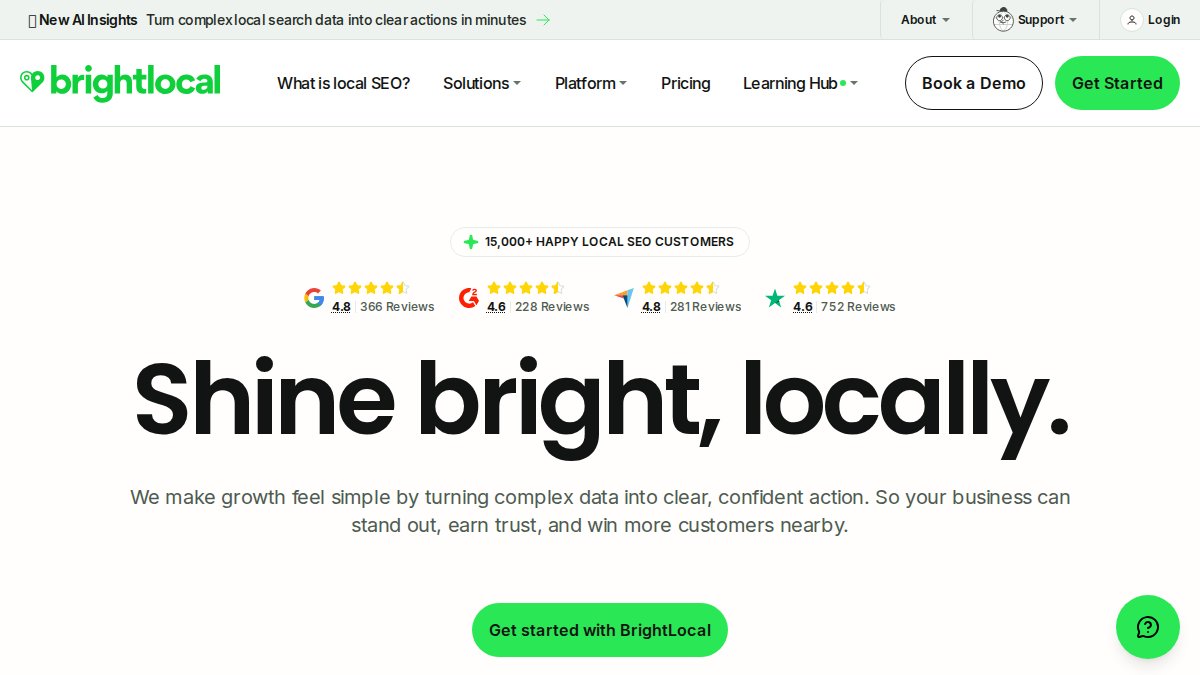
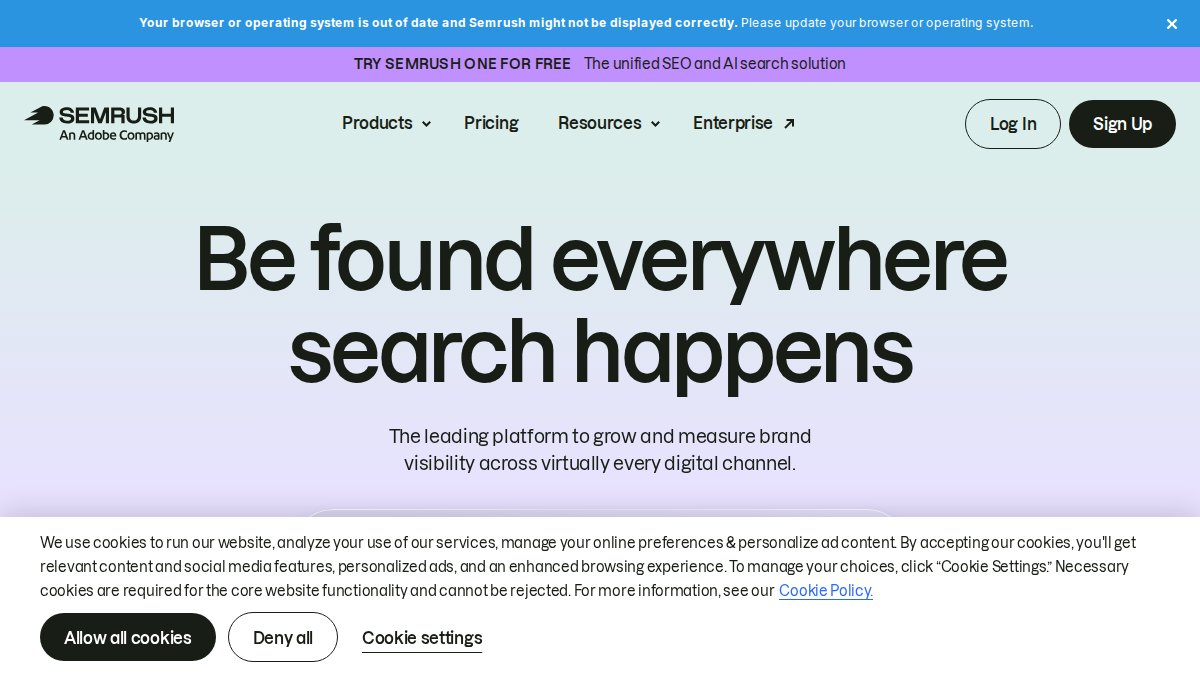

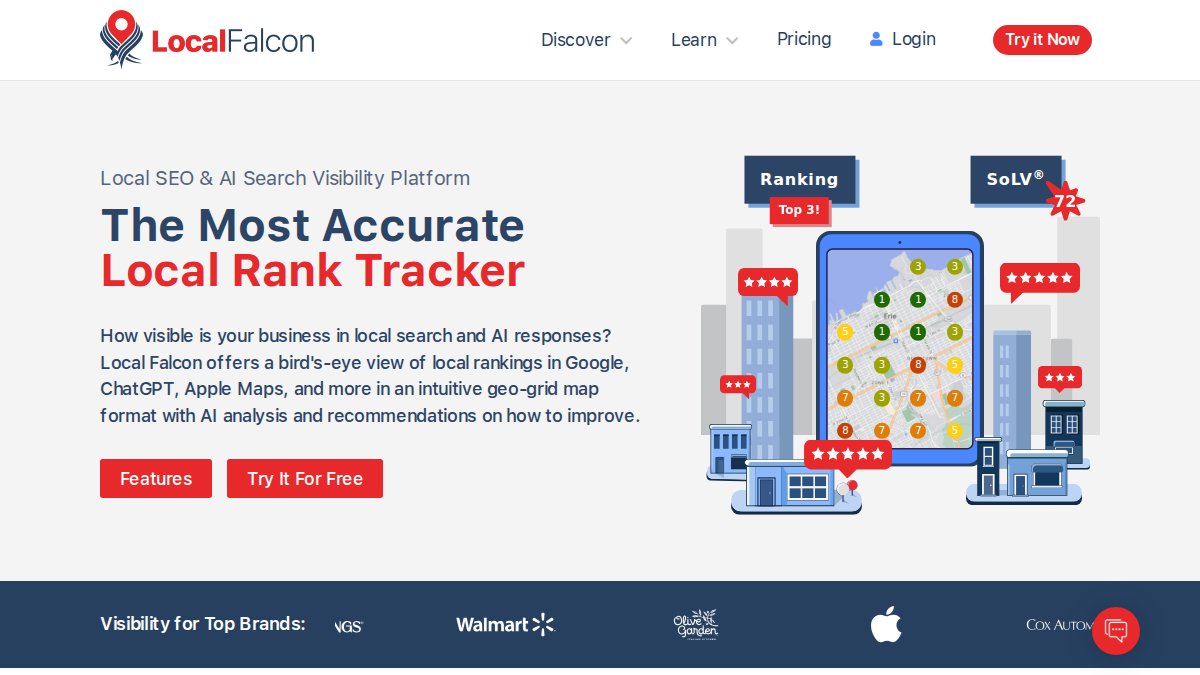
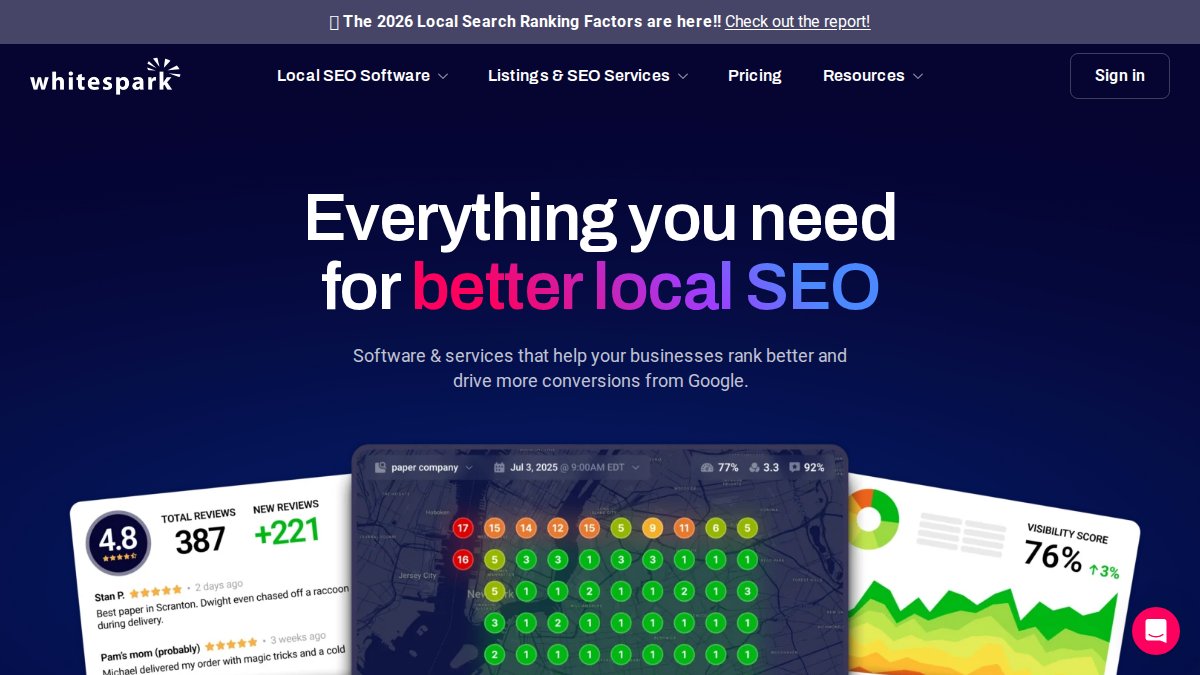

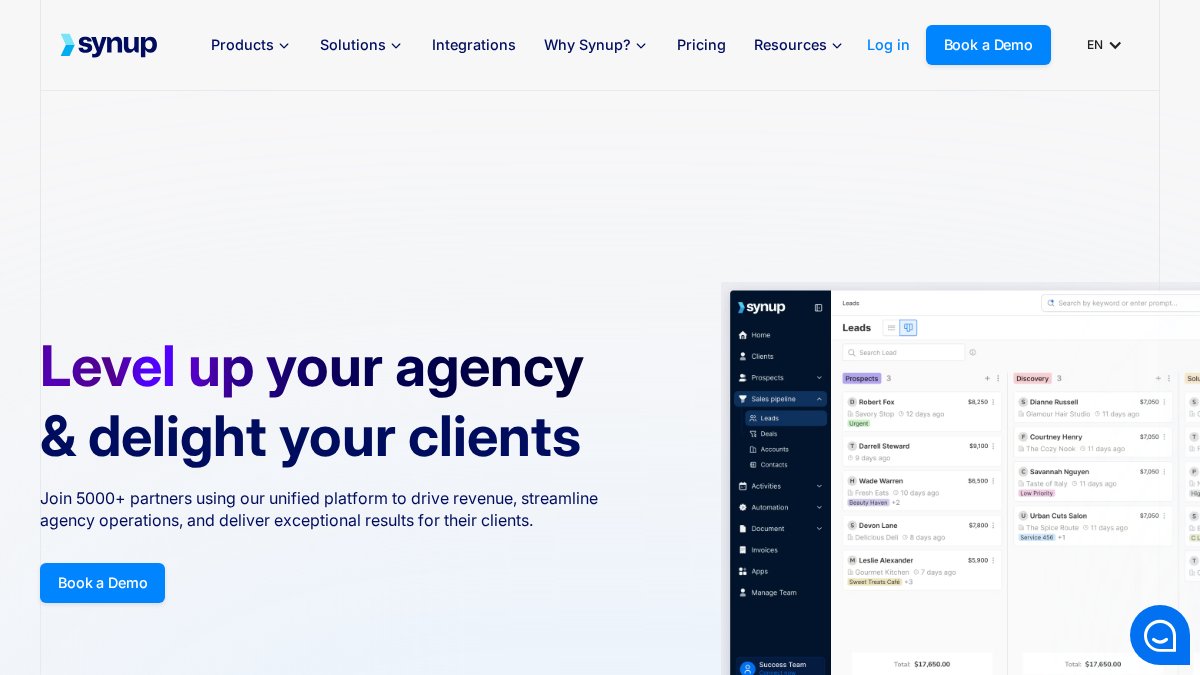
 team of three people collaborating around a laptop and whiteboard covered in local SEO strategy notes, modern bright office with large windows, afternoon light](https://cdn.grandranker.com/articles/best-tools-for-local-seo-top-9-picks-for-2026-content-2-1781058165.jpg)