
Benefits of Custom Mobile App Development for Business
Table of Contents
- What Is Custom Mobile App Development and Why Does It Matter?
- 10 Core Benefits of Custom Mobile App Development for Your Business
- 1. Scalability and Long-Term Growth
- 2. Enhanced User Experience Tailored to Your Audience
- 3. Improved Operational Efficiency Through Workflow Automation
- 4. Stronger Data Security and Protection
- 5. Seamless System Integration and API Connectivity
- 6. Competitive Advantage and Brand Identity
- 7. Personalisation and Customer Engagement
- 8. Real-Time Analytics and Data-Driven Decisions
- 9. Higher Customer Retention Through Loyalty Features
- 10. Full Ownership and Technical Debt Mitigation
- Custom vs Off-the-Shelf Mobile Apps: A Build vs Buy Decision Framework
- Custom Mobile App Development Cost and Total Cost of Ownership
- How Long Does It Take to Build a Custom App?
- Mobile App Development Best Practices for a Successful Launch
- Conclusion: Is Custom Mobile App Development Right for Your Business?
Last Updated: May 30, 2026
The benefits of custom mobile app development extend far beyond having a branded icon on someone’s phone screen. At Web Maniacs, we’ve worked with businesses across industries who initially chose off-the-shelf solutions, hit a wall within 18 months, and came back needing something built specifically for how they operate. The pattern is consistent enough to be predictable. Below, we’ll walk through exactly why custom development outperforms generic alternatives, when it doesn’t, and how to calculate whether the investment makes sense for your situation.
Here’s what most guides get wrong: they treat custom app development as a premium option for large enterprises. The reality is that the decision hinges on workflow complexity and growth trajectory, not company size.
What Is Custom Mobile App Development and Why Does It Matter?
Custom mobile app development is the process of designing and building a mobile application from the ground up, specifically architected around a business’s unique workflows, target audience, and technical requirements. Unlike off-the-shelf solutions, every feature, data model, and user interface element is purpose-built rather than adapted from a generic template.
The distinction matters because software shapes behavior. A generic app forces your team to work around its limitations. A custom app reflects how your business actually operates, which compounds over time into measurable efficiency gains. As businesses accelerate their digital transformation in 2026, the gap between tailored software and generic solutions widens with every new integration requirement and user expectation.
According to Gartner’s application development research, enterprise demand for custom application development continues to outpace generic software adoption as organizations recognize that differentiation requires software that mirrors their processes, not the other way around.
10 Core Benefits of Custom Mobile App Development for Your Business
The case for custom development isn’t built on one killer feature. It’s built on compounding advantages across security, integration, user experience, and ownership. Here are the ten that matter most.

1. Scalability and Long-Term Growth
Most off-the-shelf platforms hit a ceiling. It might be a user limit, a data cap, or a pricing tier that suddenly makes the economics painful. Custom-built software is architected for your growth trajectory from day one.
Scalability in custom mobile app development means choosing a software architecture that handles 500 users today and 50,000 users in three years without a full rebuild. Cloud infrastructure choices, database design, and API architecture all feed into this. A well-designed custom app scales horizontally, adding capacity without redesigning core logic.
The practical implication: businesses that build on a scalable foundation avoid the expensive "rip and replace" cycle that plagues companies who outgrow their initial platform. That cycle typically costs more than building correctly the first time.
2. Enhanced User Experience Tailored to Your Audience
Generic apps serve generic users. Your target audience has specific habits, expectations, and pain points that a one-size-fits-all user interface will never fully address.
Custom development starts with user research specific to your customer base. The resulting user interface reflects real behavioral data, not assumptions baked into a template. Navigation flows match how your users think. Onboarding sequences address the specific friction points your audience encounters. The result is a mobile presence that feels intuitive rather than adapted.
Higher task completion rates, lower support ticket volume, and improved customer retention all trace back to a user experience designed for a specific audience rather than the broadest possible one.
3. Improved Operational Efficiency Through Workflow Automation
This is where custom mobile apps generate the clearest ROI. Business workflows are almost never generic. Your approval chains, data entry requirements, notification logic, and reporting needs are specific to how your organization runs.
Custom apps automate the exact workflows that consume your team’s time. Field service companies eliminate paper-based job sheets. Healthcare providers automate patient intake and documentation. Logistics businesses get real-time inventory updates that feed directly into their ERP. Off-the-shelf solutions approximate these workflows. Custom solutions mirror them.
The efficiency gain isn’t incremental. Teams that replace manual processes with purpose-built automation typically reclaim hours per employee per week, which compounds into significant operational cost reductions over a 12-month period.
4. Stronger Data Security and Protection
Data security in mobile applications is not a feature you can bolt on after the fact. It needs to be embedded in the software architecture from the first line of code.
Custom mobile apps give you full control over data storage, encryption standards, authentication protocols, and access control logic. You decide where data lives, who can access it, and how it’s transmitted. Off-the-shelf solutions make those decisions for you, often prioritizing broad compatibility over strict security posture.
For businesses operating in regulated industries, such as healthcare, finance, or legal services, this control is non-negotiable. Custom development allows compliance with specific regulatory frameworks rather than hoping a generic platform’s compliance certifications cover your exact requirements.
Choosing an off-the-shelf app to handle sensitive customer data because it’s faster to deploy is a common mistake. If the platform suffers a breach or changes its data handling policies, your business carries the reputational and regulatory consequences without having had any control over the cause.
5. Seamless System Integration and API Connectivity
Most businesses run on a stack of existing tools: CRM, ERP, accounting software, marketing platforms, inventory systems. A mobile app that can’t communicate cleanly with these systems creates data silos, manual re-entry, and operational friction.
Custom development designs API integration as a core architectural requirement, not an afterthought. Your app connects to your existing systems through well-defined interfaces, passing data bidirectionally in real time. This is the opposite of off-the-shelf solutions, which offer a fixed set of integrations and leave you workarounds for everything else.
The business impact of seamless integration compounds quickly. Eliminating duplicate data entry alone can recover significant staff hours monthly. Real-time data synchronization across systems enables better decision-making at every level of the organization.
6. Competitive Advantage and Brand Identity
A custom mobile app is a direct expression of your brand identity. The visual language, interaction patterns, tone of copy, and overall experience are entirely yours. No competitor can deploy the same app and call it their own.
This matters more than it sounds. In markets where products and services are increasingly commoditized, the quality of the digital experience becomes a differentiator. A polished, purpose-built mobile presence signals investment in the customer relationship. A rebranded generic app signals the opposite.
Competitive advantage in 2026 increasingly comes from software that enables business models competitors can’t easily replicate. Custom apps create proprietary workflows, data assets, and customer touchpoints that off-the-shelf tools structurally cannot provide.
7. Personalisation and Customer Engagement
Personalised recommendations, contextual notifications, and adaptive content are the mechanics behind high customer engagement rates. These require access to user behavior data and the logic to act on it, neither of which generic apps provide at any meaningful depth.
Custom mobile apps capture behavioral signals specific to your product context and use them to surface relevant content, offers, or actions at the right moment. A loyalty program that adapts to individual purchase history. A service app that surfaces the most relevant support articles based on what the user was doing before they opened help. These experiences are only possible when the app owns the full data model.
Customer engagement built on personalisation drives retention. And retention, not acquisition, is where mobile app ROI is actually generated over a multi-year horizon.
8. Real-Time Analytics and Data-Driven Decisions
Custom apps generate data structured around your business questions, not the reporting templates a generic platform decided were important. Real-time analytics built into a custom application give you visibility into exactly the metrics that drive your decisions.
This means custom event tracking, conversion funnels designed around your actual user journeys, and dashboards that surface the KPIs your operations team needs. The alternative is exporting data from a generic platform, transforming it, and hoping it answers the questions you’re actually asking.
As noted by McKinsey’s research on data-driven organizations, businesses that embed analytics into their operational workflows make faster decisions and identify performance problems before they become costly. A custom app makes that integration architecturally native rather than a reporting workaround.
9. Higher Customer Retention Through Loyalty Features
Retention features built into a custom app, such as points systems, milestone rewards, personalised offers, and re-engagement triggers, are designed around your specific customer lifecycle, not a generic loyalty template.
The difference in outcome is significant. A loyalty mechanic that aligns with how your customers actually behave generates repeat engagement. One that’s borrowed from a generic platform generates initial sign-ups and gradual disengagement.
Custom development also allows A/B testing of retention mechanics against your own user base, generating proprietary insight into what drives long-term loyalty for your specific product. That knowledge compounds into a strategic asset over time.
Build your retention logic around behavioral triggers specific to your product, not calendar-based push notifications. Users who receive a notification because they haven’t opened the app in 7 days respond at far lower rates than users who receive a contextually relevant prompt based on their last action.
10. Full Ownership and Technical Debt Mitigation
Full ownership is the benefit that becomes most valuable over time and is most frequently overlooked at the point of the build-vs-buy decision.
With a custom app, you own the source code, the data model, and the architecture. There’s no vendor lock-in, no platform deprecation risk, and no pricing change that forces a migration you didn’t plan for. Technical debt mitigation is built into the process when you work with a development partner who architects for maintainability from the start.
Off-the-shelf platforms accumulate hidden technical debt on your behalf. Every workaround you build to compensate for a feature the platform doesn’t support adds fragility. Custom development, done correctly, keeps the architecture clean and the codebase maintainable, reducing long-term cost of ownership.
Custom vs Off-the-Shelf Mobile Apps: A Build vs Buy Decision Framework
The build-vs-buy decision is where most businesses make their most expensive mistake: choosing the wrong option for the wrong reasons. The wrong reasons are almost always speed and upfront cost. The right framework isn’t "what can we afford?" It’s "what does our competitive position require, and what will the wrong choice cost us at month 24?"
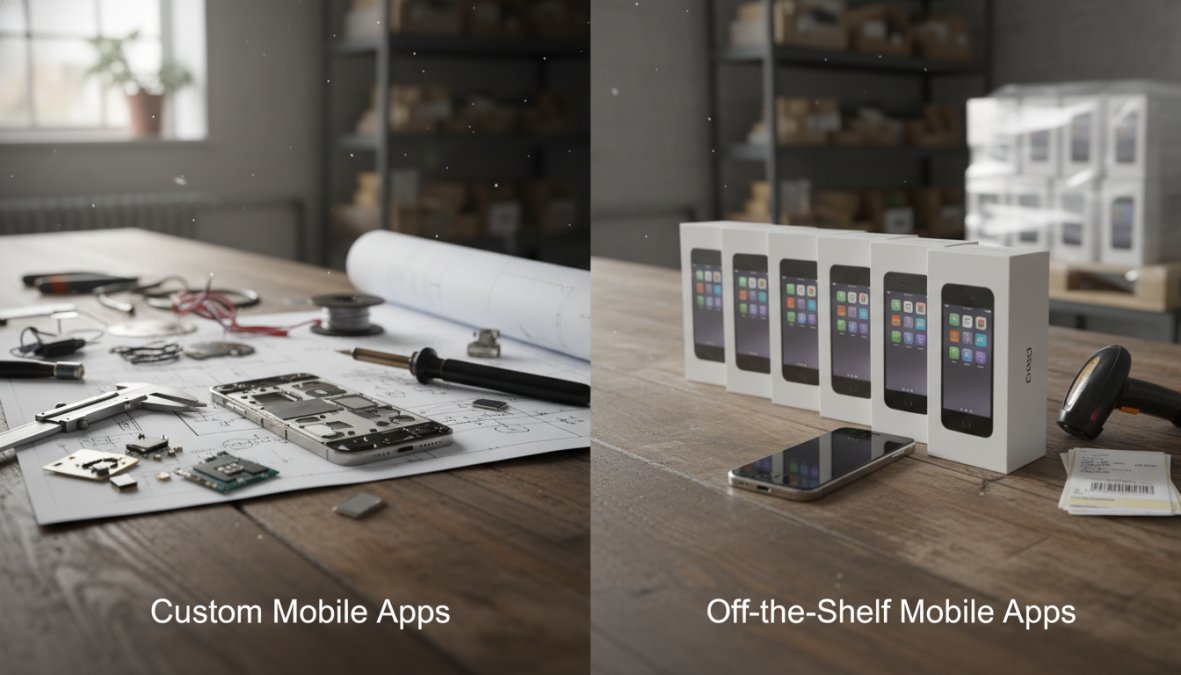
Most articles on this topic give you a comparison table and two paragraphs. That’s not a framework, it’s a summary. A real decision framework gives you a diagnostic you can run against your own situation. That’s what this section provides.
The Build vs Buy Diagnostic: Seven Questions
Work through these questions honestly. The pattern of your answers is more reliable than any single criterion.
Question 1: How many manual workarounds does your team currently run because your existing software doesn’t support your workflow?
If the answer is more than two or three recurring workarounds, you are already paying the hidden cost of a platform that doesn’t fit. Custom development eliminates workarounds by design. Off-the-shelf solutions add them.
Question 2: Does your competitive advantage depend on the digital experience you deliver to customers?
If your app is a commodity touchpoint, a booking form, a basic account portal, a standard e-commerce flow, off-the-shelf is likely sufficient. If the app is the product, or if the experience is a primary reason customers choose you over a competitor, generic is a structural liability.
Question 3: How many third-party systems does the app need to exchange data with, and how critical is that data exchange to core operations?
One or two standard integrations (Stripe, Google Calendar, a common CRM) are well-served by off-the-shelf connectors. Three or more integrations, or any integration with a proprietary or industry-specific system, typically requires custom API work regardless of which platform you choose, at which point you’re paying custom development costs on top of licensing fees.
Question 4: What is your projected user or transaction volume at 36 months, and does your platform’s pricing model scale linearly with that growth?
Model the licensing cost at your projected scale, not your current scale. Many platforms that look affordable at 50 users become expensive at 500 and prohibitive at 5,000. If the pricing curve is steep, the TCO comparison shifts earlier than most businesses expect.
Question 5: Are you operating in a regulated industry with specific data handling, residency, or audit requirements?
Healthcare (HIPAA), financial services (PCI-DSS, SOC 2), legal, and government-adjacent businesses frequently have requirements that generic platforms satisfy only partially, or satisfy today but cannot guarantee forward. Custom development lets you architect compliance in rather than certify around it.
Question 6: How frequently do your core business workflows change?
Businesses with stable, well-defined processes get more value from off-the-shelf because the configuration overhead is a one-time cost. Businesses whose workflows evolve frequently, new service lines, changing regulatory requirements, rapid operational scaling, find that reconfiguring a generic platform repeatedly costs more than maintaining a codebase built to be modified.
Question 7: Do you need proprietary data assets that compound in value over time?
Custom apps own their data model. The behavioral data, transaction history, and user signals your app generates belong to you and can be used to train internal models, personalize experiences, and generate competitive insight. Off-the-shelf platforms own or co-own that data, and their terms of service govern what you can do with it.
Reading Your Diagnostic Results
There is no single threshold that makes the decision automatic, but the pattern matters:
- Five or more answers pointing toward custom: Custom development is almost certainly the right long-term choice. The question is sequencing, whether to build now or build after validating the concept with a lightweight off-the-shelf proof of concept.
- Three to four answers pointing toward custom: The decision is genuinely close and depends heavily on your growth trajectory and how quickly your requirements will outpace a generic platform’s ceiling.
- One or two answers pointing toward custom: Off-the-shelf is likely the pragmatic choice. Invest in selecting the right platform and configuring it well rather than building from scratch.
The most dangerous position is answering three or four questions in favor of custom development and choosing off-the-shelf anyway because the upfront cost is lower. This is the path that leads to the 18-month rebuild cycle, where businesses pay the off-the-shelf licensing cost, accumulate workarounds and technical debt, and then pay the custom development cost anyway, but now with a harder migration and a longer delay before the right solution is in place.
Comparison Table: Off-the-Shelf vs Custom Development
| Criteria | Off-the-Shelf | Custom Development |
|---|---|---|
| Time to first deployment | Weeks | 3-9 months |
| Upfront cost | Low | Moderate to high |
| Workflow fit | Approximate | Exact |
| Integration flexibility | Limited to supported connectors | Full, architected to spec |
| Scalability ceiling | Platform-defined | Architecture-defined |
| Data ownership | Vendor-controlled | Fully owned |
| Long-term cost trajectory | Escalating with vendor pricing | Stable and predictable |
| Competitive differentiation | None (competitors use same platform) | High |
| Compliance control | Dependent on vendor certifications | Architected to your requirements |
| Workaround accumulation | High over time | Minimal if well-maintained |
When Off-the-Shelf Solutions Make Sense
Off-the-shelf solutions are the right call in specific, well-defined circumstances. If your use case is genuinely standard, your team is small, your workflows match what the platform was designed for, and you need to move fast, a generic solution gets you to market without the overhead of a full development cycle.
Platforms like Google AppSheet work well for internal tools built on existing Google Workspace data. Adalo suits founders who need a native mobile app proof-of-concept without a development budget. Glide converts spreadsheet data into functional mobile interfaces for simple internal use cases. These tools solve real problems for the right user profile, and using them to validate a concept before committing to a custom build is a legitimate and often smart sequencing decision.
The warning sign is treating off-the-shelf as a permanent solution when your requirements are already more complex than the platform was designed to handle. That path leads to expensive workarounds and, eventually, a migration that costs more than building correctly from the start.
When Custom Development Wins
Custom development wins when your competitive advantage depends on software that does something your competitors can’t easily replicate. It also wins when your workflows are complex enough that adapting to a generic platform costs more in staff time than building to spec.
Specifically, custom mobile app development is the right choice when:
- Your business processes require integrations the off-the-shelf market doesn’t support natively
- Data security or compliance requirements exceed what generic platforms can guarantee or control
- Your user experience needs to be a differentiator, not a commodity shared with every competitor on the same platform
- You’re building for market expansion and need a scalable foundation that doesn’t reprice as you grow
- Long-term total cost of ownership favors ownership over escalating licensing
- You need proprietary behavioral data that compounds into a strategic asset over time
The Hybrid Path: Validate First, Build Second
One approach the build-vs-buy framing often misses is sequencing: using an off-the-shelf tool to validate demand and core workflows before committing to a custom build. This is particularly relevant for new product lines or market expansions where the business model isn’t yet proven.
The discipline this requires is defining the validation criteria upfront, what does the off-the-shelf phase need to prove before the custom build is triggered? Without that definition, the off-the-shelf phase tends to extend indefinitely, accumulating workarounds and technical debt that make the eventual custom build more expensive than it needed to be.
If you’re using the hybrid path, set a hard trigger condition before you start: a user volume threshold, a revenue milestone, or a specific workflow complexity that the off-the-shelf platform demonstrably cannot support. When you hit that trigger, the build decision is already made, you’re executing a plan, not relitigating the question under time pressure.
Custom Mobile App Development Cost and Total Cost of Ownership
Custom mobile app development cost is the number that stops most conversations before they start. The upfront figure looks large. The TCO analysis usually tells a different story, but only if you structure the comparison correctly. Most articles on this topic list cost categories without giving you a way to actually run the numbers. This section does both.
The Three-Bucket TCO Model
Total cost of ownership for any software decision breaks into three buckets. The mistake most businesses make is only pricing Bucket 1.
Bucket 1, Acquisition Cost
This is the number everyone focuses on. For off-the-shelf, it’s the initial subscription or licensing fee. For custom development, it’s the build cost: discovery, design, development, QA, and deployment. Custom development has a higher Bucket 1 cost in almost every scenario. That is not in dispute.
Bucket 2, Operating Cost
This is where the comparison starts to shift. Operating costs for off-the-shelf solutions include:
- Per-seat or per-user licensing that scales with your headcount or customer base
- Feature tier upgrades as your requirements grow (most platforms gate their most useful features behind higher pricing tiers)
- Integration middleware or connector tools when your stack isn’t natively supported
- Developer time spent building and maintaining workarounds for features the platform doesn’t support
- Support contracts or premium SLA tiers
Operating costs for custom development include:
- Hosting infrastructure (cloud compute, storage, CDN, costs that scale predictably with usage)
- Ongoing maintenance retainer covering bug fixes, OS compatibility updates, and dependency management
- Feature additions scoped and priced against a known codebase
The critical difference: off-the-shelf operating costs are controlled by the vendor. Custom operating costs are controlled by you. Vendors reprice. Vendors change tier structures. Vendors get acquired. Your hosting bill responds to your usage, not a boardroom decision you had no part in.
Bucket 3, Opportunity Cost of Limitations
This bucket never appears on any invoice, which is why it’s consistently underweighted in build-vs-buy decisions. It represents the revenue foregone and the efficiency lost because the platform you chose cannot do something your business needs.
Common examples:
- A workflow your team executes manually because the app doesn’t support it, staff hours that compound weekly
- A customer experience you cannot deliver because the platform’s UI framework doesn’t allow it, conversion rate impact that’s real but invisible in your software cost line
- An integration your sales process requires that the platform doesn’t support natively, deals that stall or close slower as a result
- A data model that doesn’t match your reporting needs, analyst time spent transforming exports rather than generating insight
Quantifying Bucket 3 requires honest internal assessment. A useful starting question: What does your team do manually today that a purpose-built app would automate? Multiply the weekly hours by your average fully-loaded labor cost and project it over 36 months. That number belongs in your TCO comparison.
A Practical 36-Month TCO Comparison Framework
The 36-month window is the right horizon for this comparison. Year one almost always favors off-the-shelf on raw cost. The picture changes materially by year three.
| Cost Element | Off-the-Shelf (36 months) | Custom Development (36 months) |
|---|---|---|
| Acquisition / build cost | Low (months 1-3 licensing) | Moderate to high (one-time) |
| Licensing / hosting | Escalating with user growth | Stable, usage-based |
| Integration tooling | Often significant | Architected in at build |
| Workaround development | Accumulates over time | Minimal if well-architected |
| Migration risk | High (vendor dependency) | None (you own the code) |
| Opportunity cost of limitations | High if workflows are complex | Low |
| Feature additions | Vendor roadmap-dependent | Scoped on your timeline |
The businesses that consistently find custom development favorable at 36 months share a common profile: their workflows are non-standard, their user base is growing, and they have at least one integration requirement the off-the-shelf market doesn’t cleanly support. If none of those conditions apply, the TCO comparison may genuinely favor off-the-shelf.
Upfront Costs vs Long-Term ROI
The ROI calculation for a custom mobile app needs to be built from the demand side, not just the cost side. What does the app enable that wasn’t possible before?
The most defensible ROI inputs are:
- Automation savings: Staff hours recovered from manual processes, multiplied by fully-loaded labor cost and projected over 12-36 months
- Retention improvement: If the app improves customer retention by even a small percentage, the lifetime value impact on your existing customer base is typically the largest single ROI driver
- Revenue enablement: Features or workflows the app unlocks that generate net-new revenue, new service lines, faster sales cycles, reduced churn-driven revenue loss
- Error reduction: In industries where manual data entry errors have downstream costs (compliance penalties, rework, customer compensation), automation ROI can be substantial
Framed this way, the upfront development cost is an investment with a calculable return period, not a capital expense to be minimized. The businesses that struggle to justify custom development are usually the ones who haven’t quantified what the app replaces, they’re comparing a known cost against an assumed benefit rather than a modeled one.
The most overlooked element in TCO analysis is Bucket 3: the opportunity cost of limitations. Every workflow your team executes manually because the platform doesn’t support it, and every customer experience you can’t deliver because the app won’t allow it, represents real revenue and real hours. That cost never appears on a licensing invoice, which is exactly why it gets left out of most build-vs-buy comparisons, and why those comparisons consistently understate the case for custom development in complex-workflow businesses.
What Most TCO Analyses Get Wrong
The most common distortion in build-vs-buy TCO analysis is comparing the wrong baselines. Businesses frequently compare the full cost of a custom build against the entry-level tier of an off-the-shelf platform, the tier they’re on today, not the tier they’ll need in 18 months when their requirements grow.
A more accurate comparison uses the off-the-shelf tier that actually supports your projected requirements at the 36-month mark, including the integrations you’ll need, the user volume you’ll have, and the features your roadmap requires. That comparison produces a materially different result than the entry-level pricing most businesses use as their baseline.
According to Forrester’s total economic impact methodology, organizations that conduct rigorous TCO analysis before software decisions consistently find that the 3-5 year cost differential between custom and off-the-shelf is smaller than initial comparisons suggest, and often favors custom when competitive differentiation value is included in the model.
How Long Does It Take to Build a Custom App?
A custom mobile app typically takes between 3 and 9 months from scoping to launch, depending on feature complexity, integration requirements, and the development methodology used.
Simple apps with a defined feature set and minimal third-party integrations sit at the lower end of that range. Enterprise applications with complex business logic, multiple API integrations, custom analytics, and multi-platform deployment sit at the higher end. Agile development methodologies compress timelines by delivering functional increments throughout the build rather than a single launch event.
The timeline breakdown typically looks like this:
- Discovery and scoping: 2-4 weeks
- UI/UX design: 3-6 weeks
- Core development sprints: 8-20 weeks
- QA and testing: 2-4 weeks
- Deployment and launch: 1-2 weeks
The thing nobody tells you about custom app timelines is that the discovery phase is where projects succeed or fail. Rushing scoping to get to development faster is the single most common cause of budget overruns and missed requirements.
Mobile App Development Best Practices for a Successful Launch
Getting to launch is only half the job. How you get there determines whether the app delivers on its potential.
The practices that consistently separate successful launches from troubled ones:
- Define success metrics before writing a line of code. If you don’t know what you’re measuring, you can’t evaluate whether the app is working.
- Involve real users in design validation early. Usability problems discovered in prototyping cost a fraction of what they cost to fix post-launch.
- Architect for integration from day one. Retrofitting API connectivity into an app that wasn’t designed for it is expensive and fragile.
- Build a staging environment that mirrors production. Testing in an environment that doesn’t reflect real conditions produces false confidence.
- Plan your app store submission process. Both Apple and Google have review processes that take time. Factor this into your launch timeline.
As documented in Apple’s App Store review guidelines, submission rejections are most commonly caused by incomplete privacy disclosures and inadequate testing. Both are preventable with a structured pre-submission checklist.
Post-Launch Maintenance and Lifecycle Planning
Post-launch is where most businesses underinvest, and where custom apps either compound their value or gradually deteriorate.
A mobile app is not a finished product at launch. Operating system updates break functionality. User behavior evolves. Business requirements change. Security vulnerabilities emerge. A maintenance plan that accounts for these realities is as important as the initial build.
Lifecycle planning for a custom mobile app should include:
- Scheduled dependency updates: Libraries and SDKs need regular updates to maintain security and compatibility
- OS compatibility testing: New iOS and Android releases require regression testing
- Performance monitoring: Real-time visibility into crash rates, latency, and API errors
- Feature roadmap reviews: Quarterly alignment between app capability and business requirements
- Security audits: Annual review of authentication, data handling, and access control logic
The businesses that extract the most long-term value from custom mobile app development treat the app as a living product with a dedicated lifecycle, not a one-time project with a delivery date.
Conclusion: Is Custom Mobile App Development Right for Your Business?
The honest answer is: it depends on whether your competitive position requires software that does something generic platforms can’t. If your workflows are standard, your user base is small, and speed to market is the priority, off-the-shelf is the pragmatic choice. If your business model depends on operational efficiency, data ownership, seamless integration, and a user experience that differentiates you from competitors, custom development is the more defensible long-term investment.
Building the right mobile app requires a development partner who understands both the technical architecture and the business context behind it. Web Maniacs specialises in custom mobile app creation and software development tailored to your specific workflows, with a track record of delivering solutions that strengthen brand identity and improve customer connection through intuitive app design. Visit the Web Maniacs pricing page to scope your project, or get started with a consultation to map your requirements to the right development approach.
Frequently Asked Questions
Why choose custom mobile app development over off-the-shelf solutions?
Custom mobile app development gives your business a solution built around your specific workflows, target audience, and business objectives, rather than forcing your operations to fit a generic tool. Off-the-shelf solutions may be faster to deploy initially, but they often come with unnecessary features, limited integration options, and recurring licensing costs that erode ROI over time. A custom app scales with your business, reflects your brand identity, and delivers a user experience your competitors cannot replicate.
Is custom mobile app development expensive compared to ready-made apps?
The upfront custom mobile app development cost is typically higher than purchasing an off-the-shelf product. However, when you calculate total cost of ownership, including licensing fees, per-user charges, workaround development, and scalability limitations, custom apps often deliver stronger long-term ROI. Costs vary widely based on complexity, platform, and feature set. Discussing your requirements with a development partner like Web Maniacs will give you a realistic, tailored estimate from their pricing page.
How long does it take to build a custom app from start to finish?
Build timelines depend heavily on complexity, feature requirements, and the development approach used. A straightforward MVP using agile development can take as little as 8-12 weeks, while a full-featured enterprise application with complex API integration and cloud infrastructure may take 6-12 months or more. Factors like the number of platforms targeted (iOS, Android, or both), backend requirements, and revision cycles all influence the final timeline. Defining clear business objectives upfront helps keep projects on schedule.
How does a custom app improve customer engagement and retention?
Unlike generic apps, a custom mobile app can deliver personalised recommendations, loyalty programmes, and push notifications tailored to individual user behaviour. This level of personalisation, built directly into the user interface and software architecture, drives higher customer retention by making interactions feel relevant and valuable. Features like real-time analytics also allow businesses to continuously refine the experience based on how their target audience actually uses the app, compounding engagement improvements over time.
Does custom mobile app development offer better security than standard apps?
Yes. Custom apps allow your development team to implement security protocols specifically suited to your data and compliance requirements, rather than relying on the shared security model of a third-party platform. You control the cloud infrastructure, encryption standards, and access management. This is particularly important for businesses handling sensitive customer data or operating in regulated industries, where off-the-shelf solutions may not meet specific data security and protection obligations.
This article was written using GrandRanker