Custom Software Development for Small Businesses: 2026 Guide
Table of Contents
- Why Custom Software Development for Small Businesses Is Worth Considering
- Off-the-Shelf vs Custom Software: How to Make the Right Call
- Understanding Custom Software Development Cost and ROI
- The Custom Software Development Process for Small Businesses
- Common Types of Custom Applications That Drive Operational Efficiency
- Legal and IP Ownership Rights: What Small Businesses Must Clarify
- How to Choose a Software Development Partner That Fits Your Business
- Conclusion
Last Updated: June 14, 2026
Custom software development for small businesses sits at the intersection of ambition and practical risk. Most small business owners assume it’s out of reach financially or technically, and that assumption costs them years of wrestling with off-the-shelf tools that almost fit their workflows. At Web Maniacs, we’ve worked with SMEs across industries who made the switch to bespoke solutions and found the results went well beyond convenience. Below, we’ll show you how to evaluate whether custom software makes sense for your business, what the development process looks like, and how to avoid the mistakes that drain budgets without delivering results.
Here’s what most guides get wrong: they treat custom software as an enterprise luxury. A well-scoped custom-built application can deliver a stronger ROI for a small business than a large one, precisely because small teams feel the friction of a poor software fit every single day.
Why Custom Software Development for Small Businesses Is Worth Considering
Small businesses lose significant operational capacity to software workarounds, manually copying data between systems, paying for five subscriptions that don’t talk to each other, and building spreadsheet logic to compensate for missing features. This is the real cost that never appears on a licensing invoice.
Custom software development for small businesses solves a specific problem: your business has a proprietary workflow that no generic product was designed to support. Bespoke software is built around your actual processes, not a hypothetical average user.

Benefits of Bespoke Software Over Off-the-Shelf Solutions
The core advantage of bespoke software isn’t features, it’s fit. Off-the-shelf platforms carry features you’ll never use and lack the ones specific to your operations. Custom-built applications eliminate that gap entirely.
Practical benefits include:
- Full ownership of your IP: You own the codebase, database design, and logic. No vendor can discontinue your product or change pricing.
- Scalability on your terms: Architecture is designed for your growth trajectory, not a vendor’s roadmap.
- Workflow automation that mirrors reality: Triggers and business logic are built around your actual approval chains and reporting needs.
- Competitive differentiation: A proprietary workflow encoded in software is genuinely hard for competitors to replicate.
- No per-seat licensing: Once built, costs don’t scale with headcount the way SaaS subscriptions do.
Custom solutions also reduce technical debt. With off-the-shelf tools, you accumulate integration workarounds and data silos. A well-architected custom solution consolidates that complexity into a single, maintainable system.
Signs Your SME Is Ready for a Custom-Built Application
Not every small business needs custom software. Watch for these signals:
- Your team spends hours per week on manual data entry between systems
- You’ve built significant logic inside spreadsheets that breaks when someone is away
- You’ve outgrown your current platform but the next tier is priced for enterprise
- Your business process doesn’t fit any off-the-shelf solution after testing several
- You’re paying for multiple subscriptions that only partially overlap in function
- API integration between existing tools is unstable or requires constant maintenance
If your primary motivation is “we want something that looks nicer,” custom development is the wrong investment. The ROI case for bespoke software rests on operational efficiency and competitive advantage, not aesthetics. Confusing UX preferences with workflow requirements is one of the most common mistakes SMEs make before commissioning a build.
Off-the-Shelf vs Custom Software: How to Make the Right Call
The build vs. buy decision is rarely clear-cut. Off-the-shelf software wins on speed to deployment and lower upfront cost. Custom development wins on fit, ownership, and long-term scalability. A practical framework: if you can solve 90% of your requirements with an off-the-shelf product, buy it. If you’re solving less than 70%, the ongoing cost of workarounds and integration maintenance will likely exceed the cost of building something tailored.
Comparison Table: Off-the-Shelf vs Custom Software
| Criteria | Off-the-Shelf | Custom Software |
|---|---|---|
| Upfront cost | Low to moderate | Higher initial investment |
| Time to deploy | Days to weeks | Weeks to months |
| Workflow fit | Partial, generic | Exact match to your process |
| Scalability | Vendor-dependent | Built to your growth plan |
| IP ownership | Vendor owns software | You own the codebase |
| Ongoing cost | Recurring licensing fees | Maintenance and support costs |
| Integration flexibility | Limited by vendor APIs | Full control via custom APIs |
| Competitive advantage | None (competitors use same tool) | High (proprietary workflow) |
Low-Code and No-Code Platforms: A Middle Ground Worth Knowing
Before committing to full custom development, many SMEs benefit from exploring low-code and no-code platforms, more flexible than standard SaaS, without the full cost of a bespoke build.
Bubble is the strongest option for complex web applications, handling sophisticated workflow logic, database design, and API connectivity without requiring a full-stack developer.
Google AppSheet works well for businesses whose data already lives in spreadsheets, turning Sheets or SQL data into functional mobile and web applications with offline syncing and automated workflow triggers.
Zoho Creator suits businesses already inside the Zoho ecosystem, with solid BI tools and cross-platform compatibility, though advanced features are locked behind higher pricing tiers.
Glide is the fastest path to a working internal tool or client portal, built for non-technical users, with pricing complexity around user and update limits as the main friction point at scale.
Microsoft Power Apps makes sense if your business runs on Microsoft 365 or Azure, with strong integration across SharePoint, Dynamics 365, and SQL Server, though licensing costs can become confusing for small teams.
For SMEs with a technical team member, Appsmith is worth evaluating. It’s an open-source low-code platform that connects to any database, supports custom JavaScript logic, and can be self-hosted for data privacy. The extensibility is exceptional for internal dashboards and reporting tools.
The honest limitation of low-code platforms: they introduce vendor dependency. If the platform changes pricing or gets acquired, your operations are affected. Full custom development eliminates that risk.
Understanding Custom Software Development Cost and ROI
The biggest misconception about custom software development cost is that it’s a single number. It’s a lifecycle calculation covering discovery, design, development, testing, deployment, and ongoing maintenance. Treating the build cost as the total cost is where most small business budgets go wrong.
A realistic cost-benefit analysis should account for:
- Discovery and scoping: Requirements definition, architecture planning, and technical specification
- Design and UX: User experience design and interface prototyping
- Development: Full-stack development, database design, API integration
- Testing and QA: Performance optimisation, security testing, user acceptance testing
- Deployment: Cloud-based infrastructure setup and launch
- Maintenance: Ongoing support, bug fixes, and feature updates
The ROI calculation shifts significantly when you account for hidden costs in your current setup: licensing fees across multiple tools, hours spent on manual processes, and the opportunity cost of workflows that don’t scale.
According to Gartner’s analysis of software investment trends, organisations that align software investment with specific operational outcomes consistently achieve stronger returns than those that purchase based on feature lists alone.
Post-Launch Maintenance and Support: The Hidden Budget Line
Post-launch maintenance is not optional, it’s a recurring cost that should be budgeted from day one, typically running at a percentage of the initial build cost annually. What maintenance covers: security patches, compatibility updates as third-party APIs evolve, performance optimisation as data volume grows, feature additions, and bug fixes. An unmaintained codebase becomes a liability that eventually costs more to fix than it would have to maintain consistently. Before signing any development contract, clarify the maintenance model: Is support included? At what rate? Is there a retainer option?
MVP Strategy: How Small Businesses Can Reduce Upfront Risk
An MVP (Minimum Viable Product) approach is the most practical way for small businesses to enter custom software development without overcommitting budget upfront. Build the smallest version of your application that delivers real value, then iterate based on actual usage.
A practical MVP framework for SMEs:
- Define the core problem your software must solve (one specific workflow, not everything)
- Identify the minimum feature set that makes that workflow functional
- Set a fixed scope and timeline for the first build
- Deploy to a small internal user group and collect structured feedback
- Prioritise the next iteration based on what users actually need, not what you assumed
An MVP is not a cheap, low-quality version of your vision. It’s a disciplined way to validate your vision before scaling it. Small businesses that skip the MVP phase and try to build everything at once typically end up with software that’s over-engineered for current needs and under-tested for actual workflows.
The Custom Software Development Process for Small Businesses
Understanding the development process helps you manage expectations, communicate with your development partner, and protect your investment. Agile methodology is the standard approach for most custom development projects.
From Discovery to Deployment: Key Phases Explained
Phase 1: Discovery and Requirements (1-3 weeks)
Defines what you’re building and why. A good partner will interview stakeholders, map existing workflows, identify integration requirements, and produce a technical specification. Don’t skip this phase to save money, poorly defined requirements are the primary cause of budget overruns.
Phase 2: Architecture and Design (1-2 weeks)
Database design, system architecture, and UX prototyping. The output is a design prototype and technical architecture document you can review before a line of code is written.
Phase 3: Development (varies by scope)
Full-stack development proceeds in agile sprints. You should receive working software at the end of each sprint, not just progress reports, this is a non-negotiable quality signal.
Phase 4: Testing and QA (1-2 weeks)
Performance optimisation, security testing, and user acceptance testing. For applications handling customer data, security testing is not optional.
Phase 5: Deployment and Handover
Launch to production environment, staff training, and documentation handover. A reputable partner provides documentation that allows another developer to maintain the codebase if needed.
Common Types of Custom Applications That Drive Operational Efficiency
Small businesses commission custom software across a wide range of use cases. The common thread is always the same: a workflow that generic tools couldn’t support efficiently.
The most frequently built types include:
- Custom CRM systems: Built around your specific sales process and reporting requirements rather than a generic pipeline model
- Inventory management systems: Valuable for businesses with complex stock rules, multi-location tracking, or custom supplier integrations
- Customer and vendor portals: Self-service interfaces that reduce manual communication overhead significantly
- ERP integrations: Connecting accounting, HR, and operations tools into a unified dashboard and reporting layer
- Business intelligence dashboards: Custom reporting surfacing the specific metrics your business runs on
- Workflow automation tools: Automating approval chains, notifications, and data routing between internal systems
- Booking and scheduling systems: Built for your specific service model rather than a generic appointment platform
According to McKinsey’s research on digital transformation in SMEs, businesses that invest in digital tools tailored to their specific operations outperform peers in operational efficiency over a three-to-five year horizon.
Legal and IP Ownership Rights: What Small Businesses Must Clarify
Most small business owners don’t ask the right questions before signing a development contract, and the consequences can be significant.
IP ownership is not automatic. In many jurisdictions, the default legal position is that the developer owns the intellectual property they create unless the contract explicitly states otherwise. You must have a clause that assigns full IP ownership to your business upon payment.
Key legal points to clarify before any project begins:
- Source code ownership: Does the contract explicitly state you receive full source code and own it outright?
- Third-party components: Does the application use open-source libraries or third-party APIs? What are the licensing implications?
- Data ownership: Who owns the data stored in the application? This should always be you.
- Confidentiality: Does the contract include an NDA covering your business processes and proprietary workflows?
- Escrow arrangements: For large projects, consider source code escrow to protect against a development partner going out of business.
Have a lawyer review the development agreement before signing, specifically looking for IP assignment, liability clauses, and termination terms.
As noted in guidance from the New Zealand Intellectual Property Office on software ownership, software IP ownership disputes are most common when contracts are ambiguous or silent on the question of assignment.
How to Choose a Software Development Partner That Fits Your Business
Choosing the right development partner is the decision that determines whether your project succeeds or fails.
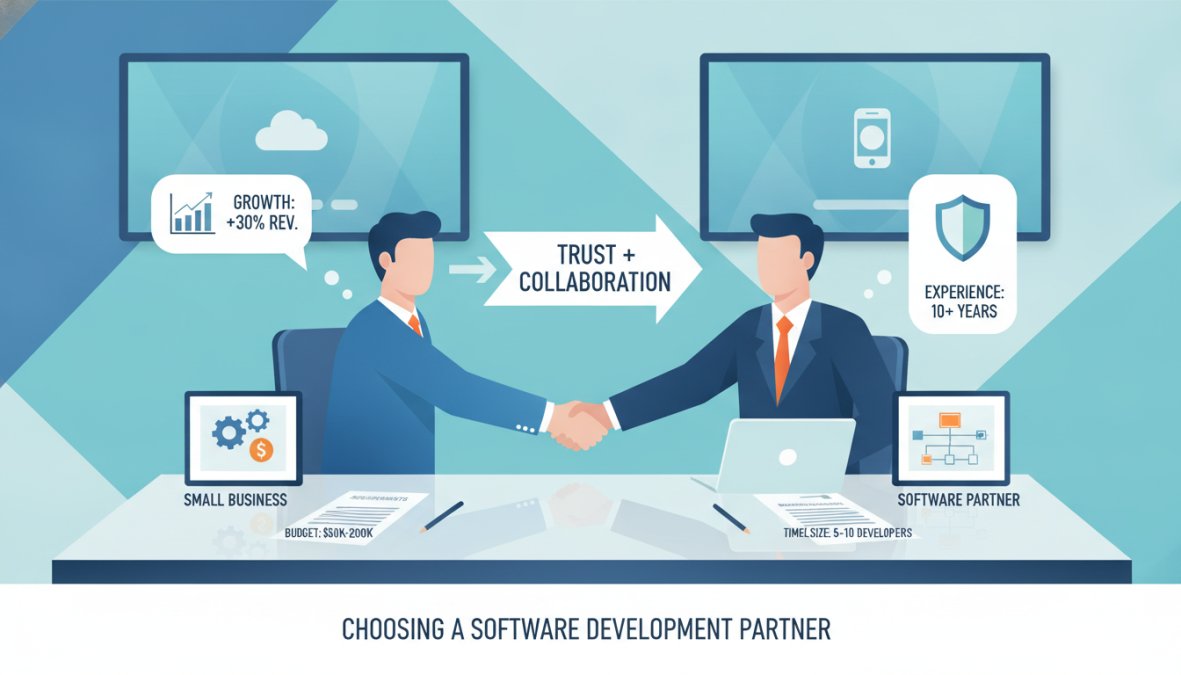
A development partner worth working with will demonstrate domain knowledge in your industry, a clear discovery process, and a track record of delivering working software at your scale. Web Maniacs specialises in personalised web and app development for SMEs, combining custom software development with results-driven digital marketing to ensure your application supports both operational needs and business growth objectives. You can review service options and pricing directly on the Web Maniacs pricing page.
When evaluating any partner, prioritise these factors:
- Portfolio relevance: Have they built applications for businesses with similar complexity and scale?
- Development methodology: Do they work in agile sprints with regular deliverables, or disappear for months?
- Communication cadence: How often will you receive updates? Who is your point of contact?
- Post-launch support: What does their maintenance model look like?
- Contract clarity: Do they provide a clear IP assignment clause without being asked?
According to Clutch’s annual software development partner survey, communication quality and project management transparency are the top factors small businesses cite when rating development partners, ranking above technical skill in overall satisfaction scores.
Red Flags to Watch for During the Vetting Process
The vetting process reveals more than a sales conversation ever will. Watch for these warning signs:
- Vague scoping: A fixed price quote without a discovery phase means they haven’t understood your requirements, you’ll pay for that gap later.
- No references from similar projects: Generic testimonials are not the same as verifiable references from comparable clients.
- Reluctance to discuss IP ownership: Any hesitation on this point is a serious signal.
- No documentation process: If they don’t mention technical documentation, your codebase will be unmaintainable by anyone else.
- Overpromising on timelines: A partner who tells you what you want to hear about delivery dates is managing your expectations in the wrong direction.
- No testing phase in the proposal: Software delivered without structured QA will fail in production.
The real difference between a good development partner and a problematic one often shows up in the discovery phase. A partner who asks hard questions, challenges your assumptions, and pushes back on scope creep is protecting your investment.
Frequently Asked Questions
How much does custom software development cost for small businesses?
Custom software development costs vary widely depending on complexity, features, and the development partner you choose. A simple internal tool or MVP can start at a few thousand dollars, while a full-scale custom platform may run significantly higher. Beyond the build cost, factor in ongoing post-launch maintenance, hosting, and support. Reviewing a provider's pricing page upfront and scoping an MVP first are practical ways to manage budget risk for small businesses.
What is the difference between off-the-shelf and custom software?
Off-the-shelf software is a ready-made product built for a broad audience, such as a generic CRM or ERP. Custom software is built specifically for your business's proprietary workflow, data structure, and operational needs. Off-the-shelf solutions are faster to deploy and cheaper upfront but often require workarounds, carry recurring software licensing fees, and may accumulate technical debt. Custom-built applications offer scalability and a precise fit but require greater initial investment and a clear development process.
Is custom software development worth the investment for a small business?
For many SMEs, custom software development delivers strong ROI by eliminating manual processes, replacing multiple off-the-shelf subscriptions, and enabling workflow automation unique to the business. The key is conducting a proper cost-benefit analysis before committing. Starting with an MVP reduces risk significantly. If your business has a proprietary workflow that generic tools cannot support efficiently, custom development is often worth pursuing with the right software development partner.
How long does it take to develop custom software?
Development timelines depend on scope and complexity. A minimum viable product built using an agile methodology can be ready in six to twelve weeks. A more comprehensive custom application with API integration, database design, and dashboard and reporting features typically takes three to nine months. Working with an experienced development partner who follows a structured software lifecycle, from discovery through deployment, helps keep timelines realistic and avoids costly scope creep.
Who owns the code when a small business commissions custom software?
IP and code ownership must be explicitly defined in your contract before development begins. Many small businesses assume they own everything built for them, but some development agencies retain licensing rights to reusable components or frameworks. Always request a clause confirming full source code ownership and transfer upon project completion. Clarifying this upfront protects your business, prevents vendor lock-in, and ensures you can maintain or migrate the software independently in the future.
Building the right software for your business is one of the highest-leverage decisions a small business owner can make, and also one of the easiest to get wrong without the right guidance. Web Maniacs brings together custom software development, intuitive app design, and results-driven digital marketing to deliver solutions that strengthen your brand identity and increase online visibility from day one. Get started with Web Maniacs and build software that actually fits how your business works.
This article was written using GrandRanker