
Alternatives to Manual Data Entry for NZ Retailers
Table of Contents
- Why Manual Data Entry Costs NZ Retailers Time and Money
- The Hidden Costs of Manual Data Entry
- Comparison Table: Alternatives to Manual Data Entry
- How to Reduce Manual Data Entry Errors in Retail Operations
- Xero Integration for Retail Inventory Automation
- OCR Invoice Processing for NZ Businesses
- Choosing the Right Automation Solution for Your Retail Business
- Implementation Roadmap for Small NZ Retailers
Last Updated: August 6, 2026
Why Manual Data Entry Costs NZ Retailers Time and Money
Manual data entry drains retail profitability through wasted labour, errors, and lost opportunity. A shop with three staff members might spend 15-20 hours per week on data entry alone: processing invoices, updating inventory, reconciling sales, and correcting mistyped SKUs or pricing. Over a year, that’s 800+ hours of labour generating zero customer value.
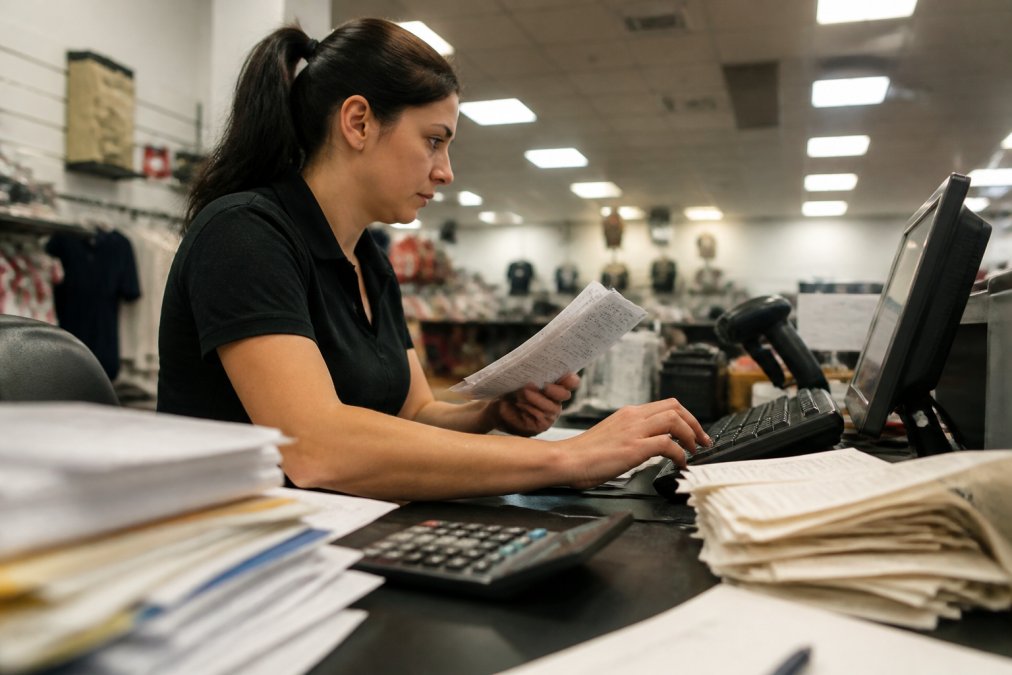
The real problem is fragmentation. Your POS doesn’t talk to your accounting software. Your inventory system requires manual updates. Supplier invoices arrive as PDFs needing line-by-line re-entry. Each gap forces staff to become data couriers, moving information between systems by hand.
Errors compound quickly. A transposed SKU digit affects margins. An inventory miscount leads to stockouts or overstock. A duplicated transaction corrupts financial records. For a retailer with $500,000 annual revenue, losing just 2% to data entry errors represents $10,000 in lost profit, the salary of an extra staff member you’re not getting.
The Hidden Costs of Manual Data Entry
Manual data entry creates three categories of cost: labour, error, and opportunity.
Labour cost is obvious: every hour on data entry is an hour not spent on revenue-driving activities like customer relationships, merchandising, or staff training.
Error cost is expensive. Manual data entry errors cost retailers 1-3% of annual revenue through overstock, understock, pricing mistakes, and duplicate processing.
Opportunity cost is most damaging. When your team is buried in administrative work, you can’t respond to market changes, run promotions quickly, analyse performance accurately, or scale without hiring more administrative staff.
The problem accelerates as you grow. A single store manages manual processes. Two stores means double the data entry. Three stores means triple. At some point, the system breaks.
Comparison Table: Alternatives to Manual Data Entry
| Solution | Best For | Key Benefit | Implementation |
|---|---|---|---|
| Xero with integrations | Small retailers with basic needs | Automated bank feeds, GST compliance, reduced invoice entry | 1-2 weeks |
| Cin7 Core | Growing retailers with complex inventory | Multi-channel inventory sync, eliminates stock discrepancies | 2-4 weeks |
| Lightspeed Retail POS + Xero | Omnichannel retailers | Real-time sales sync to accounting, single source of truth | 2-3 weeks |
| Shopify Flow | Shopify-based retailers | Automate admin tasks without coding, free | 1 week |
| AccountsFlow | High-volume invoice processors | Automatic invoice data extraction and loading | Varies by volume |
| OCR scanning (Xtracta or DataNZ) | Businesses with paper documents | Convert receipts/invoices to structured data instantly | 1-2 weeks |
| Barcode scanning (LogiQ-On) | Retailers needing faster checkout | Eliminate manual SKU entry at point of sale | 1 week |
| Custom automation (Avtrix) | Businesses with unique workflows | Tailored automation for specific processes | 4-8 weeks |
How to Reduce Manual Data Entry Errors in Retail Operations
Most manual data entry errors fall into three categories: transcription (typing wrong numbers), duplication (processing the same invoice twice), and omission (forgetting line items).
Eliminate manual typing with automated data capture: barcode scanners at checkout, OCR for invoices, or direct system-to-system integration. Where manual entry is unavoidable, implement verification steps or system rules that flag suspicious entries.
Prevent duplication errors using invoice numbering systems and accounting software that detects duplicates. Xero automatically warns if you’re entering a duplicate supplier invoice.
Combat omission errors by standardising data entry processes, creating checklists of required fields, and using OCR to pre-fill data for staff verification rather than re-entry.
The most effective strategy is automation. When data flows directly from source to destination without human intervention, error rates drop dramatically. A barcode scanner can’t mistype a SKU. An API connection can’t forget a line item. An OCR engine can’t duplicate a transaction.
For NZ retailers, prioritise integrations over manual processes. Xero’s integration with major POS systems means sales data flows automatically into accounting. Cin7’s multi-channel integrations mean inventory updates happen in real time. The upfront investment pays back immediately through error reduction.
Xero Integration for Retail Inventory Automation
Xero has become the default accounting system for NZ small businesses and integrates with most retail systems to automate labour-intensive processes.

For retailers, Xero integration eliminates three processes: invoice data entry, inventory reconciliation, and financial reporting.
Invoice data entry becomes automatic. When you connect supplier accounts or use an accounting partner, invoices load into Xero with line items, quantities, and pricing already populated. Staff verify rather than re-enter, cutting processing time from 10 minutes per invoice to 2 minutes.
Inventory reconciliation improves dramatically. When you integrate your POS system with Xero, stock levels update in real time. You know exactly what you have, what’s sold, and what’s on order, preventing both overstock and understock.
Financial reporting becomes instant. Pull profit and loss reports in real time to see which products are profitable and where cash is going, enabling faster decisions about pricing and stock allocation.
Integration costs are modest. If Xero integration saves your team 10 hours per week on accounting and inventory tasks, that’s 500 hours per year. At $30/hour loaded cost, that’s $15,000 in labour savings annually. Most integrations cost under $2,000 to set up.
For NZ retailers, Xero handles GST automatically. When sales sync from your POS, GST is calculated correctly and your GST return is nearly ready to file.
OCR Invoice Processing for NZ Businesses
Modern AI-powered OCR understands document structure and context. It recognises that the number next to "Invoice #" is an invoice number and extracts vendor details, line items, totals, tax amounts, and payment terms, then formats this data for direct system loading.
How OCR Technology Works
OCR reads text from images or scanned documents and converts it into machine-readable data. Modern OCR understands document structure, recognising invoice numbers, vendor details, and line items automatically.
For retailers, this matters because supplier invoices are messy, PDFs, photos, faxes, or crumpled papers with different layouts. OCR handles this automatically.
Real-World Benefits for Retail
A retailer receiving 50 supplier invoices per week currently spends 5-8 hours on invoice data entry. With OCR, that drops to 1-2 hours (mostly verification).
For NZ retailers using AccountsFlow or Xtracta: supplier invoice arrives as PDF or photo, OCR extracts data, the system loads it into your inventory and accounting software, and staff verify. Modern OCR achieves 99% accuracy, so verification takes seconds.
Manual invoice entry has a 2-5% error rate. OCR-extracted data has under 0.5% error rate, meaning fewer pricing errors, duplicate invoices, and inventory discrepancies.
One retailer processing 200 invoices per week might spend 20 hours on manual entry. OCR reduces this to 4-5 hours. Over a year, that’s 800+ hours freed up, equivalent to nearly half an FTE.
Choosing the Right Automation Solution for Your Retail Business
Selecting the right automation tool depends on three factors: your current systems, your pain points, and your growth trajectory.
Start with your current systems. If you’re using Shopify, Shopify Flow is the fastest path to automation. If you’re using Lightspeed, integrate with Xero and potentially Cin7. If you’re on WooCommerce, you have more flexibility but may need custom integration work.
Identify your biggest pain point. Is it invoices? Use OCR. Is it checkout speed? Use barcode scanners. Is it inventory discrepancies? Use Cin7 or Xero integration. Solve the problem costing you the most time or money first.
Consider your growth plans. If you’re opening more stores, choose a solution that scales. Cin7 scales better than basic Xero inventory. If you’re staying single-store, a simpler solution may suffice.
For most NZ retailers, start with Xero plus one integration (either your POS system or OCR for invoices). This handles 80% of manual data entry problems and costs under $5,000 to set up. Add more sophisticated tools as you grow.
For custom automation tailored to unique workflows, consider providers like Avtrix. They build workflows matching your specific business, though this takes longer and costs more than off-the-shelf solutions.
Avoid perfect planning. Most retailers wait too long to automate. Instead, implement Xero integration, measure time saved, then add the next tool. This iterative approach is faster and cheaper than designing the perfect system upfront.
Implementation Roadmap for Small NZ Retailers
Getting from manual data entry to automated systems requires a realistic roadmap:
Weeks 1-2: Audit and Plan
Document your current data entry processes and track time spent on invoicing, inventory updates, and reconciliation. Identify which process costs the most time or causes the most errors.
Weeks 3-4: Quick Win
Implement the fastest automation for your biggest pain point. This should take 1-2 weeks and produce immediate results visible within days.
Weeks 5-8: Second Integration
Once your team adapts to the first automation, add the second. Adoption is faster as your team understands the benefits.
Months 3-6: Optimisation
Monitor your systems for bottlenecks. Web Maniacs can help build custom solutions connecting your specific systems and processes, creating automation tailored to your exact workflow rather than forcing you into a generic tool.
Months 6+: Scale
As you grow, your automation grows with you. Cin7 handles multi-location inventory. Lightspeed POS handles multi-outlet sales. Your automation infrastructure should support growth without requiring complete rebuilds.
The entire process typically takes 3-6 months for a small retailer. The payoff is substantial: 10-15 hours per week freed up, error rates cut by 50-80%, and visibility into your business previously impossible.
Manual data entry is not a feature of retail; it’s a problem you’re paying to maintain. The alternatives exist, are proven, and are affordable for NZ retailers of any size.
Web Maniacs can help you navigate this transition. Whether you need integration between existing systems, custom automation for unique workflows, or a complete digital infrastructure overhaul, Web Maniacs provides personalised web and app development tailored to your retail operation. The team understands the specific challenges NZ retailers face: fragmented systems, supplier complexity, and the need to scale without proportionally increasing administrative overhead. Get Started with Web Maniacs and transform how your retail business handles data.
Frequently Asked Questions
What is the most efficient alternative to manual data entry for small NZ retailers?
Cloud-based POS systems like Lightspeed Retail paired with Xero offer the fastest return on investment for small retailers. These platforms automate transaction recording, inventory updates, and accounting entries in real time. For retailers handling high invoice volumes, OCR invoice processing solutions eliminate the need to manually key in supplier data. The best choice depends on your current systems and workflow complexity, but most small retailers see immediate time savings within the first month of implementation.
How can NZ retailers integrate inventory management with accounting software?
Xero integration for retail inventory works through direct connections with POS systems and inventory platforms like Cin7 Core or Lightspeed Retail. When a sale occurs, the POS system automatically updates stock levels in Xero and records the transaction in your accounts. This eliminates manual reconciliation and reduces data entry errors. For retailers needing deeper inventory control across multiple channels, Cin7 Core syncs with Xero to provide unified visibility of stock, sales, and financials. Integration setup typically takes one to two weeks depending on your current system complexity.
Can OCR technology help New Zealand retailers with invoice processing?
Yes. OCR invoice processing for NZ businesses transforms paper and digital invoices into structured data automatically. Solutions like Xtracta and AccountsFlow read supplier invoices, extract vendor details, line items, amounts, and tax, then push the data directly into your POS or inventory system. This eliminates manual data entry of SKUs, quantities, and prices. OCR accuracy typically exceeds 99% on clear documents, and the technology handles faded or crumpled receipts well. For retailers processing dozens of invoices daily, OCR can save 10-15 hours per week.
What are the risks of manual data entry for retail stock levels?
Manual data entry of stock levels introduces multiple risks: transcription errors lead to inventory mismatches, shrinkage goes undetected, and purchasing decisions rely on inaccurate numbers. In retail, a 5% stock discrepancy can result in lost sales or excess holding costs. Manual entry also delays GST compliance because invoice data takes days to record. Automated alternatives eliminate these risks by updating inventory in real time and creating an audit trail for compliance with New Zealand tax requirements. Most retailers discover 2-8% inventory accuracy improvements within three months of switching to automated systems.
How does automated data entry impact GST compliance for NZ retailers?
Automated data entry systems like Xero integration for retail inventory create real-time records of all transactions, making GST compliance straightforward. Because invoices and sales are recorded automatically, your GST return calculations are accurate and based on current data rather than manually entered figures prone to error. Cloud accounting systems maintain full audit trails required by Inland Revenue, and many platforms flag potential GST issues before you file. This reduces compliance risk and often speeds up tax time processing by several days.
This article was written using GrandRanker