7 Signs Your Business Needs Custom Software
Table of Contents
- Introduction: When Off-the-Shelf Software Falls Short
- 7 Signs Your Business Needs Custom Software
- Sign 1: Your Manual Processes Are Slowing Growth
- Sign 2: Off-the-Shelf Software Lacks Critical Features
- Sign 3: SaaS Subscriptions Are Draining Your Budget
- Sign 4: Data Silos Are Blocking Integration
- Sign 5: Your Legacy Systems Can’t Scale
- Sign 6: Data Security and Compliance Gaps Exist
- Sign 7: Poor User Experience Is Limiting Adoption
- Off-the-Shelf vs Custom Software: Making the Right Choice
- Understanding Custom Software Development Cost
- Real-World Custom Business Software Examples
- The Custom Software Development Process Explained
- Total Cost of Ownership: Beyond the Initial Price Tag
- Build vs Buy Decision Matrix: A Practical Framework
Last Updated: July 15, 2026
Introduction: When Off-the-Shelf Software Falls Short
Many businesses discover too late that generic solutions can’t solve their unique problems. Companies relying solely on off-the-shelf software report 40% higher operational friction than those using tailored systems. Understanding the 7 signs your business needs custom software is critical for staying competitive.
The challenge isn’t choosing between custom and off-the-shelf, it’s recognizing when your growth has outpaced what generic tools can deliver. Below, we’ll show you exactly how to identify whether your business has crossed that threshold.
The most expensive decision isn’t [building custom software](/custom-software-development-services-nz/), it’s waiting too long to build it while your team wastes hours on workarounds.
Sign 1: Your Manual Processes Are Slowing Growth
When your team spends more time entering data into spreadsheets than solving customer problems, you’ve identified the first sign your business needs custom software. Manual workflows don’t scale, they introduce errors, consume hours weekly, and create bottlenecks that prevent growth.
Custom software eliminates these handoffs entirely. Instead of manual entry, data flows automatically between systems. Your sales team closes a deal in your CRM, and the customer automatically appears in your fulfillment system with correct details. The invoice generates without human intervention. What once took three people an hour now takes seconds.
Teams that automate repetitive work see productivity gains of 25-35% in the first quarter after implementation. More importantly, your team can focus on strategic work instead of administrative overhead.
Sign 2: Off-the-Shelf Software Lacks Critical Features
Off-the-shelf software is designed for the 80% use case. The moment your business needs something slightly different, a custom field, unique workflow, or nonexistent integration, you hit a wall.
Many businesses force their operations into purchased software, creating painful workarounds. Your team exports data to spreadsheets and loses the efficiency you expected. A staffing company needs to track candidate pipeline stages that don’t match standard CRM categories. A manufacturing business needs to manage complex bill-of-materials relationships that generic inventory software can’t represent.
Custom software solves this by building exactly the features your business requires. No compromises. No workarounds. Your software matches your business, not the other way around.
Forcing your business into generic software creates technical debt. Each workaround makes the system harder to maintain and more fragile as your team grows.
Sign 3: SaaS Subscriptions Are Draining Your Budget
Per-seat pricing compounds quickly. If you’re paying $15 per user per month for five different SaaS tools across a 20-person team, you’re spending $1,500 monthly, $18,000 annually, before adding any value. Scale to 50 employees, and you’re at $45,000 annually.
The hidden cost of SaaS is predictable monthly spending that feels manageable until you audit your full stack. Many companies discover they’re paying for redundant capabilities across multiple tools. Tool A and Tool B both offer reporting. Tool B and Tool C both handle automation.
Custom software shifts this cost structure. You invest upfront, then costs stabilize. No per-seat increases. No feature tier upgrades. For businesses with 30+ employees, custom software often achieves lower total cost of ownership within 18-24 months.
If your current SaaS subscriptions exceed $2,000 monthly, custom software warrants serious consideration.
Sign 4: Data Silos Are Blocking Integration
Your customer data lives in your CRM. Your financial data lives in your accounting software. Your operational data lives in a spreadsheet. Each system is competent at its specific job, but they don’t talk to each other.
This fragmentation creates operational friction. Your sales team closes a deal in the CRM, but accounting doesn’t see it for three days because someone must manually export and import the data. Your marketing team can’t see which customers are at risk of churn because that signal lives in disconnected systems. Data silos also create compliance risk, you can’t guarantee customer information is consistent or properly managed across the organization.
Custom software solves this by creating a single source of truth. Data flows automatically and consistently. Your team sees real-time information instead of day-old snapshots. Compliance becomes manageable because data moves through a controlled system you’ve designed.
Sign 5: Your Legacy Systems Can’t Scale
Legacy systems were built for yesterday’s volume. They handle 10,000 transactions per day efficiently, but your business is growing at 40% year-over-year. In six months, you’ll hit 14,000 transactions. In a year, 19,600. Your legacy system wasn’t designed for that volume.
The symptoms appear gradually: response times slow, reports take longer, the system occasionally crashes during peak hours. Your IT team spends increasing time on maintenance. What once was reliable becomes a constraint on growth.
Scaling legacy systems is expensive and has limits. Eventually, you hit architectural constraints. Your legacy system works, but it can’t grow with you. Every quarter, maintenance costs increase. Every year, catastrophic failure risk rises.
Custom software built on modern architecture scales differently. Cloud-native systems handle 100x growth without fundamental redesign. You pay for what you use, not for capacity you might need someday.
Legacy systems don’t fail suddenly, they fail slowly, consuming more resources and creating more risk until replacement becomes inevitable.
Sign 6: Data Security and Compliance Gaps Exist
Off-the-shelf software is secure for the average user, but your business might have specific compliance requirements that generic tools don’t address. If you’re in healthcare, you need HIPAA compliance. If you’re in finance, you need SOC 2 Type II certification. If you’re handling EU customer data, you need GDPR compliance built into your systems.
Many SaaS tools offer compliance certifications, but they’re built for horizontal use cases. They don’t account for your specific security architecture, data residency requirements, or audit procedures.
Custom software lets you build security and compliance into the foundation. Your data lives where you need it. Your access controls match your organizational structure. Your audit trails capture exactly what you need to demonstrate compliance.
The cost of a compliance failure, fines, lost customers, damaged reputation, far exceeds the cost of building compliant systems from the start. Businesses in regulated industries should consider custom software as a risk mitigation investment.
Sign 7: Poor User Experience Is Limiting Adoption
Your team hates using the software you’ve purchased. They find it confusing. The workflow doesn’t match how they actually work. Adoption stalls because people resist tools that don’t fit their mental model.
Custom software is built around your team’s actual workflow. Your interface matches how your team thinks about their work. Your navigation follows your business logic. Adoption happens naturally because the software feels intuitive.
User experience also affects productivity. Tools designed for your specific use case eliminate friction. Your team moves faster because they’re not fighting the interface. They make fewer mistakes because the design guides them toward correct actions.
A poorly designed tool creates 5-10 hours of friction per employee monthly. A well-designed tool creates flow. That’s the difference between a tool that slows you down and one that accelerates you.
Off-the-Shelf vs Custom Software: Making the Right Choice
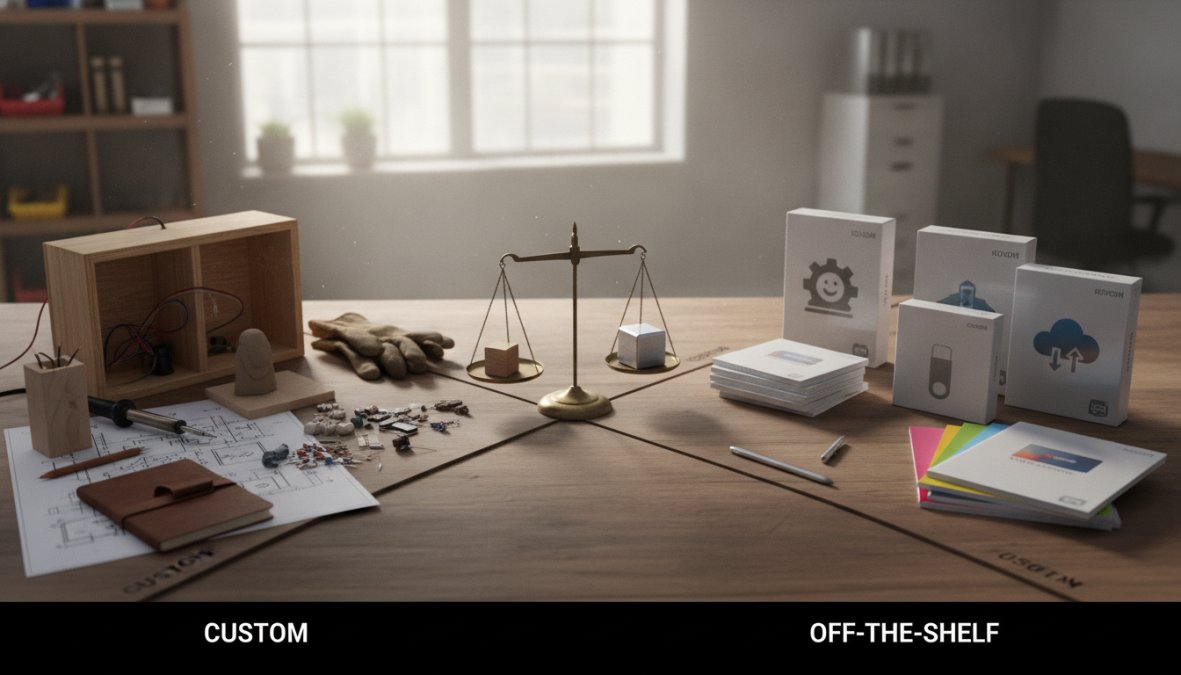
The decision between off-the-shelf and custom software isn’t binary. Many successful businesses use both. They use off-the-shelf software where it fits perfectly and custom software where they need differentiation.
If the software handles a commodity function identical across your industry, off-the-shelf is usually right. If the software handles a function unique to your business or gives you competitive advantage, custom software is worth the investment.
Email marketing is a commodity, most businesses use off-the-shelf platforms like Mailchimp or Klaviyo. But if your competitive advantage depends on how you manage customer relationships, process orders, or allocate resources, that’s where custom software creates value.
For most businesses with 30+ employees and annual SaaS spending above $24,000, custom software becomes economically attractive within 24 months.
Understanding Custom Software Development Cost
Custom software development is an investment, not an expense. A simple application might cost $15,000-$30,000 and take 6-8 weeks. A moderately complex application might cost $50,000-$150,000 and take 3-4 months. A sophisticated system might cost $200,000-$500,000+ and take 6-12 months.
The biggest cost drivers are scope creep, unclear requirements, and changing specifications mid-project. The most important factor isn’t the price tag, it’s the value delivered. A $100,000 investment that saves your team 10 hours per week is sound. A $50,000 investment that delivers no measurable value is money wasted.
The cheapest custom software project is one where requirements are crystal clear before development starts. Spend time on discovery and planning before you write code.
Real-World Custom Business Software Examples
A staffing company built a custom application that matches candidates to job placements using their proprietary algorithm. The system recovered the $180,000 investment in 18 months through improved placement quality and reduced time-to-hire.
A manufacturing business built a custom inventory and production planning system that manages complex bill-of-materials relationships and optimizes production schedules. It reduced inventory carrying costs by $120,000 annually, the entire development cost recovered in one year.
A professional services firm built a custom resource allocation system that schedules consultants across projects and forecasts resource gaps. The system optimized billable hours and reduced manual scheduling time from 15 hours per week to 2 hours.
These examples share a common pattern: custom software solved a problem that off-the-shelf tools couldn’t address, delivering measurable value quickly.
The Custom Software Development Process Explained
Building custom software follows a predictable process.
Discovery and Requirements (2-4 weeks): Your development team meets with stakeholders to understand current processes, pain points, and desired outcomes. They document detailed requirements and create wireframes showing how the software will work.
Design and Architecture (2-3 weeks): The team designs the system architecture, plans the database structure, designs the user interface, and creates technical specifications.
Development (4-12 weeks depending on complexity): Developers build the software according to specifications, working in sprints that deliver working features every 1-2 weeks.
Testing (2-4 weeks): Quality assurance specialists test thoroughly, identify bugs, and verify security and compliance measures.
Deployment and Training (1-2 weeks): The software launches to your team. The development team provides training and monitors for issues.
Maintenance and Iteration (ongoing): The team monitors the software, fixes bugs, implements new features based on feedback, and handles security updates.
This process typically takes 3-6 months from discovery to full deployment.
Total Cost of Ownership: Beyond the Initial Price Tag
The initial development cost is only part of the total cost of ownership. You also need to account for hosting ($500-$2,000 monthly), maintenance (10-20% of initial development cost annually), feature development, and training.
Here’s a realistic TCO calculation for a $100,000 custom software project:
| Cost Category | Year 1 | Year 2 | Year 3 | 3-Year Total |
|---|---|---|---|---|
| Initial Development | $100,000 | $0 | $0 | $100,000 |
| Hosting | $12,000 | $15,000 | $18,000 | $45,000 |
| Maintenance (15%) | $15,000 | $15,000 | $15,000 | $45,000 |
| Feature Development | $20,000 | $20,000 | $20,000 | $60,000 |
| Training & Docs | $5,000 | $2,000 | $2,000 | $9,000 |
| Total | $152,000 | $52,000 | $55,000 | $259,000 |
Compare this to $3,000 monthly SaaS spending: your 3-year cost is $108,000, plus integration management and workarounds. Custom software costs more in Year 1 but becomes more cost-effective by Year 2-3.
Build vs Buy Decision Matrix: A Practical Framework
Use this framework to decide whether custom software makes sense:
Score each factor on a scale of 1-5 (1 = not applicable, 5 = critical):
| Factor | Weight |
|---|---|
| Current SaaS spending exceeds $2,000/month | 20% |
| Core business process requires customization | 20% |
| Off-the-shelf tools lack critical features | 15% |
| Data integration challenges across systems | 15% |
| Team size exceeds 30 people | 15% |
| Scaling legacy systems is becoming expensive | 15% |
Scoring guide:
- Weighted score below 2.0: Off-the-shelf solutions likely meet your needs.
- Weighted score 2.0-3.0: Custom software is worth exploring with detailed ROI analysis.
- Weighted score above 3.0: Custom software is likely the right investment.
The 7 signs your business needs custom software are operational realities that compound over time. Manual processes slow growth. Feature gaps create friction. SaaS costs drain budgets. Data silos block efficiency. Legacy systems can’t scale. Security gaps create risk. Poor UX limits adoption.
At Web Maniacs, we specialize in building custom software that solves these exact problems. We combine user-friendly design with results-driven architecture to create systems that strengthen operational efficiency and increase competitive advantage. Get started with Web Maniacs and transform how your team works.
Frequently Asked Questions
How do I know if my business needs custom software?
Your business likely needs custom software if you're experiencing manual data entry bottlenecks, off-the-shelf solutions lack critical features, or your legacy systems can't integrate with existing tools. Watch for signs like high SaaS subscription costs, data security concerns, and poor user adoption rates. Custom software addresses these pain points by automating workflows, improving operational efficiency, and scaling with your business growth. Consider your current technology gaps and whether they're limiting competitive advantage.
What's the difference between off-the-shelf and custom software?
Off-the-shelf software is pre-built, generic, and designed for broad markets, offering faster deployment but limited customization. Custom software is purpose-built for your specific business processes, providing full control over features, integrations, and user experience. Off-the-shelf solutions often create data silos and vendor lock-in, while custom applications eliminate feature bloat and align exactly with your workflow automation needs. Custom development requires more upfront investment but delivers superior ROI through scalability and long-term operational efficiency.
Is custom software development worth the investment?
Yes, when ROI is calculated properly. Custom software eliminates per-seat pricing models, reduces manual process inefficiencies, and scales with your business without costly SaaS subscription increases. Total Cost of Ownership (TCO) analysis often reveals that custom solutions cost less over 3-5 years than accumulating SaaS fees. The real value emerges through improved data security, compliance control, competitive advantage, and business agility. Post-development maintenance is manageable when built on modern cloud-native architecture. Start by assessing whether your current tools are costing more than they're saving.
What does the custom software development process involve?
The process typically includes discovery (understanding your business needs), design (planning architecture and user experience), development (building the application), testing (ensuring quality), and deployment. A reputable partner will involve you throughout, gathering requirements for workflow automation, API integration points, and data security standards. Modern development uses iterative approaches, allowing you to see progress and adjust scope. Post-launch, you'll need ongoing maintenance for bug fixes, feature updates, and technical debt management. The timeline depends on complexity, but expect 3-6 months for most business applications.
How much does custom software development cost?
Custom software development pricing depends on complexity, team size, timeline, and required integrations. Factors include whether you need cloud-native architecture, API integration with legacy systems, advanced data security, or compliance certifications. A simple internal tool might cost less than a comprehensive enterprise solution. Rather than a fixed price, most developers work on project-based or time-and-materials models. To understand costs for your specific needs, consult with a development partner who can evaluate your requirements and provide a transparent quote.
This article was written using GrandRanker