Best Website Design Features for Local Service Businesses
Table of Contents
- Why Website Design Features Matter for Local Service Businesses
- Mobile-Friendly Website Design for Local Business Success
- Clear Messaging, Strong CTAs, and Conversion-Focused Layout
- Local SEO for Service Businesses: Essential On-Page Elements
- Online Booking System for Local Services Integration
- Trust Signals: Customer Testimonials, Reviews, and Social Proof
- Website Security, Accessibility, and Technical Foundation
- Content Strategy: Service Pages, About Us, and FAQs
Last Updated: July 20, 2026
When building a website for your local service business, every design choice either attracts customers or drives them away. According to Google’s 2026 Local Services Report, 78% of customers research service businesses online before making contact, yet most local service websites fail to answer basic questions or make it easy to book. This gap represents a massive opportunity for businesses willing to invest in the right features.
Below, we’ll walk through the essential website design features that drive real results for plumbers, electricians, HVAC contractors, landscapers, and other local service professionals.
Why Website Design Features Matter for Local Service Businesses
Your website is your always-on sales representative, working 24/7 to answer customer questions and capture leads. The right design features remove friction from the customer journey and establish credibility in a market where reputation and speed matter enormously.
Most local service websites treat design as an afterthought, focusing on aesthetics rather than functionality. The result? Visitors bounce, calls go to competitors, and the website becomes an expensive decoration instead of a lead-generation engine.
(/how-to-add-service-areas-google-maps/) Service Businesses]
The best website design features solve specific problems: How do customers find your service area? Can they book an appointment in under 30 seconds? Do you appear trustworthy enough to let into their home? Can they see proof that you deliver quality work?
Mobile-Friendly Website Design for Local Business Success
Mobile traffic now accounts for over 60% of all web browsing. For local service businesses, this number is even higher, customers searching for "plumber near me" or "emergency HVAC repair" are almost always on their phones, often from the street outside a competitor’s business.
A mobile-friendly website design is no longer optional. Yet many local service websites still load slowly on mobile, display unreadable text, or force users to pinch and zoom.
Responsive Design Across All Devices
Responsive design means your website automatically adjusts to fit any screen size: desktop, tablet, or mobile. Buttons must be big enough to tap without zooming. Forms must work with mobile keyboards. Images must load quickly even on slower connections.
Test your current website on a mobile device. Try clicking buttons, filling out forms, and reading text without zooming. If any of these tasks feel awkward, your mobile experience is costing you business.
Fast Loading Speed and Performance Optimization
A website that loads in 3 seconds converts twice as many visitors as one that takes 6 seconds. For local service businesses, where customers are often in urgent situations, speed becomes critical. Someone searching for an emergency plumber isn’t browsing casually, they’re ready to call immediately if your site loads fast enough.
Google’s PageSpeed Insights shows that pages loading in under 2.5 seconds have bounce rates 40% lower than slower sites. If your mobile pages take longer than 3 seconds to load, prioritize optimization immediately.
Clear Messaging, Strong CTAs, and Conversion-Focused Layout
Your homepage has about 8 seconds to convince a visitor that you’re the right choice. Clear messaging cuts through decision paralysis. Instead of generic taglines like "Professional Service Excellence," use specific value propositions: "Same-Day Emergency Plumbing Service in Denver" or "Licensed Electrician, No Service Call Fee."
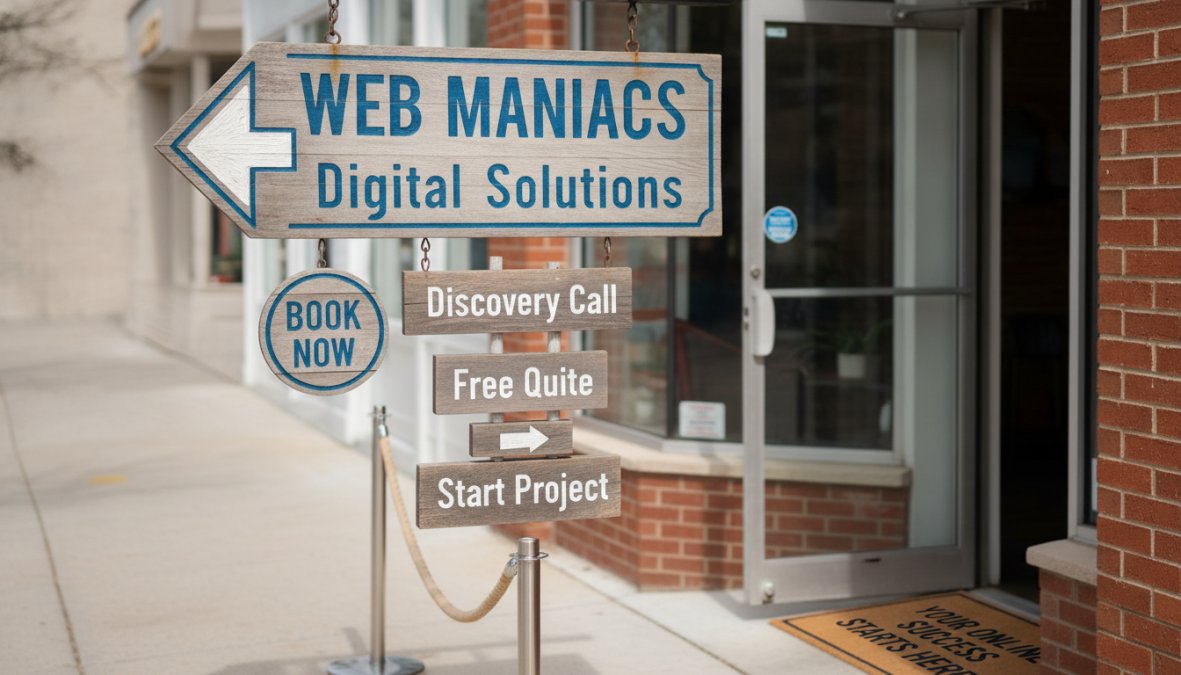
Hero Section with Compelling Value Proposition
The hero section is the first thing visitors see. It must answer three questions immediately: What service do you provide? What area do you serve? How do I contact you?
WEAK: "Welcome to our website. We provide quality services with professional expertise and customer satisfaction."
STRONG: "Emergency HVAC Repair, 24/7 Service in Denver & Suburbs. Licensed Technicians. No Overtime Fees. Call Now: (303) 555-0123"
Your hero section should include:
- Your primary service and service area (geographic specificity matters)
- A single, clear call to action (phone number, "Book Now" button, or "Get Free Quote")
- A professional image or video showing your team or work
- Optional: A brief trust signal like "15 Years in Business" or "1,000+ 5-Star Reviews"
Test your hero section by showing it to someone unfamiliar with your business. Can they answer these three questions in 5 seconds: What do you do? Where do you operate? How do I contact you?
Strategic Call-to-Action Placement
Calls to action (CTAs) are the buttons, forms, and links that prompt visitors to take the next step. Strategic placement means putting CTAs where customers naturally look:
- Hero section CTA: Phone number and "Book Now" or "Get Free Quote" button
- Mid-page CTA: After describing your main service or showing customer testimonials
- Sidebar CTA: Sticky phone number or chat widget that remains visible while scrolling
- Footer CTA: Contact form or phone number for visitors who scrolled through everything
CTA buttons should use action-oriented language: "Schedule Your Inspection," "Call for Emergency Service," "Get a Free Quote." Color matters, CTAs should contrast with the background, typically bright colors like orange, green, or blue on light backgrounds.
Local SEO for Service Businesses: Essential On-Page Elements
Local SEO determines whether customers find your business when they search "plumber near me" or "HVAC repair in [your city]." Every element of your website should signal to Google and customers exactly where you operate and what services you provide.
Google Business Profile Integration and Local Keywords
Your Google Business Profile (GBP) is the most important local SEO tool available. When customers search for your service locally, Google displays a map with your business information, photos, reviews, and hours directly in the search results.
Optimizing your GBP involves:
- Accurate business name, address, and phone number (NAP consistency)
- Complete service descriptions using local keywords
- Regular photo uploads showing your team and completed work
- Responding to all customer reviews, positive and negative
- Adding posts and offers that update regularly
Research from BrightLocal’s 2026 Local SEO Study found that businesses with complete, optimized GBP profiles receive 70% more customer calls than those with incomplete profiles.
Local keywords are search terms that include geographic modifiers: "plumber in Denver," "emergency HVAC repair near me," "licensed electrician Boulder." Your website content should naturally incorporate these keywords in page titles, headings, and body text. A dedicated "Service Areas" page listing all neighborhoods and cities you serve provides multiple opportunities to rank for local keywords.
Inconsistent NAP (Name, Address, Phone) data across your website, Google Business Profile, and other directories confuses search engines and hurts local rankings. Audit all your online listings quarterly and correct any discrepancies immediately.
Service Area Pages and NAP Consistency
Service area pages are dedicated pages for each geographic area you serve. Instead of a generic "We serve the Denver metro area," create individual pages for "HVAC Service in Denver," "Plumbing in Boulder," "Electrical Service in Westminster." Each page targets local keywords while demonstrating geographic specificity to search engines.
NAP consistency means your business name, address, and phone number appear identically across your website, Google Business Profile, local directories, and social media. Audit your NAP data across these channels:
- Your website (homepage, footer, contact page, service area pages)
- Google Business Profile
- Local directories (Yelp, Angie’s List, HomeAdvisor)
- Social media profiles
- Industry-specific directories
Online Booking System for Local Services Integration
Friction kills conversions. An online booking system removes the back-and-forth of phone calls and emails. Customers see your availability, pick a time slot, and confirm instantly. For many local service businesses, online booking reduces no-shows by 30-40% because customers receive automated reminders.
Self-Service Appointment Scheduling
Self-service scheduling means customers can book appointments without calling your office. Tools like Calendly integrate directly into your website and sync with your calendar system. Customers see real-time availability and can book instantly.
For services requiring more detail, combine self-service scheduling with a pre-booking form. Customers answer questions about their project scope, and you receive all this information before the appointment, making your consultation more productive.
Automated Confirmations and Reminders
Automated confirmations send customers an immediate email or SMS confirming their appointment. Automated reminders sent 24 hours before the appointment reduce no-shows dramatically. A simple text message, "Your appointment with ABC Plumbing is tomorrow at 2 PM. Reply CONFIRM or call (303) 555-0123," saves your team from wasted trips.
| Feature | Impact | Setup Time |
|---|---|---|
| Self-service booking | 25-35% increase in scheduled appointments | 2-4 hours |
| Automated confirmations | 15-20% reduction in no-shows | 1 hour |
| Reminder messages | 30-40% reduction in no-shows | 1 hour |
| Pre-booking forms | Better-qualified leads, shorter consultations | 2-3 hours |
Trust Signals: Customer Testimonials, Reviews, and Social Proof
Customers don’t trust you yet. They trust other customers who’ve had good experiences with you. Trust signals, reviews, testimonials, certifications, and social proof, bridge this gap by showing that real people have used your service and were satisfied.
Review Management and Display
Customer reviews are the most powerful trust signal available. According to recent data, 92% of customers read online reviews before contacting a local service business. A business with 50 five-star reviews converts significantly more visitors than one with no reviews or mixed ratings.
Displaying reviews prominently on your website builds trust with new visitors and provides fresh content that search engines index, which helps local SEO.
Best practices for review management:
- Ask satisfied customers to leave reviews on Google, Yelp, and industry-specific platforms
- Respond to all reviews, positive and negative, within 24 hours
- For negative reviews, respond professionally and offer to resolve the issue
- Display a selection of your best reviews on your homepage and service pages
- Use review widgets that automatically pull your latest reviews from Google
Never ignore negative reviews or respond defensively. A business that responds thoughtfully to criticism appears more trustworthy than one with only positive reviews.
Certifications, Badges, and Credentials
Professional certifications, licenses, and industry badges signal expertise and legitimacy. Display these prominently:
- State licensing numbers and credentials
- Industry certifications (EPA, NATE, HVAC Excellence, etc.)
- Better Business Bureau accreditation and rating
- Insurance information
- Years in business
A simple badge section in your footer showing "Licensed & Insured," "EPA Certified," and "Member of [Local Trade Association]" communicates credibility.
Trust signals work best when they’re specific and verifiable. Generic claims like “Award-Winning Service” mean nothing. Specific claims like “Licensed Electrician #12345, Colorado Department of Regulatory Agencies” mean everything.
Website Security, Accessibility, and Technical Foundation
Your website represents your business. A website that’s slow, broken, or insecure damages your reputation and loses customers to competitors.
SSL Certificates and Data Protection
An SSL certificate encrypts data between your customer’s browser and your website server, protecting sensitive information like contact details and service requests. Websites with SSL certificates display a padlock icon in the browser address bar, signaling to customers that their data is secure.
Google prioritizes secure websites (HTTPS) over insecure ones (HTTP) in search rankings. SSL certificates are inexpensive and take minutes to install.
ADA Compliance and Accessibility Standards
Web accessibility means your website works for people with disabilities, those using screen readers, keyboard navigation, or other assistive technologies. Beyond being ethically important, accessibility is legally required under the Americans with Disabilities Act (ADA).
Practical accessibility features include:
- Alt text on all images (describes the image for screen readers)
- Keyboard navigation (all buttons and links work with Tab key)
- Sufficient color contrast (text readable against background)
- Descriptive link text ("Learn more about our services" instead of "Click here")
- Properly structured headings (H1, H2, H3 hierarchy)
- Form labels clearly associated with input fields
Schema Markup and Technical SEO
Schema markup is structured data that tells search engines exactly what information appears on your page. For local service businesses, the most important schema types are:
- LocalBusiness schema: Tells Google your business name, address, phone number, hours, and service areas
- Service schema: Describes specific services you offer
- Review schema: Marks up customer reviews so Google can display them in search results
- FAQPage schema: Structures your FAQ section for search engines
Modern website platforms and SEO tools handle schema markup automatically, but verify that your schema is properly implemented using Google’s Rich Results Test.
Content Strategy: Service Pages, About Us, and FAQs
Content is the voice of your website. It answers customer questions, builds trust, and provides the information customers need to make decisions.
Dedicated Service Pages with Keyword Optimization
Each major service you offer deserves its own dedicated page. A plumbing company should have separate pages for "Emergency Plumbing Repair," "Water Heater Installation," "Drain Cleaning," and "Pipe Repair." This helps customers find the specific service they need and gives you multiple opportunities to rank for service-specific keywords.
Each service page should include:
- Clear description of the service and when customers need it
- Common problems the service solves
- Your process or approach
- Pricing (ballpark figures or "call for quote")
- Customer testimonials or case studies for that service
- Call to action (phone number, booking button, or quote form)
- FAQ section addressing common questions about this service
Service pages should be 800-1,200 words of genuine, useful content. Comprehensive pages that answer customer questions rank better and generate more leads.
About Us Page and Brand Storytelling
Your About Us page humanizes your business. Tell the real story: How did you start? What problem were you solving? Why do you care about doing good work? Customers want to know they’re hiring real people they can trust.
The best About Us pages include:
- Founder or owner story (why you started this business)
- Team member introductions with photos and backgrounds
- Your company values and commitment to customers
- Specific achievements or milestones
- Photos of your office, workshop, or team in action
Your website is your most important sales tool. The best website design features for local service businesses aren’t about trendy aesthetics, they’re about removing friction, building trust, and making it incredibly easy for customers to contact you and book your services.
Web Maniacs specializes in building high-converting websites for local service businesses. We handle responsive mobile design, fast performance optimization, local SEO integration, and trust-building features like review displays and online booking systems. Our team builds websites that generate leads and grow your business. Get started with Web Maniacs and transform your online presence into your most productive sales channel.
Frequently Asked Questions
What are the most important website design features for a local service business?
The most critical features include mobile-friendly responsive design, clear messaging with strong CTAs, fast loading speed, local SEO optimization (Google Business Profile integration, service area pages), online booking systems, trust signals like customer testimonials and reviews, SSL security, and proper analytics setup. These elements work together to attract local customers, build credibility, and convert website visitors into paying clients. Prioritize features that directly impact your conversion rates and customer acquisition.
How does local SEO for service businesses improve website visibility?
Local SEO for service businesses optimizes your website to appear in local search results when potential customers search for your services in their area. Key tactics include maintaining a complete Google Business Profile with accurate NAP (Name, Address, Phone), creating service area pages targeting local keywords, using location-specific schema markup, and earning local citations. This helps your business rank higher on Google Maps and local search results, making it easier for nearby customers to find you when they need your services.
Should I invest in a custom website or use a DIY builder for my local service business?
The choice depends on your budget, technical needs, and growth plans. DIY builders like Wix or Squarespace offer affordability and ease of use for simple websites. Custom development provides better scalability, advanced features like complex booking systems, superior performance optimization, and personalized functionality tailored to your specific business needs. If you need online booking integration, advanced analytics, or competitive differentiation, custom development typically delivers stronger ROI. Consider your long-term goals and conversion requirements when deciding.
How do customer testimonials and reviews impact website design for local services?
Customer testimonials and reviews build trust and social proof on your website, significantly influencing purchasing decisions. Display reviews prominently on your homepage and service pages, integrate Google Business Profile reviews, and feature video testimonials when possible. This demonstrates credibility and past success to potential customers. Reviews also impact local SEO rankings and help reduce bounce rates by reassuring visitors that your business delivers quality service. Active review management shows customers you value feedback and are responsive to their needs.
What online booking system features matter most for local service businesses?
Essential online booking features include self-service appointment scheduling that reduces back-and-forth emails, automated email and SMS confirmations and reminders to reduce no-shows, calendar integration with your existing systems, buffer times between appointments, and team scheduling capabilities if you have multiple staff members. Integration with your website should be seamless and mobile-friendly. Tools like Calendly or Housecall Pro offer these features at varying price points. The right booking system streamlines operations and improves customer experience significantly.
This article was written using GrandRanker