How to Improve WooCommerce Conversion Rates
Table of Contents
- Why WooCommerce Conversion Rates Matter
- Step 1: Optimise WooCommerce Speed and Performance
- Step 2: Reduce WooCommerce Cart Abandonment Recovery
- Step 3: Strengthen Trust Signals and Social Proof
- Step 4: Optimise WooCommerce Product Page Design
- Step 5: Create a Mobile-Responsive Experience
- Step 6: Run A/B Tests and Monitor Performance Metrics
- Conclusion
Last Updated: August 23, 2026
Why WooCommerce Conversion Rates Matter
Your conversion rate is the difference between a website that attracts visitors and one that generates revenue. According to NZ Digital’s 2026 analysis, less than 2% of e-commerce site visitors become customers on average. That gap represents lost opportunity at scale.
WooCommerce powers 20-39% of total online stores globally (w3techs.com). Yet most store owners treat conversion optimisation as an afterthought. The truth, backed by NiKa Consulting’s Ecommerce Conversion Rate Optimization: NZ Playbook 2026, is that improving your improve woocommerce conversion rate generates more revenue without requiring additional marketing spend. You’re making better use of the attention you already have.
At Web Maniacs, we specialise in combining technical optimisation with conversion-focused design to help e-commerce stores generate more revenue from existing traffic. The data is clear: products with 11 to 30 reviews see approximately 68% higher conversion rates than those with none. Fast-loading checkout pages boost completed sales by 40%. Guest checkout options reduce cart abandonment by up to 20%.
This guide walks you through six concrete steps to improve woocommerce conversion rates on your WooCommerce store. Each step is actionable and designed to work together as a cohesive system.
Step 1: Optimise WooCommerce Speed and Performance
Page speed directly impacts whether customers buy or bounce. WooCommerce sites that load in under 2 seconds see 40% higher conversion rates overall. Mobile devices account for 60% of all internet traffic and 65.7% of e-commerce sales. A slow mobile experience is a conversion killer.
WooCommerce speed optimisation tips for faster loading
Start by measuring your current performance using Google PageSpeed Insights.
Implement image optimisation immediately. Convert images to WebP format for 25-34% smaller file sizes. Compress all remaining images using tools like ShortPixel or Smush. Remove unnecessary images.
Enable caching plugins like WP Rocket or W3 Total Cache to reduce server load. Browser caching tells returning visitors’ devices to store assets locally rather than downloading them again.
Minify your CSS, JavaScript, and HTML to reduce file sizes by 10-20%. Upgrade your hosting infrastructure if needed; shared hosting struggles under real traffic. Disable unnecessary plugins, as each one is a potential performance drain.
Full-Site Editing (FSE) themes deliver 41% faster Largest Contentful Paint (LCP) scores and 18% higher mobile conversion rates compared to legacy PHP-template themes. If you’re using an older theme, consider upgrading to a modern FSE-based theme.
Step 2: Reduce WooCommerce Cart Abandonment Recovery
Cart abandonment averages 69.82% across WooCommerce stores. You can recover 5-15% of abandoned carts with the right strategy.
Offer guest checkout and multiple payment methods
Forcing customers to create an account before checkout is unnecessary friction. Offering guest checkout reduces cart abandonment by up to 20%. Payment method diversity matters: research shows 55% of Kiwi shoppers used PayPal, 43% internet banking, 35% Afterpay, 32% debit card, and 29% credit card. Your store should support all these methods.
Add wallet payments like Apple Pay, Google Pay, and PayPal Express. Display the full price upfront; 75% of shoppers said seeing the full price upfront made them more likely to complete a purchase.
Set up automated recovery emails
Abandoned cart recovery emails capture lost sales reliably. When a customer abandons their cart, send an automated sequence:
Email 1 (1 hour after abandonment): Remind them what they left behind with product images, prices, and a direct link to their cart.
Email 2 (24 hours later): Add urgency and offer a small incentive like free shipping or a discount code.
Email 3 (48-72 hours later): Final attempt with stronger urgency language.
Recovery emails recapture 5-15% of abandoned carts, pure revenue recovery with minimal additional cost.
Cart abandonment isn’t inevitable. Guest checkout, multiple payment methods, and a three-email recovery sequence can recover thousands of pounds in lost sales per month.
Step 3: Strengthen Trust Signals and Social Proof
Customers trust third-party validation over marketing claims. Displaying reviews increases conversion rates by up to 270%. Products with even five reviews have significantly higher purchase probability than those with none.
Implement a review collection system. After purchase, send automated emails asking customers to leave a review with a direct link. Incentivise reviews with a small discount on their next purchase.
Display reviews prominently on product pages. Use review aggregation plugins like Yotpo or Judge.me to automate collection and display. Add trust badges from Comodo or Norton, money-back guarantees, and payment security badges to reduce perceived risk.
Display customer testimonials beyond product reviews. Video testimonials or case studies from real customers build credibility. Show real customer names and photos with reviews; anonymous reviews carry less weight.

Fake or manipulated reviews destroy trust faster than no reviews at all. Collect genuine reviews only; authentic social proof far outweighs the temptation to artificially boost your rating.
Step 4: Optimise WooCommerce Product Page Design
Your product page is where the conversion decision happens. A poorly designed page loses sales even with strong traffic.
Improve product images and descriptions
High-quality photos from multiple angles and in different contexts build confidence. Invest in professional product photography. Include zoom functionality to let customers inspect details closely.
Write product descriptions that sell, not just describe. Explain benefits and use cases. Who is this product for? What problem does it solve? Connect features to outcomes. Include size guides, material composition, and care instructions to remove friction.
Implement cross-selling and upselling
Cross-selling increases average order value by 30%. When a customer views a product, show related items they might need. Upselling converts at 3-10%, adding around $10 of profit per order. Suggest a premium version or complementary product that enhances the original purchase. Ensure suggestions are relevant and genuinely complement the item in their cart.
Step 5: Create a Mobile-Responsive Experience
Mobile devices account for 60% of all internet traffic. Your WooCommerce store must be built for mobile first.
Responsive design means your store adapts seamlessly to any screen size. Test your checkout on actual mobile devices with slower network speeds. Simplify forms on mobile by using single-column layouts and minimising fields. Pre-fill information when possible.
Make buttons and links large and easy to tap; use a 48-pixel minimum button size. Reduce image sizes for mobile and serve smaller, optimised images. Use modern image formats like WebP.
Test page speed specifically on mobile networks using tools like WebPageTest to simulate real mobile network conditions.
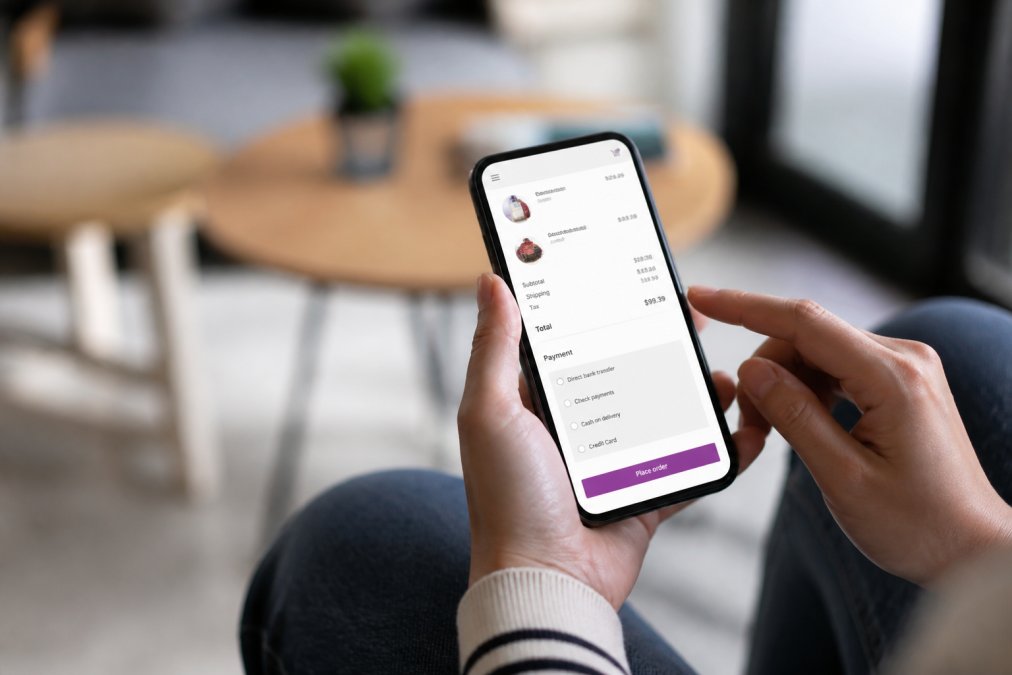
Stores with 60%+ mobile traffic should prioritise mobile optimisation above almost everything else. Mobile experience directly determines your conversion rate.
Step 6: Run A/B Tests and Monitor Performance Metrics
You can’t improve what you don’t measure. Data-driven decisions beat hunches.
Set up Google Analytics to track conversion rate, average order value, cart abandonment rate, and bounce rate. Run A/B tests on high-impact elements: call-to-action button colour, copy, placement, and checkout page layouts. Change one element at a time and collect data over at least 100-200 conversions per variation.
Small improvements compound. A 10% improvement in conversion rate combined with a 5% improvement in average order value and a 10% reduction in cart abandonment multiplies into significant revenue growth.
Track Core Web Vitals: Largest Contentful Paint (LCP), First Input Delay (FID), and Cumulative Layout Shift (CLS). Monitor which products, traffic sources, and customer segments convert best. Use heatmaps and session recordings with tools like Hotjar to see how real customers interact with your store.
Improving your WooCommerce conversion rate is an ongoing discipline. The stores that outperform their peers treat conversion optimisation as a core business function. Speed matters. Trust signals matter. Mobile experience matters. Systematic testing matters.
Web Maniacs specialises in combining technical optimisation with conversion-focused design to help e-commerce stores generate more revenue from existing traffic. Whether you need a complete store redesign, checkout optimisation, or ongoing A/B testing and performance monitoring, our team delivers results-driven solutions built on data. Get started with Web Maniacs and transform your WooCommerce store into a revenue-generating machine.
=== FAQ ANSWERS (audit these too, same rules) ===
[1] Q: What is a good conversion rate for a WooCommerce store?
A: The average WooCommerce conversion rate sits between 1.5% and 3%, though it varies by industry and traffic quality. Well-optimised stores with fast checkouts and strong trust signals can exceed 4%. A rate near 1% signals room for improvement. The benchmark for improving WooCommerce conversion rates is to aim higher than your current baseline, then test incrementally to compound gains.
[2] Q: How does website speed impact WooCommerce conversion rates?
A: Fast-loading checkout pages boost completed sales by 40%. WooCommerce sites that load in under 2 seconds see 40% higher conversion rates overall. Every second of delay increases bounce rate and cart abandonment. Speed optimisation tips include enabling caching plugins, compressing images, minifying CSS and JavaScript, and upgrading hosting infrastructure to reduce server response time.
[3] Q: What causes high cart abandonment in WooCommerce?
A: Cart abandonment averages 69.82% across WooCommerce stores. Common causes include unexpected shipping costs, mandatory account creation, limited payment options, and slow checkout pages. Offering guest checkout reduces abandonment by up to 20%. Recovery emails can recapture 5-15% of abandoned carts. Displaying full prices upfront and supporting multiple payment gateways like PayPal and Afterpay also significantly improve completion rates.
[4] Q: How can I improve product page design to increase conversions?
A: Effective WooCommerce product page design includes high-quality images, clear descriptions, customer reviews, and strategic calls to action. Products with 11 to 30 reviews see approximately 68% higher conversion rates than those with none. Implement cross-selling to boost sales by 30%. Ensure fast load times, mobile responsiveness, and visible trust badges. A/B test different layouts, button colours, and product information placement to identify what resonates with your audience.
Frequently Asked Questions
What is a good conversion rate for a WooCommerce store?
The average WooCommerce conversion rate sits between 1.5% and 3%, though it varies by industry and traffic quality. Well-optimised stores with fast checkouts and strong trust signals can exceed 4%. A rate near 1% signals room for improvement. The benchmark for improving WooCommerce conversion rates is to aim higher than your current baseline, then test incrementally to compound gains.
How does website speed impact WooCommerce conversion rates?
Fast-loading checkout pages boost completed sales by 40%. WooCommerce sites that load in under 2 seconds see 40% higher conversion rates overall. Every second of delay increases bounce rate and cart abandonment. Speed optimisation tips include enabling caching plugins, compressing images, minifying CSS and JavaScript, and upgrading hosting infrastructure to reduce server response time.
What causes high cart abandonment in WooCommerce?
Cart abandonment averages 69.82% across WooCommerce stores. Common causes include unexpected shipping costs, mandatory account creation, limited payment options, and slow checkout pages. Offering guest checkout reduces abandonment by up to 20%. Recovery emails can recapture 5-15% of abandoned carts. Displaying full prices upfront and supporting multiple payment gateways like PayPal and Afterpay also significantly improve completion rates.
How can I improve product page design to increase conversions?
Effective WooCommerce product page design includes high-quality images, clear descriptions, customer reviews, and strategic calls to action. Products with 11 to 30 reviews see approximately 68% higher conversion rates than those with none. Implement cross-selling to boost sales by 30%. Ensure fast load times, mobile responsiveness, and visible trust badges. A/B test different layouts, button colours, and product information placement to identify what resonates with your audience.
This article was written using GrandRanker