How to Get More Google Reviews for Business
Table of Contents
- Why Google Reviews Matter for Your Business
- How to Create a Google Review Link for Easy Sharing
- Step-by-Step Methods to Request More Google Reviews
- Google Review Request Templates You Can Use Today
- Best Practices for Google Reviews and Professional Responses
- How to Respond to Negative Google Reviews Effectively
- Common Mistakes to Avoid When Getting Google Reviews
- Conclusion
How to Get More Google Reviews for Business
Last Updated: June 27, 2026
Why Google Reviews Matter for Your Business
Google reviews directly influence whether potential customers choose your business or competitors. When prospects search for your service, they see your review count and star rating prominently displayed in Google Search and Google Maps, shaping their first impression before visiting your site.
Businesses with more reviews rank higher in local search results and attract more qualified leads. The challenge isn’t understanding that reviews matter, it’s knowing the specific tactics that actually drive customers to leave them.
The biggest conversion killer is friction. Even a satisfied customer won’t leave a review if it takes more than 30 seconds to find the link and complete the form. Your job is to eliminate that friction entirely.
Impact on Local SEO and Search Rankings
Search engines treat review volume and rating as trust signals. A business with 150 reviews and a 4.8-star rating will outrank a competitor with 20 reviews and a 4.9-star rating in most local search scenarios. Review quantity signals that your business is active, trustworthy, and worth ranking.
Review velocity matters as much as total count. A business receiving five new reviews per month will see better ranking improvements than one receiving fifty reviews once per year. Consistency tells Google your business is actively serving customers.
Building Trust Signals and Social Proof
New customers make decisions based on what others have already decided. A prospect arriving at your Google Business Profile sees your star rating before reading your business description, that rating becomes the primary trust indicator.
Reviews create a feedback loop: more reviews attract more customers, who are more likely to leave reviews, which attracts even more customers. Breaking into this loop requires intentional effort, but once momentum builds, the process becomes self-sustaining.
Reviews are your most credible marketing asset because they come from real customers with no financial incentive to praise you. They’re third-party validation that no paid advertisement can replicate.
How to Create a Google Review Link for Easy Sharing
The single biggest barrier to getting reviews is forcing customers to search for your business on Google, find your profile, and navigate to the review form. A direct Google review link eliminates this friction entirely.
To find your Google review link, open your Google Business Profile and click "Go to profile" in the Customers section. Copy the URL from your browser’s address bar and add ?hl=en#review to the end. For example: https://www.google.com/maps/place/Your+Business+Name/@40.7128,-74.0060,15z?hl=en#review
Test this link on desktop, tablet, and mobile devices before sharing it anywhere. Mobile devices account for 70% of review submissions, so mobile functionality is non-negotiable.
Using Short URLs for Better Conversion Rates
Long URLs are difficult to remember and prone to typos when shared verbally or printed on materials. Short URLs dramatically improve conversion rates, they see 25-40% higher click-through rates than their long counterparts.
Create a branded short URL if possible. Instead of bit.ly/abc123, use something like yourcompany.com/review. This signals legitimacy and makes the link more memorable. Track clicks on your short URL using built-in analytics to identify which channels (email, SMS, signage, social media) drive the most review submissions.
Step-by-Step Methods to Request More Google Reviews
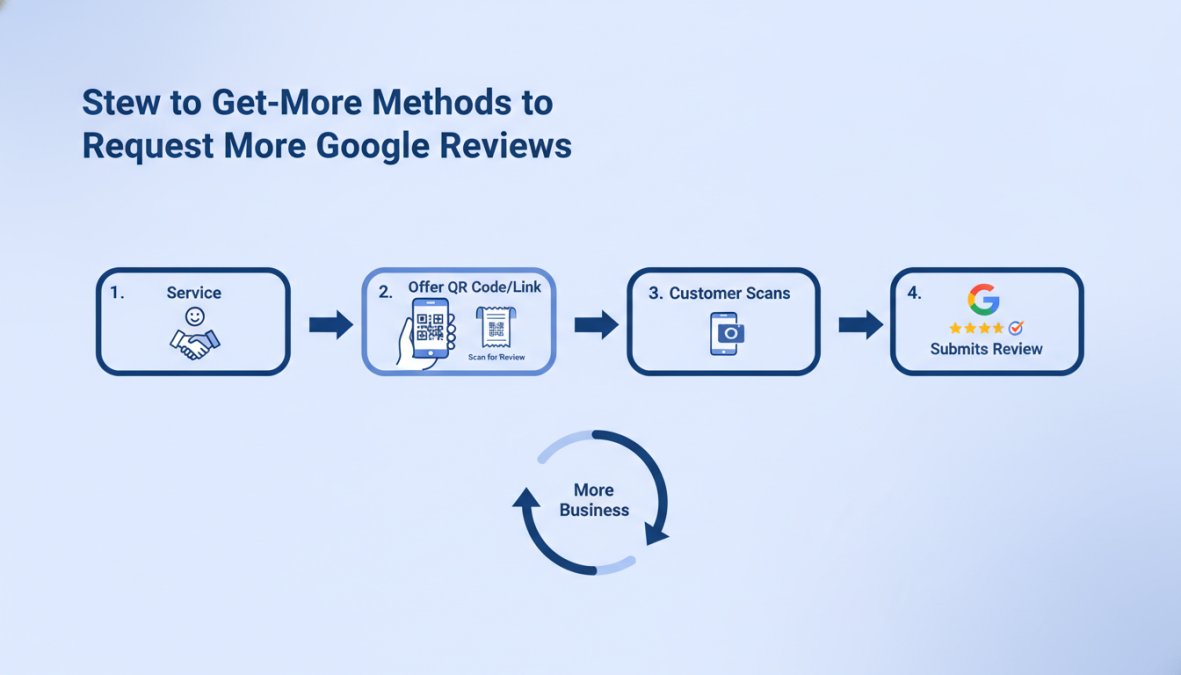
Successful review generation requires meeting customers where they are and removing friction at every stage. Different channels work for different business types, but the underlying principle remains: make the request easy, specific, and timely.
Asking Customers In Person
The highest conversion rate for review requests comes from face-to-face interactions. When a customer has just completed a transaction and is satisfied, the moment is ideal, their positive experience is fresh and their emotional state is positive.
Train your team to make a simple, one-sentence request: "Would you mind leaving a quick review on Google? It really helps us." Hand them a business card or receipt with your short review link printed on it.
The timing matters. Make the request after the transaction is complete and the customer is satisfied. For service businesses, this means at the end of an appointment. For retail, this means at checkout.
Avoid asking for reviews before the customer has experienced your full service. A request midway through a haircut or before a meal is served will feel premature and may irritate the customer.
Using QR Codes and Physical Signage
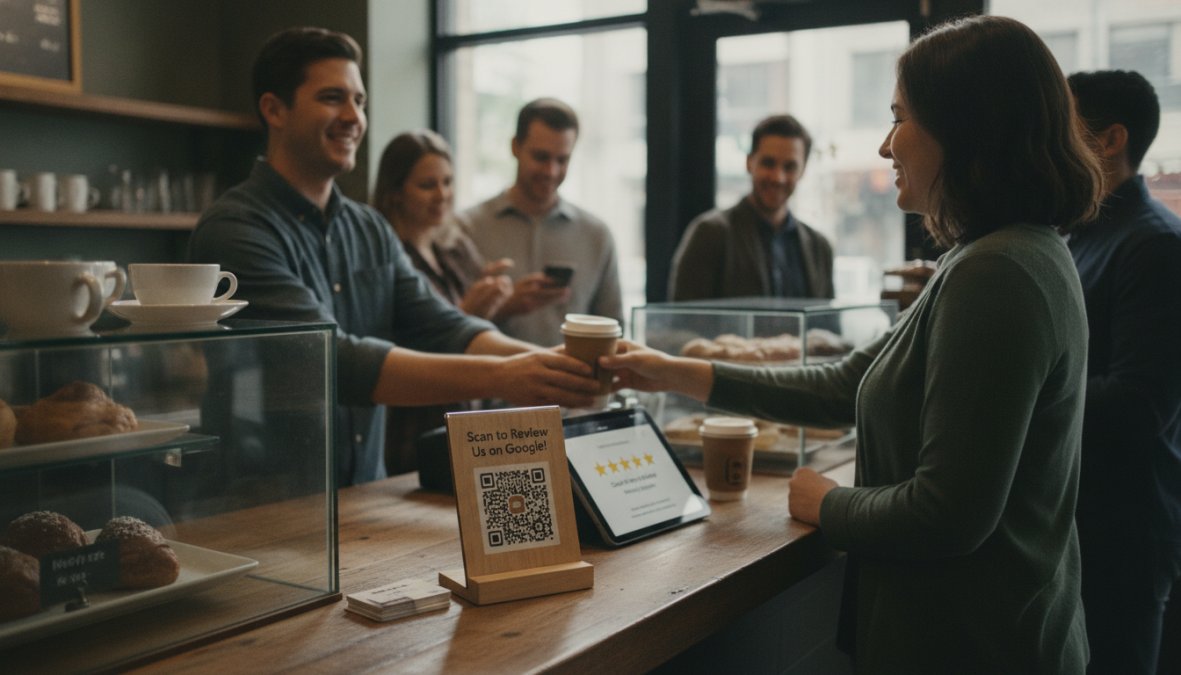
QR codes bypass the need for customers to type a URL. A customer scans the code with their phone camera and lands directly on your review form in five seconds.
Design a simple sign with your QR code that points to your review link. Place it on your checkout counter, receipt, or anywhere customers will see it during their visit. Test your QR code before printing any signage.
QR codes are particularly effective for businesses where customers are already holding their phones, restaurants, salons, retail stores, and service providers all benefit from this approach.
Sending Follow-Up Emails and SMS Marketing
Email and SMS reach customers after they’ve left your business, when they have time to reflect on their experience. These channels allow you to include your review link directly.
For email, send a follow-up message within 24 hours of the customer’s transaction with a subject line like "How was your experience?" Include your review link prominently in the email body.
SMS messages have significantly higher open rates than email (98% vs. 20%), but they require explicit customer consent and must be brief. A text message might read: "Thanks for visiting! We’d love your feedback. Leave a review here: [short URL]"
Automating Review Requests with Workflows
Once you’ve built a system for requesting reviews, automation scales it without adding manual effort. Review request workflows send emails or SMS messages automatically when specific conditions are met, like a customer completing a purchase or appointment.
Most CRM and email marketing platforms allow you to create workflows that trigger based on customer actions. Zapier and similar automation tools connect your business systems to email and SMS services.
Segment your automation workflows by customer type. Customers who’ve purchased high-value items or had exceptional experiences are more likely to leave reviews. Create separate workflows for different customer segments and adjust your messaging accordingly.
Avoid over-automation. A customer who receives three separate review requests in one week will feel harassed. Set up one primary request channel and one follow-up if the first request goes unanswered.
Google Review Request Templates You Can Use Today
Ready-made templates eliminate the blank page problem and ensure your review requests are professional and effective.
Email Templates for Different Industries
Service-Based Businesses (Plumbing, HVAC, Electrical, etc.):
Subject: Thanks for choosing us, your feedback matters
"Hi [Customer Name],
Thank you for letting us handle your [service type] needs. We’d love to hear about your experience. Your feedback helps us continue improving and helps other homeowners make confident decisions.
Would you mind taking 60 seconds to leave a review on Google? Here’s the link: [short URL]
Thanks again for choosing [Business Name]."
Retail and E-Commerce:
Subject: Tell us what you think, quick review
"Hi [Customer Name],
Your order just arrived. Real reviews from real customers help us stay honest and help others find products they’ll love. If you’re happy with your purchase, we’d be grateful if you could share your thoughts on Google.
Leave a review here: [short URL]"
Healthcare and Professional Services:
Subject: Your feedback helps us serve you better
"Hi [Customer Name],
Thank you for trusting us with your care. Patient feedback is essential to our continuous improvement. If you had a positive experience, we’d be grateful if you’d share it on Google.
Leave a review here: [short URL]"
SMS and In-Person Request Scripts
SMS Template:
"Thanks for visiting [Business Name]! We’d love your feedback. Leave a quick review: [short URL]"
In-Person Script:
"Thank you so much for coming in today. If you could leave a review on Google, it really helps us get in front of new customers. Here’s the link on this card."
Best Practices for Google Reviews and Professional Responses
How you respond to reviews, both positive and negative, determines whether future customers trust your business. Professional responses demonstrate that you care about customer feedback and actively work to improve.
Creating Your Google Business Profile
A complete, optimized Google Business Profile increases your visibility in local search and makes it easier for customers to find and review your business. Verify ownership of your business profile first, Google sends a verification code by mail, phone, or email.
Complete every field: business name, address, phone number, website, business hours, and business category. Add high-quality photos of your storefront, team, and products. Photos increase profile engagement by 42%.
Add a business description that includes relevant keywords naturally. Instead of "We are a plumbing company," write "We provide emergency plumbing repairs and water heater installation for residential and commercial properties in [city]."
Responding to Reviews Professionally
Every review deserves a response. Responding demonstrates that you read customer feedback and take it seriously. Google’s algorithm also considers response rates when ranking local businesses.
Respond to positive reviews with gratitude and specificity. Instead of "Thanks for the review," write "Thanks for mentioning how quickly we resolved your issue, that’s exactly the kind of service we strive for every day."
Keep responses brief (2-3 sentences maximum). Respond to all reviews within 48 hours when possible.
A professional response to every review signals active management and customer focus. This builds trust with potential customers evaluating your business before making a purchase decision.
How to Respond to Negative Google Reviews Effectively
Negative reviews are opportunities. How you respond to criticism determines whether future customers see you as defensive or as a business genuinely committed to improvement.
Turning Negative Feedback Into Reputation Management Wins
Never respond to a negative review in anger. Wait at least 24 hours before responding to allow for a thoughtful, professional reply.
Start by acknowledging the customer’s concern without making excuses. "I’m sorry you had this experience" is more effective than "We actually did everything correctly." Acknowledgment demonstrates empathy.
Offer a specific solution or next step. "I’d like to make this right. Please call me directly at [number] so we can discuss this further" shows you’re willing to invest effort in resolving the issue.
Move the conversation offline when possible. Respond publicly but suggest the customer contact you directly to resolve the issue.
Never ask a customer to remove a negative review in exchange for compensation. This violates Google’s review policies and can result in penalties to your profile. The only legitimate way to improve your review profile is to earn more positive reviews and respond professionally to negative ones.
Use negative reviews as training opportunities. If multiple customers mention the same issue, implement changes and mention those improvements in future responses.
Common Mistakes to Avoid When Getting Google Reviews
Asking customers to leave reviews on other platforms instead of Google is a mistake. Prioritize Google first, as it directly impacts your local search ranking.
Incentivizing reviews with discounts, free products, or giveaways violates Google’s review policies. Google explicitly prohibits paying customers to leave reviews or offering incentives for positive reviews.
Writing fake reviews or asking friends and family to leave reviews violates both policy and ethics. Google’s algorithm detects patterns of fake reviews and removes them.
Ignoring negative reviews is a missed opportunity. Professional responses to negative reviews actually increase trust with potential customers.
Requesting reviews too frequently exhausts your customer base. One request per customer per year is appropriate for most businesses.
Getting more Google reviews requires consistent effort across multiple channels, but the payoff is substantial. Businesses that actively request reviews see measurable improvements in local search visibility, customer trust, and revenue.
Web Maniacs helps businesses implement comprehensive review generation strategies that integrate with existing customer management systems. Our team sets up automated workflows, creates custom review request templates, and optimizes your Google Business Profile to maximize review volume and visibility. Get started with Web Maniacs and turn customer satisfaction into competitive advantage.
Frequently Asked Questions
Is it okay to ask customers for Google reviews?
Yes, asking customers for Google reviews is encouraged by Google and is a standard business practice. However, you must follow Google Review Policy Compliance: never incentivize reviews with discounts or payments, don't ask for positive reviews only, and don't write fake reviews yourself. Authentic customer feedback, positive or negative, builds trust and improves your local search visibility. The key is making the request easy and genuine.
What's the best way to ask for a Google review?
The most effective approach combines multiple touchpoints: ask customers in person at the point of service, send follow-up emails within 24-48 hours with a direct review link, use QR codes on receipts or signage, and automate requests through SMS or email workflows. Keep requests simple and genuine, explain why their feedback matters. Studies show personalized, timely requests have higher conversion rates than generic bulk requests.
How do I create a direct link for Google reviews?
You can create a Google review link by accessing your Google Business Profile, copying your review URL, and shortening it with tools like bit.ly or TinyURL for easier sharing. The direct link bypasses the search step and increases conversion rates significantly. Include this link in emails, texts, QR codes, and on your website. A shorter URL also improves click-through rates in SMS marketing and physical signage.
How many Google reviews do I need to improve my search ranking?
There's no magic number, but review volume does impact local SEO. Consistent, regular reviews signal active customer engagement and improve your Google Business Profile visibility. More importantly than quantity is consistency, businesses receiving steady reviews (even 2-3 per month) typically outrank competitors with sporadic review activity. Focus on review velocity and quality over raw count for best results.
This article was written using GrandRanker