
Secure Cross-Platform Mobile Apps for Beginners: A 2026 Guide
Table of Contents
- Why Security Matters for Cross-Platform Mobile Apps
- Understanding Security Challenges in Cross-Platform Development
- Step 1: Implement Data Encryption at Rest and in Transit
- Step 2: Set Up Authentication and Authorization Protocols
- Cross-Platform Mobile App Security Best Practices
- Step 3: Manage Dependencies and Audit for Vulnerabilities
- OWASP Mobile Security: Essential Principles for Your App
- Secure Coding Practices for Mobile Apps
Last Updated: July 31, 2026
Why Security Matters for Cross-Platform Mobile Apps
Security vulnerabilities in mobile applications cost organisations millions in data breaches, regulatory fines, and lost customer trust annually. At Web Maniacs, we’ve observed that the challenge intensifies when developing across multiple platforms simultaneously, each platform has distinct security models, and a vulnerability in one can expose your entire user base.
Mobile apps handle sensitive data: payment information, personal identifiers, location data, and authentication credentials. Unlike traditional web applications where security happens primarily on the server, mobile apps distribute security responsibilities across client-side and backend systems. A malicious actor can reverse-engineer your app binary, intercept network traffic, or exploit local storage vulnerabilities directly on a device.
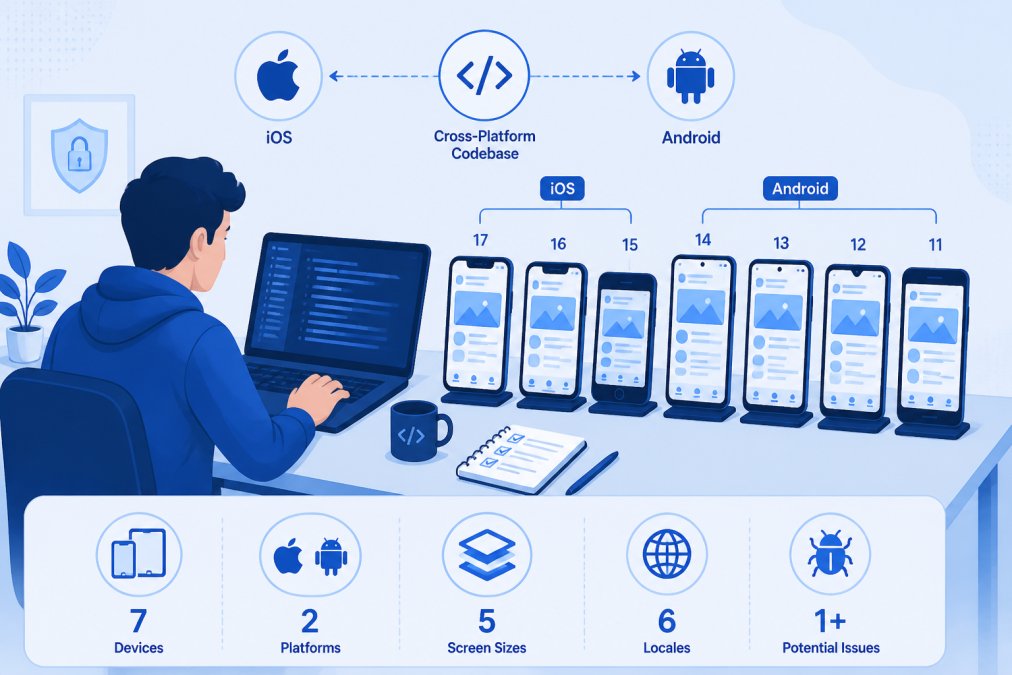
Understanding Security Challenges in Cross-Platform Development
The most common mistake beginners make is treating iOS and Android security identically. Both platforms have strong built-in security features, but they work differently. Android relies on its permission model and sandbox architecture, while iOS uses tighter app isolation and code signing enforcement.
Cross-platform frameworks like React Native, Flutter, and Cordova introduce additional complexity by abstracting away platform-specific security mechanisms. When you use a framework, you’re trusting that framework’s security implementation.
Platform-Specific Security Nuances
iOS enforces code signing requirements that prevent unsigned apps from running. Android requires apps to be signed but allows users to install apps from unknown sources (though this is increasingly restricted on modern versions).
Data storage differs significantly. iOS provides encrypted storage through the Keychain, which is hardware-backed on modern devices. Android offers the Android Keystore, which provides similar functionality but requires explicit configuration. Many beginners store sensitive data in shared preferences without encryption, leaving data vulnerable to extraction.
Network security implementations vary too. Both platforms support HTTPS, but Android historically allowed cleartext traffic by default (changed in Android 9), while iOS was stricter from the beginning. Certificate pinning, a technique to prevent man-in-the-middle attacks, requires different implementation approaches on each platform.
Permission models also differ. Android’s permission system is granular and explicit, requiring apps to declare permissions and users to grant them. iOS uses a simpler model with fewer permissions but enforces them strictly through runtime prompts.
Step 1: Implement Data Encryption at Rest and in Transit
Encryption protects data stored on the device and data transmitted between your app and backend servers. Both are essential and require different approaches.
Encrypting Sensitive Data at Rest
Never store sensitive data in plain text, even in supposedly private app directories. On iOS, use the Keychain for authentication tokens and passwords, it’s encrypted by default and tied to the device’s secure enclave. For larger data sets, use Core Data with encryption enabled.
On Android, use the Android Keystore for cryptographic keys and sensitive data. Encrypt application data using Keystore-generated keys before storing in SQLite or Realm databases.
For cross-platform frameworks, use platform-specific plugins rather than implementing encryption in shared code. A React Native app should call native Keychain code on iOS and native Keystore code on Android.
Securing Data in Transit with HTTPS and Certificate Pinning
All network communication must use HTTPS. Certificate pinning adds an additional security layer by verifying that the server’s SSL certificate matches an expected certificate or public key.
Implementing certificate pinning requires storing your server’s certificate or public key in your app and validating it during TLS handshake. On iOS, use URLSession delegate methods. On Android, use Network Security Configuration or implement custom TrustManager logic.
The challenge with pinning is certificate rotation: when your server certificate expires, you must update your app. Plan for this by pinning multiple certificates (current and upcoming) or pinning the intermediate certificate rather than the leaf certificate.
Certificate pinning errors will cause your app to completely fail connecting to your backend if the certificate changes unexpectedly. Always test certificate rotation in a staging environment before deploying to production.
Step 2: Set Up Authentication and Authorization Protocols
Authentication verifies who the user is. Authorization determines what authenticated users are allowed to do.
OAuth and Two-Factor Authentication
OAuth 2.0 is the industry standard for delegated authentication. Instead of storing user passwords in your app, you redirect users to an identity provider (Google, Apple, Facebook) where they authenticate. Your app receives a token that proves authentication without handling the password.
For cross-platform apps, use OAuth 2.0 with the Authorization Code Flow, designed specifically for native mobile apps. Libraries like AppAuth (available for both iOS and Android) implement this flow correctly.
Two-factor authentication (2FA) adds a second verification factor beyond the password. Common approaches include time-based one-time passwords (TOTP) via authenticator apps, SMS codes, or push notifications. Implement 2FA on the backend: your app collects the second factor and sends it to your server for verification.
Never implement custom authentication schemes. Standard protocols exist because security experts have spent years identifying and fixing edge cases.
Session Management and Tokenization
After authentication, your app needs to maintain a session with the backend using tokenization: the server issues a short-lived access token (typically valid for 15-60 minutes) and a longer-lived refresh token (valid for days or weeks).
Store access tokens in memory or in a secure, temporary location. Never persist access tokens to disk in plaintext. Store refresh tokens in platform-specific secure storage: Keychain on iOS, Keystore on Android.
Implement token expiration and rotation. Shorter token lifespans limit the window of exposure if a token is compromised.
Cross-Platform Mobile App Security Best Practices
Input Validation and Secure Coding
Validate all input on the client side (for user experience) and always re-validate on the server (for security). Client-side validation can be bypassed; server-side validation cannot.
Prevent injection attacks by using parameterized queries for database operations. Never concatenate user input into SQL queries. Avoid hardcoding secrets in your source code, use a secure configuration service or environment variables during the build process.
Implement proper error handling that doesn’t leak sensitive information. Error messages shown to users should be generic ("Login failed") rather than specific ("User not found").
Choosing Secure Frameworks
Flutter has strong security foundations: it compiles to native code, has good support for platform-specific security APIs, and the Dart language has memory safety features. Flutter apps can directly access Keychain on iOS and Keystore on Android.
React Native requires careful implementation. JavaScript doesn’t have direct access to secure storage, so you must use native modules for sensitive operations. Cordova apps are essentially web apps running in a WebView, which means they inherit web application vulnerabilities.
Regardless of framework, prioritize frameworks with active security maintenance. Check the framework’s security advisory history and update frequency.
When evaluating frameworks, check not just the framework’s security features but the security of popular plugins. A framework is only as secure as its ecosystem.
Step 3: Manage Dependencies and Audit for Vulnerabilities
Modern mobile apps depend on dozens of third-party libraries. Each library is a potential security vulnerability if it contains unpatched flaws.
Third-Party Library Risk Assessment
Before adding any dependency, assess its security posture. Check the library’s maintenance status: is it actively maintained? How quickly does the maintainer respond to security issues?
Review the library’s dependencies. A library might be secure, but if it depends on an unmaintained library, you inherit that risk. Tools like Snyk Snyk dependency scanning platform can visualize your entire dependency tree and flag known vulnerabilities.
Evaluate whether a library needs network access, file system access, or other sensitive permissions. A utility library that requires internet access is suspicious.
Continuous Dependency Auditing
Audit your dependencies regularly, not just at initial integration. Set up automated scanning in your CI/CD pipeline using tools like Snyk or Veracode Veracode application security testing.
Configure your build system to fail if high-severity vulnerabilities are detected. Keep dependencies updated, updates often include security patches. Document your dependency update policy to ensure consistency.
OWASP Mobile Security: Essential Principles for Your App
The Open Worldwide Application Security Project (OWASP) publishes guidance on mobile application security through their Mobile Application Security Verification Standard (MASVS).
Threat Modeling and Vulnerability Assessment
Threat modeling systematically identifies potential attacks against your application. Map your app’s components: client app, backend API, database, third-party services. Then identify potential threats at each boundary.
Once you’ve identified threats, assess the likelihood and impact of each. Focus your security efforts on high-likelihood, high-impact threats first. Perform security code reviews focusing on authentication logic, encryption implementation, and API communication code.
Penetration Testing on Real Devices
Automated testing tools catch common vulnerabilities, but sophisticated attacks require manual testing on actual devices. Test on a jailbroken iOS device and a rooted Android device to see what data is stored and monitor network traffic.
Use network traffic analysis tools like Burp Suite or mitmproxy to inspect HTTPS traffic. Attempt to reverse-engineer your app using tools like Frida or Ghidra. If you can extract API keys or encryption keys, so can an attacker.
Secure Coding Practices for Mobile Apps
Code Obfuscation and Runtime Protection
Code obfuscation makes your compiled app binary harder to reverse-engineer. Tools like ProGuard (for Android) and Guardsquare’s DexGuard Guardsquare mobile app protection solutions rename classes and methods to meaningless names and remove debug information.
Runtime Application Self-Protection (RASP) detects when an app is running on a jailbroken/rooted device or being debugged. Your app can respond by refusing to run or alerting your backend. Implement root/jailbreak detection as an additional layer, but understand its limitations.
Biometric Authentication and Advanced Security Features
Biometric authentication (fingerprint, face recognition) provides better security than passwords when implemented correctly. On iOS, use LocalAuthentication framework. On Android, use BiometricPrompt.
Biometric authentication should supplement, not replace, other security measures. After biometric verification, still issue a session token for subsequent requests. Implement adaptive security: increase security requirements when risk is higher.
Securing cross-platform mobile apps requires attention to platform-specific details, careful dependency management, and systematic threat assessment. Web Maniacs helps development teams implement these security practices through custom mobile app development that integrates authentication protocols, data encryption, and secure coding from the start. Our team handles platform-specific security nuances so your app protects user data across iOS and Android. Get started with Web Maniacs and build mobile apps your users can trust.
| Security Practice | Purpose | Platform Consideration |
|---|---|---|
| Data encryption at rest | Protect stored sensitive data | iOS Keychain vs Android Keystore |
| HTTPS and certificate pinning | Secure network communication | Both platforms, different implementation |
| OAuth 2.0 authentication | Delegate authentication safely | Framework-agnostic standard |
| Dependency auditing | Identify vulnerable libraries | Automated scanning in CI/CD |
| Code obfuscation | Prevent reverse engineering | Android ProGuard, iOS compilation options |
| Biometric authentication | Improve security and UX | Platform-specific APIs required |
| Threat modeling | Systematic vulnerability identification | Both platforms equally |
| Penetration testing | Real-world attack simulation | Requires jailbroken/rooted devices |
Frequently Asked Questions
What are the most common security vulnerabilities in cross-platform mobile apps?
Common vulnerabilities include insecure data storage, weak authentication mechanisms, unencrypted API communication, and vulnerable third-party dependencies. Cross-platform apps face additional risks because security gaps on one platform may affect both iOS and Android versions. Input validation failures, inadequate session management, and exposed cryptographic keys are frequent issues. Regular vulnerability assessments and penetration testing help identify and fix these before launch.
How do I implement data encryption for my cross-platform mobile app?
Encrypt sensitive data at rest using platform-specific encryption libraries (AES-256 for Android, CommonCrypto for iOS) and frameworks like SQLCipher for encrypted databases. For data in transit, enforce HTTPS with TLS 1.2 or higher and implement certificate pinning to prevent man-in-the-middle attacks. Cross-platform frameworks like React Native and Flutter offer built-in encryption packages. Always store cryptographic keys securely and never hardcode them in your source code.
What's the difference between OWASP mobile security and general app security?
OWASP Mobile Security focuses specifically on mobile-specific threats like insecure storage, weak cryptography, and reverse engineering risks. General app security covers broader concerns like SQL injection and XSS. OWASP MASVS (Mobile Application Security Verification Standard) provides a framework for testing mobile apps across both native and cross-platform environments. Following OWASP guidelines ensures your app addresses mobile-specific attack vectors that desktop applications may not face.
How often should I audit dependencies and apply security patches?
Audit dependencies at least monthly and immediately when security advisories are released for libraries you use. Implement automated dependency scanning tools that integrate with your CI/CD pipeline to flag vulnerabilities during development. Apply critical security patches within 48-72 hours of release. For cross-platform apps, test patches on both iOS and Android before deploying to production to ensure compatibility and stability across platforms.
This article was written using GrandRanker