What Are the Mobile App Design Trends for 2026?
Last Updated: November 5, 2026
Quick Summary
The mobile app design trends worth your budget in 2026 are the ones that convert browsers into buyers, not the ones that look most futuristic. Prioritise AI personalisation that removes friction, accessibility from day one, and ethical personalisation built on informed consent. Measure every trend against task completion, conversion rate and retention.
- A 2026 survey of more than 11,500 app users found most people judge an app within seconds.
- Map the journey and test a clickable prototype with five real customers before you build.
- Retrofitting accessibility after launch can cost more than designing for it from the start.
- Adopt AI personalisation only when you have enough first-party behavioural data to make it meaningful.
- If a trend does not move task completion, conversion or retention, it was decoration.
Table of Contents
- Mobile App Design Trends for 2026 That Change Buying Decisions
- Mobile App Design Best Practices That Hold Up Beyond the Hype
- How AI in Mobile App Design Earns Its Place
- Mobile App Accessibility: The Standard Your App Has to Meet
- Personalisation, Privacy and Consent: Getting the Balance Right
- What Mobile App Development Cost Actually Covers
- How to Measure Whether a Design Trend Paid Off
- Planning Your App Build With Web Maniacs
- Frequently Asked Questions
Mobile App Design Trends for 2026 That Change Buying Decisions
A 2026 industry survey of more than 11,500 app users found that most people judge an app within seconds, and abandon it just as fast when the experience feels clumsy (Framna Mobile App Trends Report 2026).
The trends that matter are the ones that convert browsers into buyers and keep customers coming back.
Below, we break down the design trends worth your budget this year, the best practices that outlast the hype cycle, and how to measure whether any of it worked.
Mobile App Design Best Practices That Hold Up Beyond the Hype
Trends fade. Fundamentals compound. Before you spend a cent on a fashionable interface, get these two practices right, because they decide whether the rest of your design work has any value at all.

Map the Journey Before the Interface
User experience design is the practice of planning how someone moves through your app to complete a task, before any visual styling begins. Skipping this step is the most common mistake we see. Teams jump straight to colours and screens, then wonder why sign-ups stall.
Start with the three or four tasks that matter most, such as finding a product, booking a service or checking out. Sketch each path from entry to finish. For a deeper grounding in the difference between planning and styling, our guide on UX design principles versus UI design is a useful starting point.
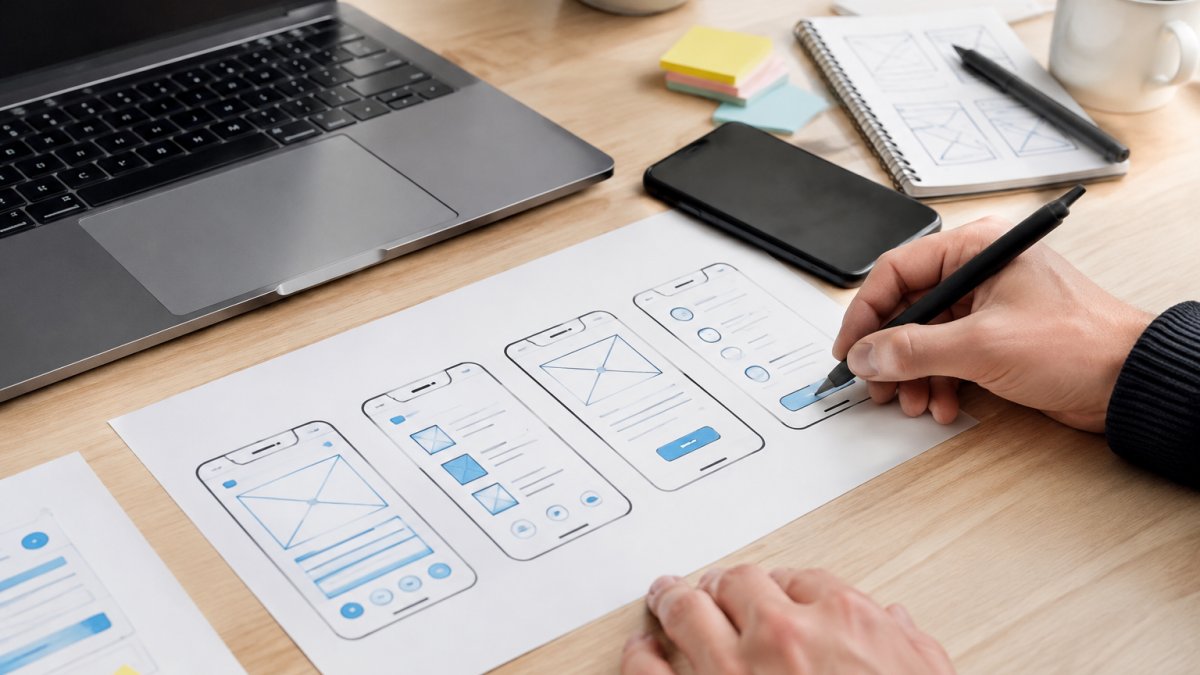
Prototype, Test, Then Build
A prototype is a clickable mock-up of your app that costs a fraction of a real build. Put one in front of five real customers before you commit to development. Watch where they hesitate. That hesitation is cheaper to fix now than after launch.
How AI in Mobile App Design Earns Its Place
AI in mobile app design is worth the investment when it removes friction, not when it shows off. The practical wins are search that understands intent, recommendations that reflect what a customer actually browsed, and support that answers common questions instantly. UX Pilot’s 2026 design trend analysis identifies AI-driven personalisation and conversational interfaces as the defining shifts of the year.
The test is simple. If a feature does not shorten a task or increase completion, cut it.
Where AI earns its place in a small or mid-sized business app:
- Intent-aware search. A customer types “warm jacket for a tramp” and the app returns waterproof shells, not every jacket in the catalogue. This is retrieval augmented by a language model, not a chatbot bolted onto the search bar.
- Recommendations grounded in behaviour. Show products based on what the customer viewed, bought, or abandoned, not on what a generic model thinks people like. The mechanism is simple: event tracking feeds a ranking model, and the ranking model surfaces the next best item.
- Support deflection. A conversational assistant that answers the ten most common pre-sale questions, stock availability, delivery timeframes, returns, reduces support volume and shortens the path to purchase.
- On-device processing where it matters. For features such as text recognition or image classification, running the model on the phone keeps sensitive data local and works when connectivity drops. This matters in areas where mobile coverage is patchy.
Responsible AI personalisation is the part most trend articles skip.
A common pattern is to start with one AI feature, measure whether it moves task completion or conversion, and only then expand.
Watch out: an AI feature that requires a new consent screen, a data-retention policy, and a fallback for when the model is wrong is not a small addition.
Mobile App Accessibility: The Standard Your App Has to Meet
Accessibility is not a nice-to-have. An app that excludes users with low vision, hearing loss or motor difficulties excludes paying customers. Build to recognised accessibility guidance from the start: readable contrast, tappable targets large enough for a thumb, screen-reader labels, and text that scales.
Retrofitting accessibility after launch can cost more than designing for it from the start. If your app handles customer accounts or payments, our overview of mobile app security compliance requirements covers the local obligations that sit alongside accessibility.
Personalisation, Privacy and Consent: Getting the Balance Right
Personalisation works only when customers trust what you do with their data. Informed consent means telling people plainly what you collect, why, and how they can opt out, then honouring that choice. Tubik Studio’s 2026 UI design trends review flags ethical personalisation as a defining theme, and for good reason: users reward transparency and punish surprises.
Practical steps:
- Ask for the minimum data you need, not everything you could collect
- Explain the benefit in plain language (“we use this to show stock near you”)
- Make opting out easy and keep it honoured
If loyalty is your goal, our breakdown of mobile app features for customer loyalty shows how to use customer data well without overstepping.
What Mobile App Development Cost Actually Covers
Development cost is driven by scope, not by trend count. A focused app with five core screens costs far less than a sprawling one with twenty.
| Cost Driver | What It Covers | How to Keep It Down |
|---|---|---|
| Discovery | Journey mapping, requirements | Define core tasks early |
| Design | Interface, prototype, design system | Reuse components across screens |
| Development | Native or cross-platform build | Start with one platform if possible |
| Testing | Usability and device checks | Prototype before building |
| Maintenance | Updates, fixes, iteration | Budget for it from day one |
Pricing depends on scope, so we quote each project individually. You can find current pricing information on our website. Watch out: the most expensive mistake is building features nobody asked for. Every screen you add is a screen you must maintain.
Turning Each Trend Into a Build Decision
The useful question is not “should we adopt this trend?” but “what does adopting it cost, and what does it return?” Here is how the 2026 trends translate into decisions for a small or mid-sized business.
- AI personalisation. Adopt when you have enough first-party behavioural data to make recommendations meaningful. If you have fewer than a few thousand monthly active users, a simpler rules-based recommendation is often enough. The cost is in data plumbing and governance, not the model itself.
- Conversational interfaces. Adopt for support deflection or guided selling where the task is well-defined. Pass if your customers need to browse visually or compare complex options, a chat window adds friction there.
- Accessibility. Adopt from day one. Retrofitting screen-reader labels, contrast, and scalable text after launch typically costs more than designing for them, and it widens your paying audience.
- Motion and micro-interactions. Adopt sparingly. A subtle transition that confirms an action helps; decorative animation that delays the next screen hurts. Test on older devices, because animation that runs smoothly on a flagship phone can stutter on a three-year-old handset.
- Dark mode and theming. Adopt when your audience expects it or when the app is used at night. It is a design-system decision, not a per-screen one, so build it into your component library or skip it.
- Offline-first behaviour. Adopt when your customers use the app in places with unreliable coverage, field service, rural delivery, events. The cost is in sync logic and conflict resolution, which is real engineering work.
What Drives the Quote Up or Down
Two apps with the same screen count can differ in price by a wide margin. The variables that matter most are integrations with existing systems, the number of user roles and permission levels, whether you need native device features such as camera or location, and how much of the design system you can reuse. These choices shape how innovative mobile apps balance tailored experiences with practical development costs, including when voice-based features bring wake-up calls into the app experience.
Maintenance deserves its own line in the budget. Apps need operating-system updates, security patches, and store-compliance changes every year. A common pattern is to set aside a maintenance allowance from launch rather than treating it as an afterthought.
If you want to compare the cost of a focused build against a broader one, our guide to building a small-business app walks through scope decisions, and our pricing page shows how we structure engagements.
How to Measure Whether a Design Trend Paid Off
Measurement turns design from guesswork into a business case. Track task completion, conversion rate and retention before and after a change, and compare against a baseline.
- Task completion: did more users finish the key action?
- Conversion rate: did purchases or bookings rise?
- Retention: are customers returning after week one?
- Support volume: did fewer people need help?
If a trend does not move at least one of these, it was decoration. Once your app is live, our blog on mobile app marketing strategies covers the retention and store-optimisation work that turns a good design into growth.
Planning Your App Build With Web Maniacs
The trends worth pursuing in 2026 all share one trait: they serve the customer’s task. AI, personalisation and accessibility only pay off when they shorten the path to a completed action.
At Web Maniacs, we design and build apps around that principle.
If you want an app that converts rather than just launches, explore the wider guide to building a small-business app and then get in touch with us about your scope.
Frequently Asked Questions
How is AI changing mobile app design?
AI now handles personalisation, search and notifications inside the app, and it also speeds up the design process itself through automated prototyping and content generation. The practical change for a business is that users expect the app to remember them: . AI in mobile app design only pays off when it serves a clear task, such as surfacing a reorder button or answering a support question, rather than being added for its own sake.
How can businesses make mobile apps more accessible?
Start by designing to recognised accessibility guidance and testing with real assistive technology. Practical steps include readable text sizes, strong contrast, labels on every interactive element for screen readers, and touch targets large enough to tap reliably. Build accessibility into the design system so it carries across iOS and Android rather than being patched in later. Mobile app accessibility also covers captions on video, clear error messages, and flows that work without relying on colour alone to convey meaning.
How much does it cost to design a mobile app?
Mobile app development cost depends on scope: the number of screens, whether you need native or cross-platform builds, integrations with your e-commerce or booking systems, and how much testing and post-launch support you want. A simple booking or catalogue app sits at a very different level from a custom platform with accounts and payments. Ask for a fixed scope and a written breakdown of design, build and maintenance. Web Maniacs lists current pricing on its website and offers a free trial.
How do you choose the right design trends for a business app?
Judge each trend against one question: does it remove friction from a task your users already perform? Personalisation, conversational interfaces and AI-assisted search are worth adopting when they shorten a journey, such as reordering or booking. Skip trends that add novelty without measurable gain. Tie every decision to a metric you can track, like task completion, retention or conversion rate, and revisit after launch. Mobile app design trends are only useful when they translate into a business decision you can defend.
Ready to turn a design trend into a measurable result? Get started with Web Maniacs and build an app your customers actually finish using.